Deal Stage:
You can prevent Partners and Distributors from editing the Deal Stage field and define a default Stage for newly registered Deals by going to Settings > Deal Registration > Deal Registration Module Settings. You'll then enable the "Don’t allow Partners and Distributors to change Stage" setting and select a default Stage value (excluding Closed Won/Lost Stages) for new Deals from the dropdown menu.
Once enabled, the Stage field will be read-only for Partners and Distributors, and any Deals they register will automatically be set to the default Stage you selected. 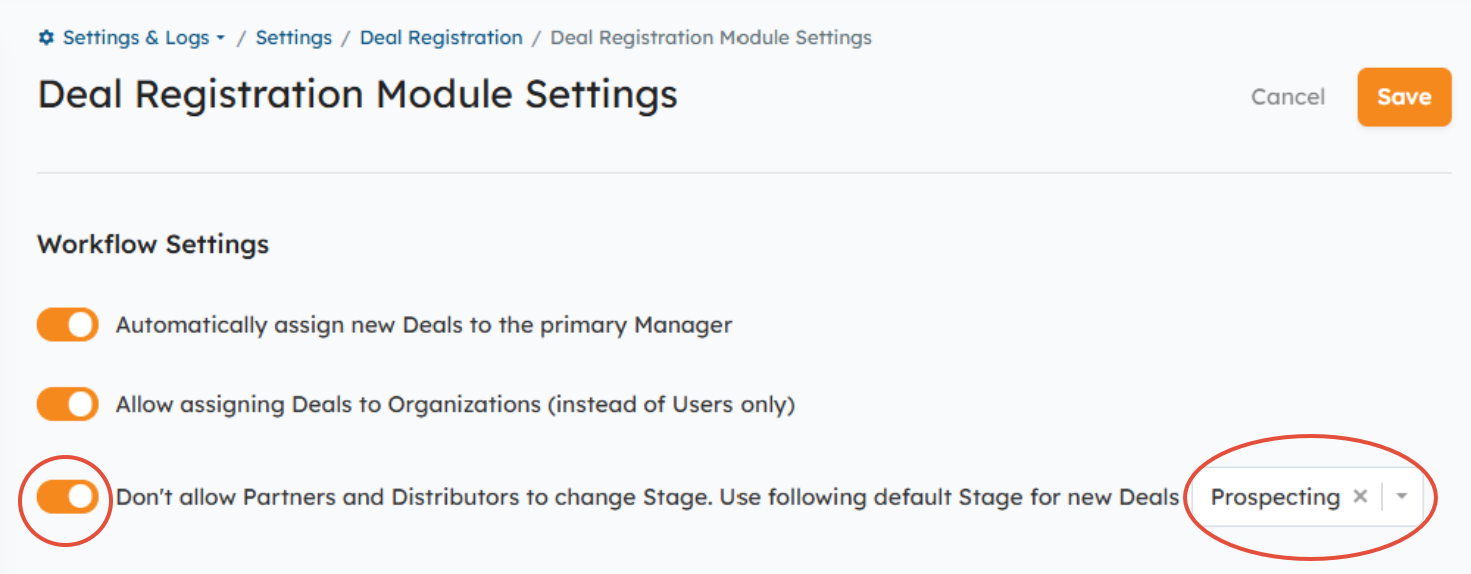
NOTE: You can update the default Stage value at any time via the dropdown menu in the Deal Registration Module Settings listed above, or by going to Settings > Deal Registration > Deal Sales Stages. You'll then hover over the Stage you wish to set as the default > Actions > Edit.
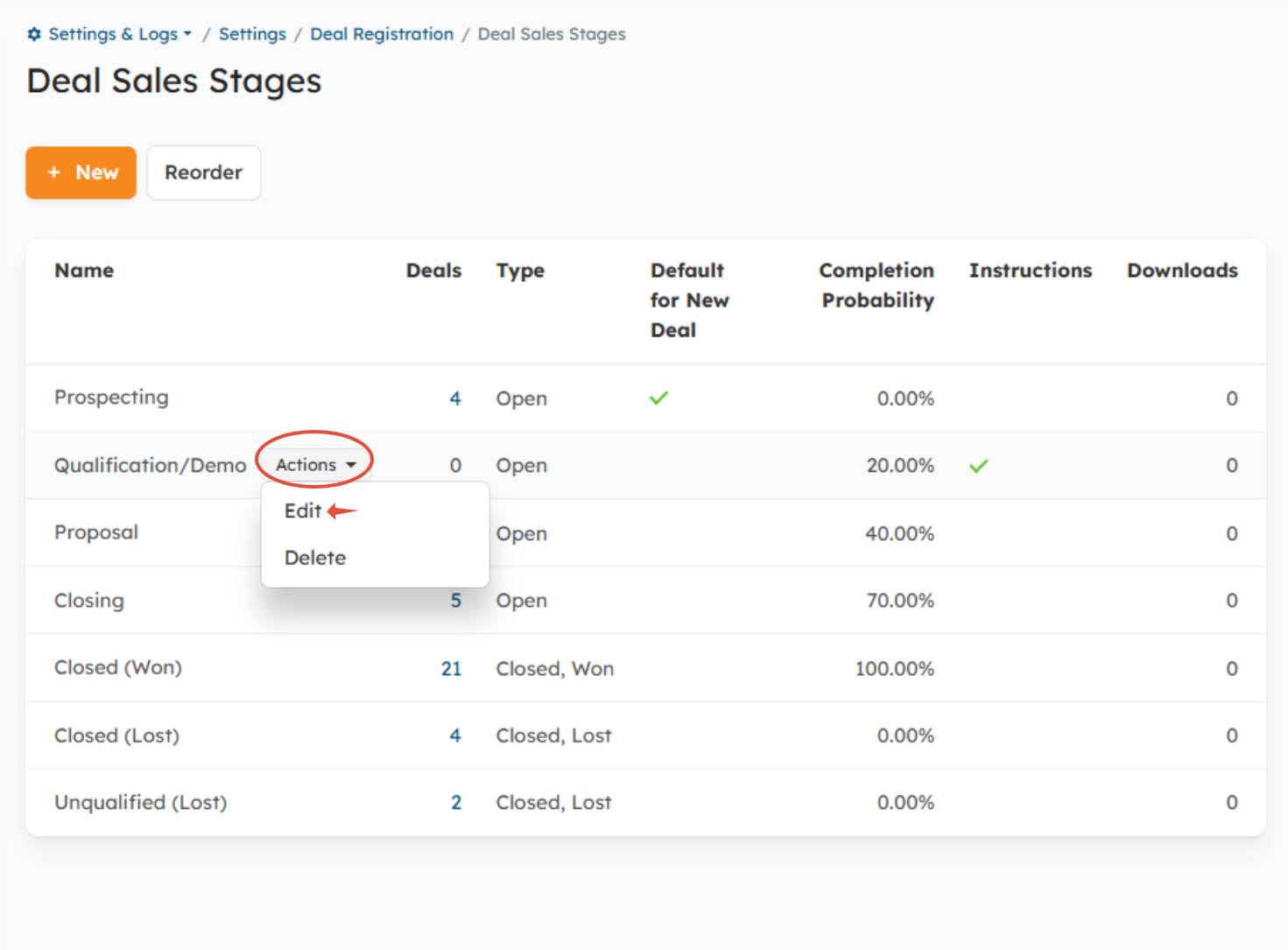
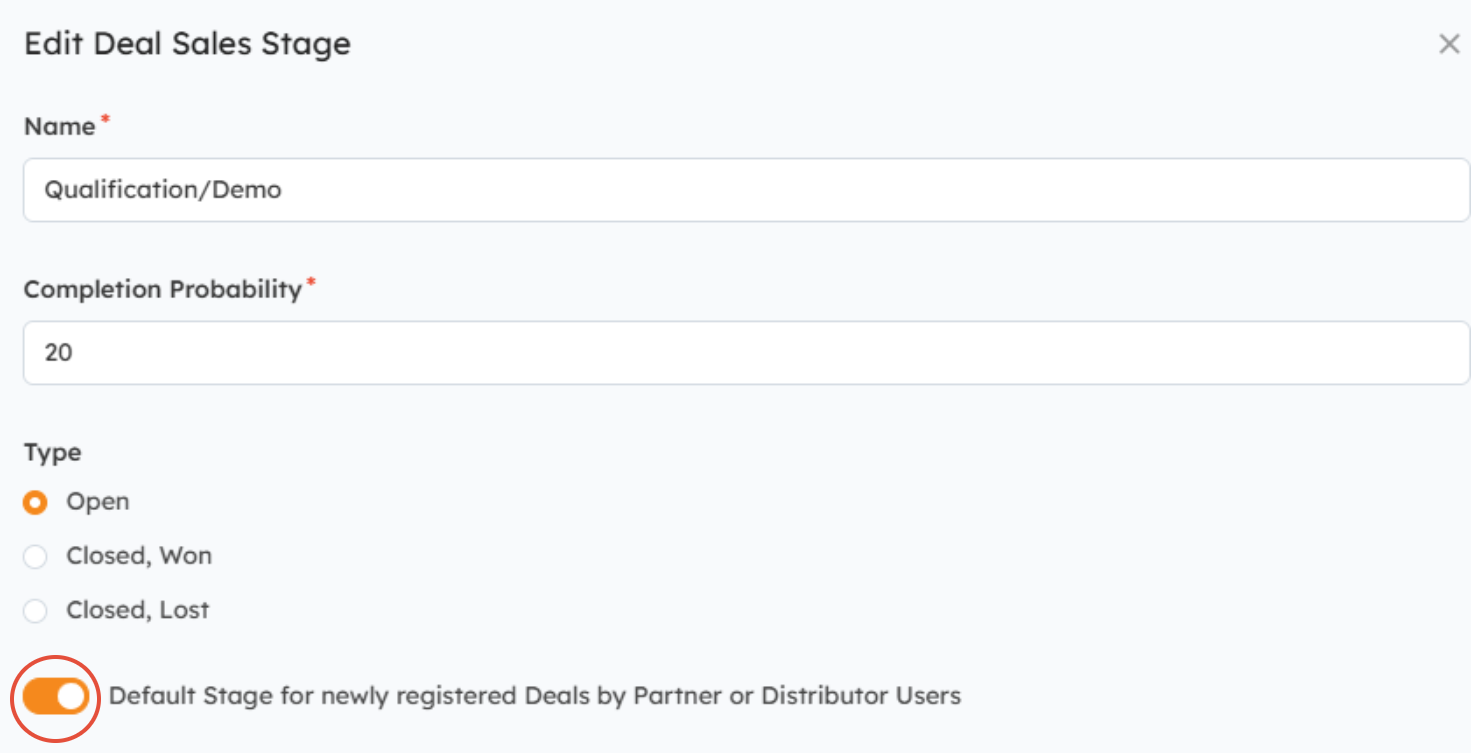
Enable "Default Stage for newly registered Deals by Partner or Distributor Users" > Save.
Close Date:
You can make the Close Date field read-only to Partners and Distributors by going to Settings > Deal Registration > Deal Registration Module Settings. You'll then scroll down to the "Field Settings" section to change the Close Date from "Editable" to Editable by Internal User only > Save.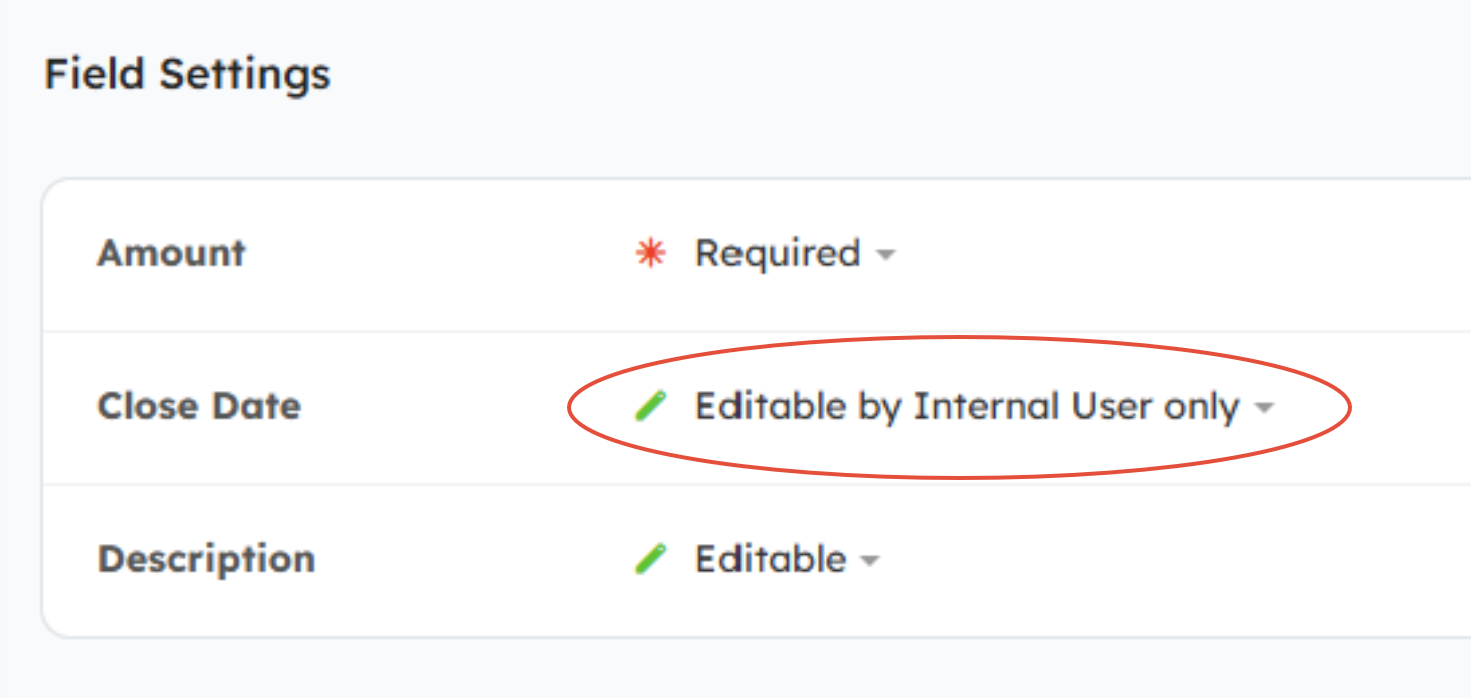
Related Articles:
Deal Sales Stages and Guided Selling
Was this article helpful?
That’s Great!
Thank you for your feedback
Sorry! We couldn't be helpful
Thank you for your feedback
Feedback sent
We appreciate your effort and will try to fix the article