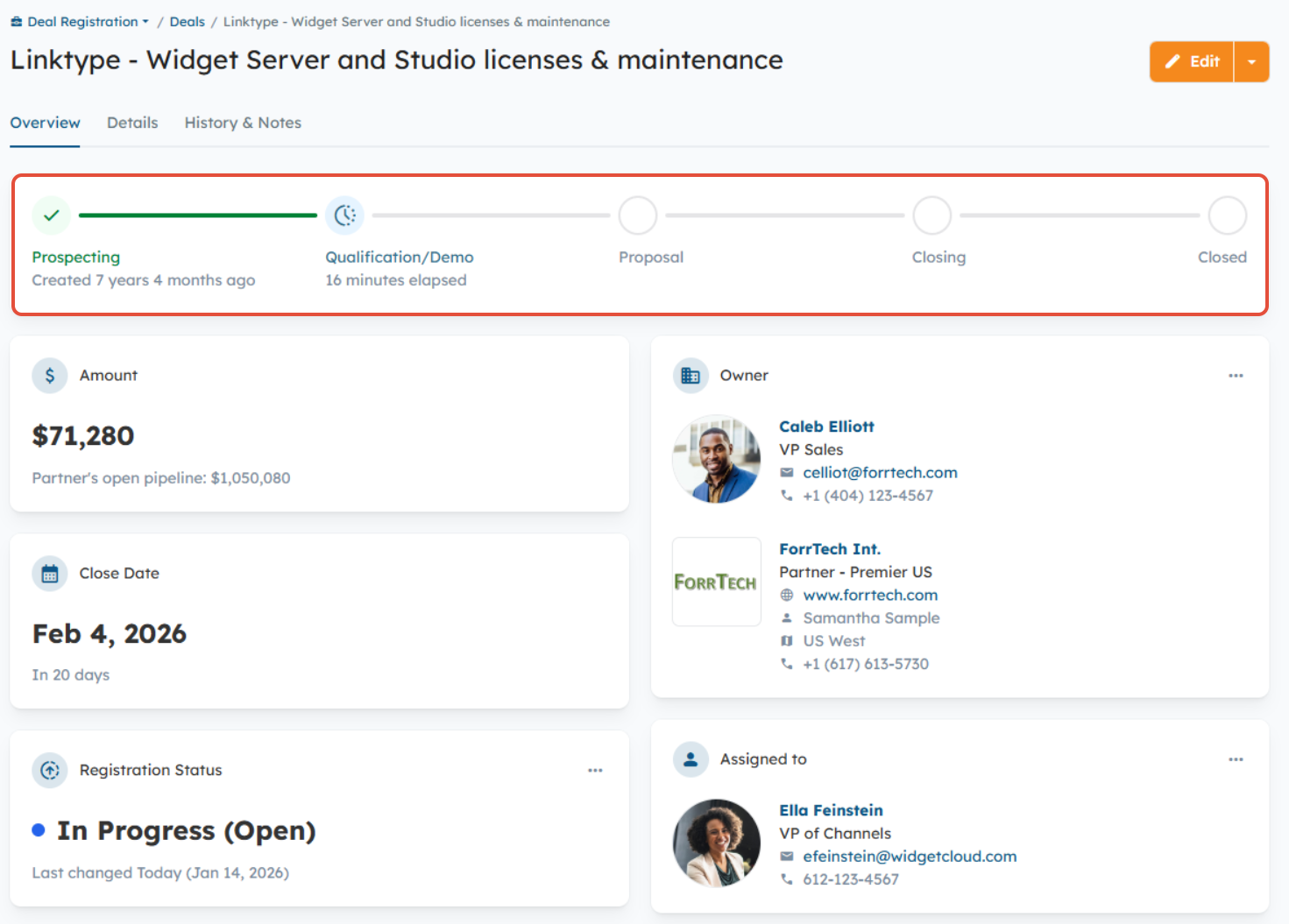
The Deal Sales Stage field is used to track where a Deal is in the sales cycle. A visual progress bar appears at the top of the Deal’s Overview page to show the Deal’s current Stage at a glance.
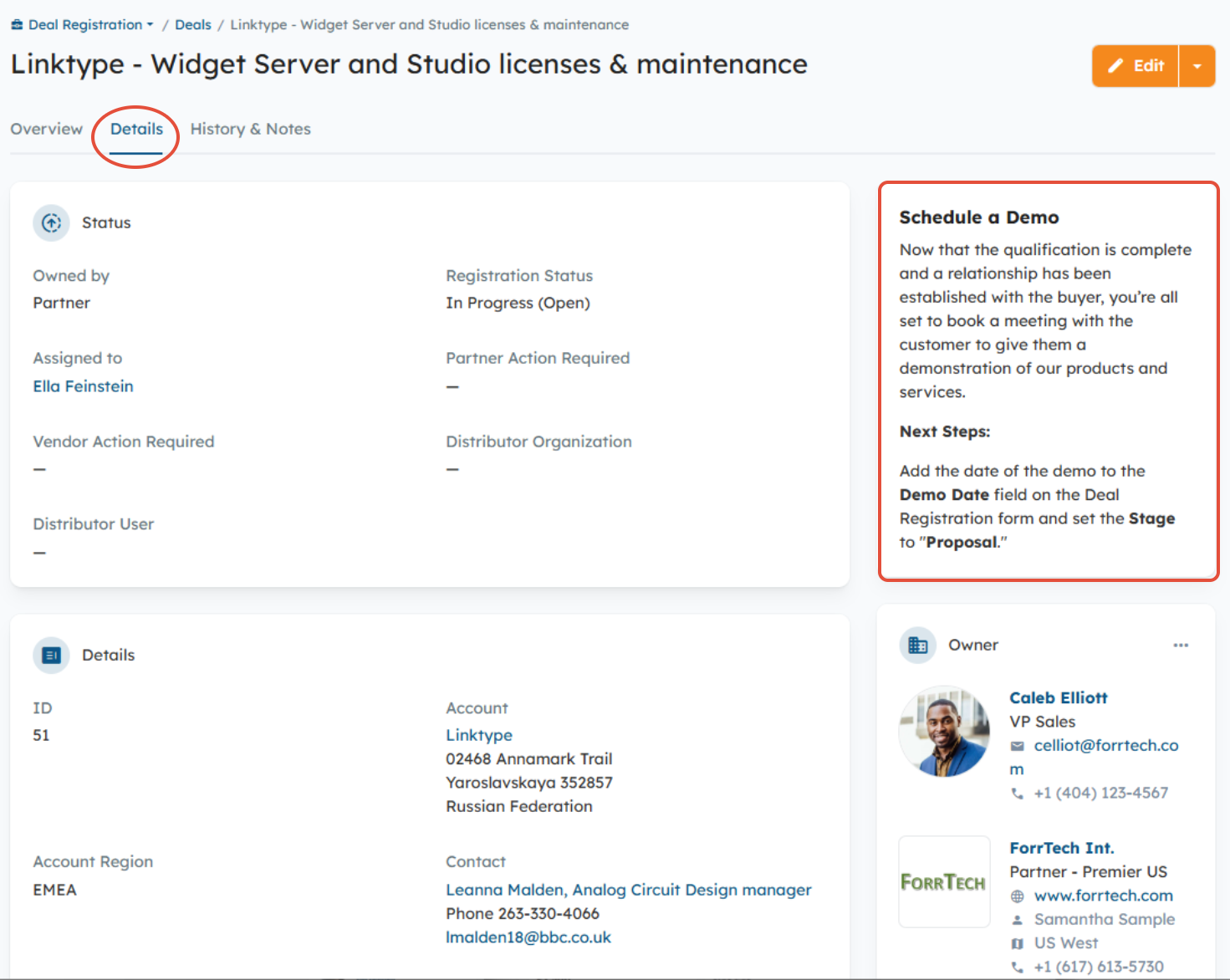
You can customize existing Stages or create new ones, and add stage-specific content or instructions to guide Partners/Distributors on next steps. This guidance appears in the right-side panel of the Deal’s Details page and updates automatically as the Stage changes.
NOTE: By default, the Stage field is editable by Internal, Partner, and Distributor Users. However, if you want to make it read-only for Partners and Distributors, you can do so by navigating to Settings > Deal Registration > Deal Registration Module Settings and enabling the setting below to prevent Partners and Distributors from changing the Stage field. You will also set a default Stage value for newly created Deals. Learn more here. 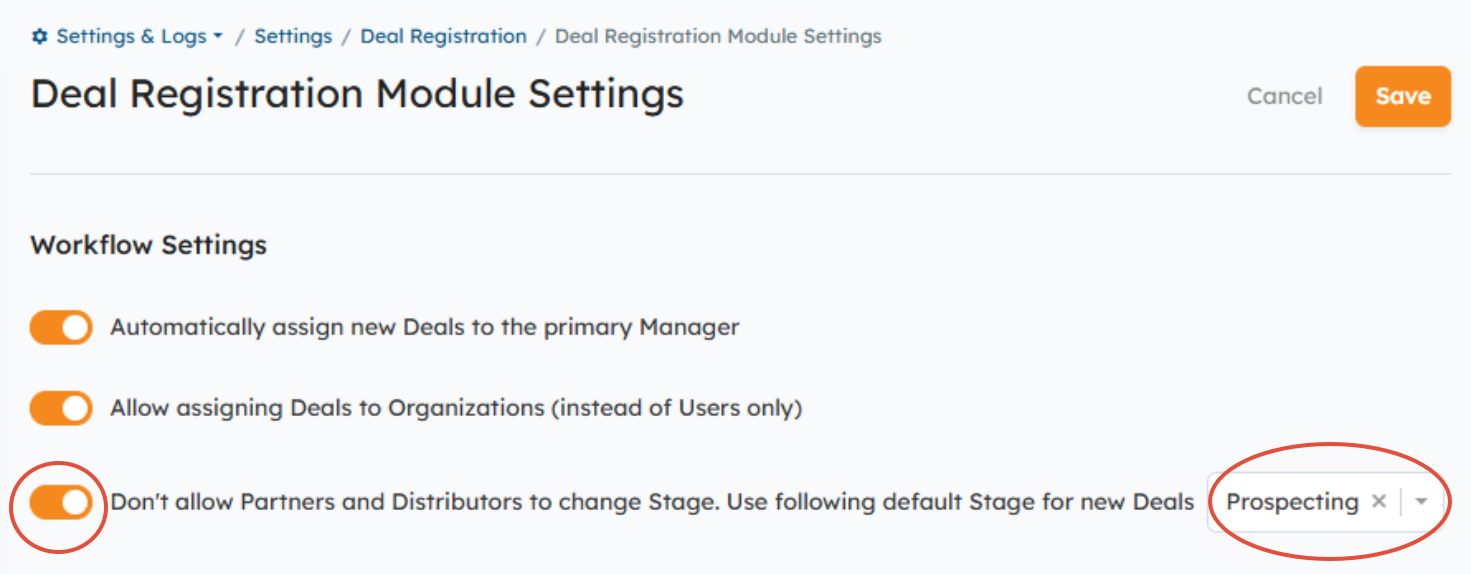
New Deal/Opportunity Stages:
- Go to Settings > Deal Registration > Deal Sales Stages.
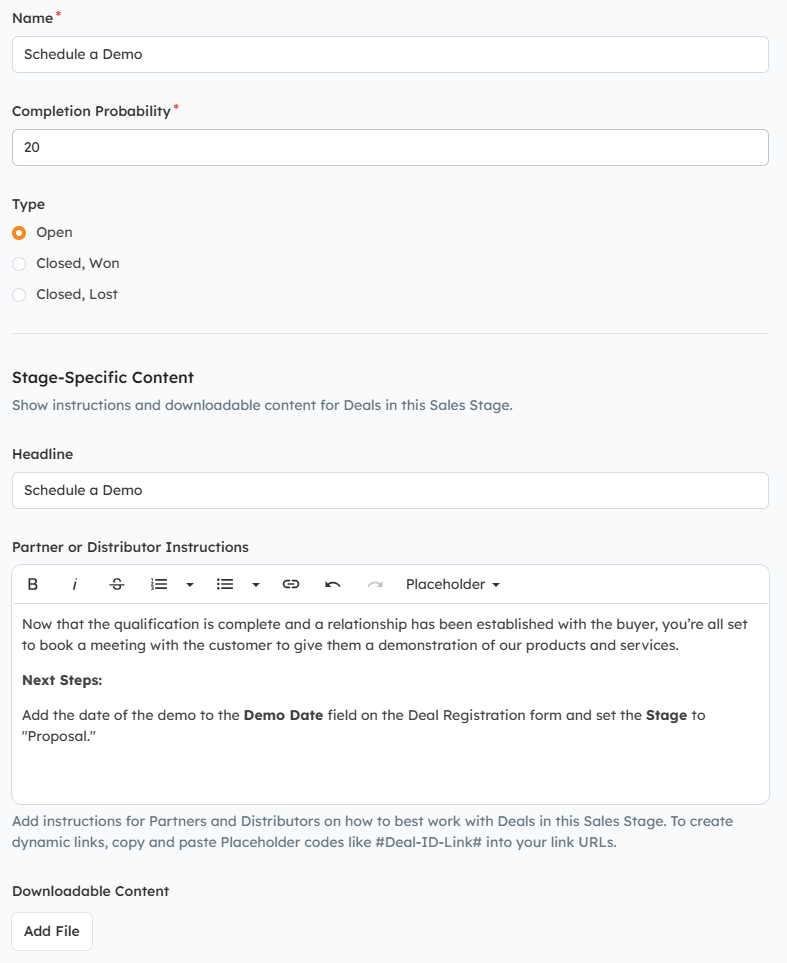
- Click the New button.
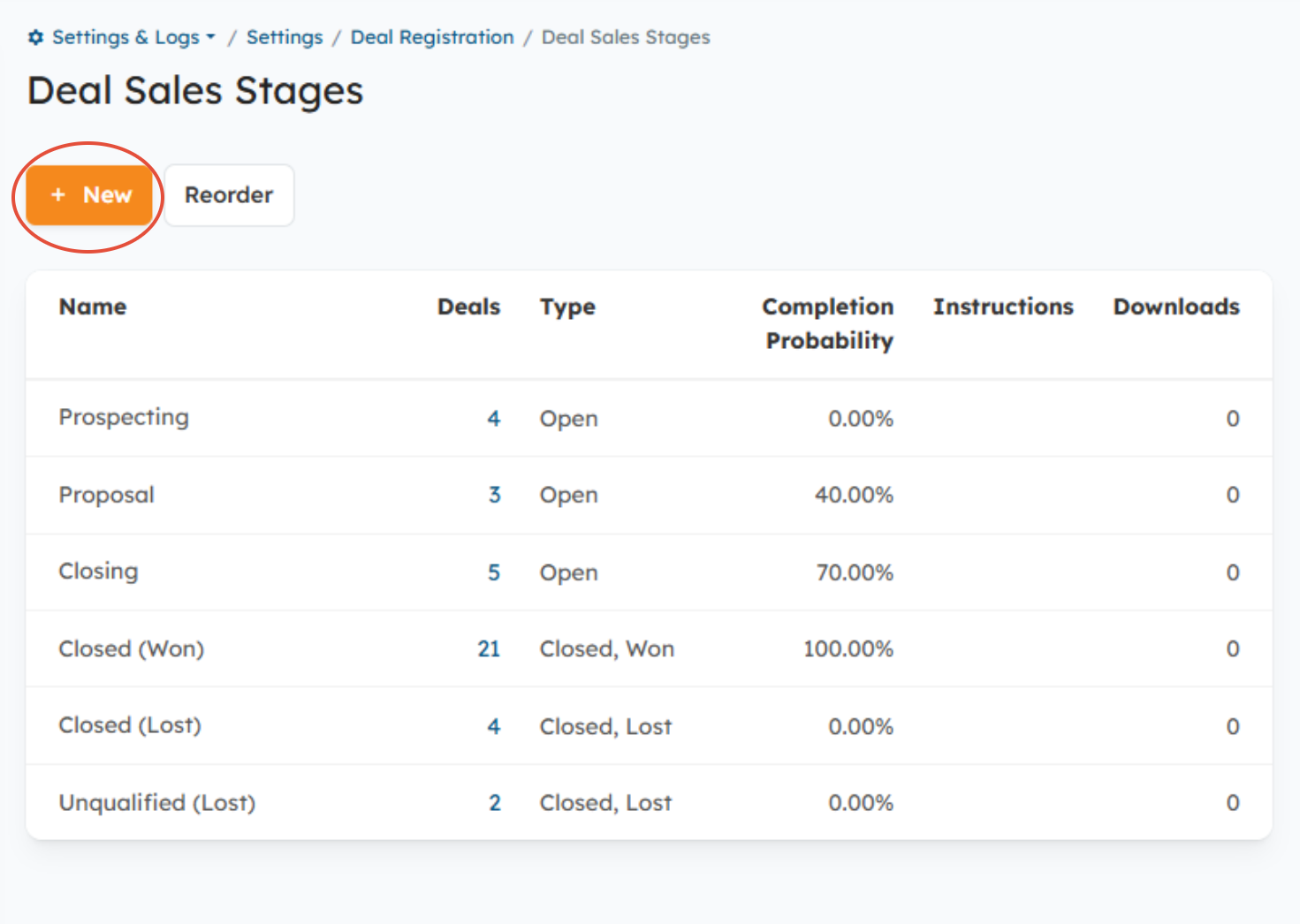
- Enter the Stage name and probability.
- Set the Stage type: Open, Closed Won, or Closed Lost.
- Add stage-specific instructions and downloadable content to help Partners/Distributors work the Deal in the Sales Stage (optional).
- Click Save to save your changes.
Reordering Deal/Opportunity Stages:
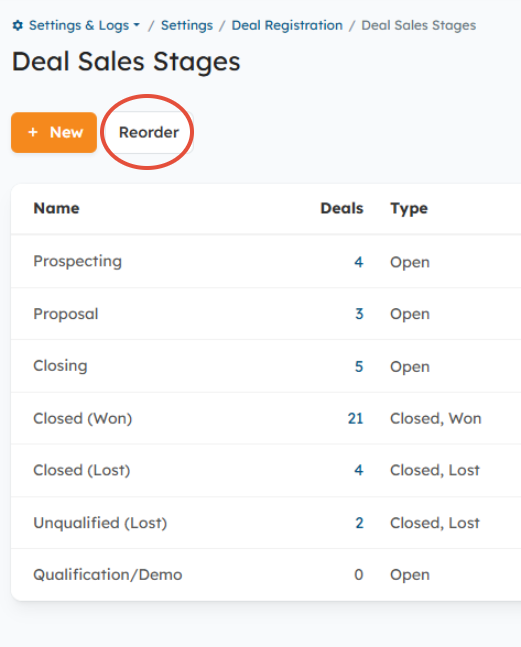
Click the Reorder button, then drag and drop the Stage value to the desired position in the list and click Save.
Edit an existing Deal/Opportunity Stage:
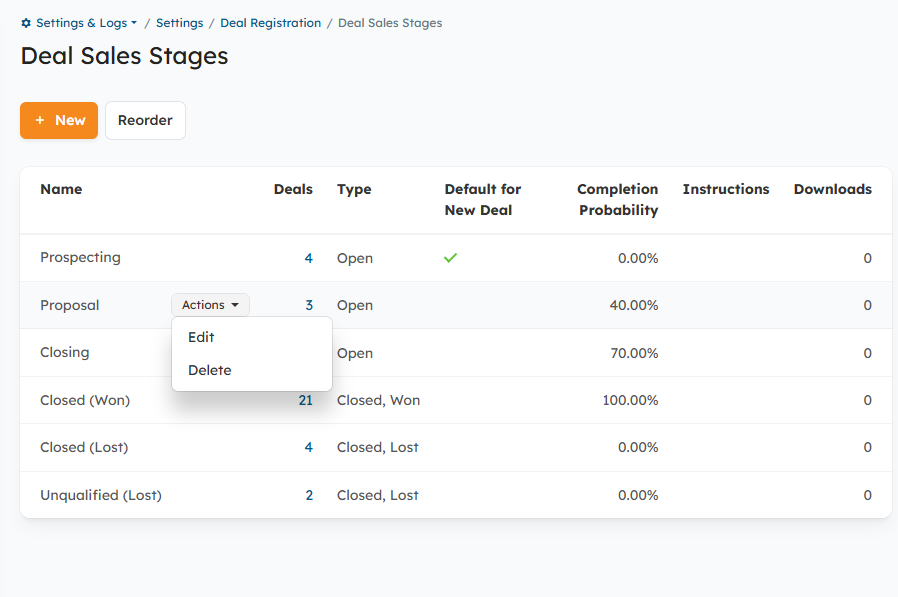
- Hover over the Stage value you wish to update and click the Actions button on the right > Edit.
- You can also delete Stages that you do not need using the Actions button > Delete.
Was this article helpful?
That’s Great!
Thank you for your feedback
Sorry! We couldn't be helpful
Thank you for your feedback
Feedback sent
We appreciate your effort and will try to fix the article