Channeltivity uses email domains to automatically assign Users to Organizations. By design, once an email domain is associated with an Organization, that domain cannot be assigned to any other Organization. This ensures that Users with that email domain are automatically added to the correct Organization.
In some cases, multiple Organizations may use the same email domain. When this happens, automatic assignment based on email domain is no longer appropriate, as it can result in Users being assigned to the wrong Organization. For example:
- Let's assume you have two Partner Organizations:
- ACCO - acco.com
- ACCO West- no associated email domains
- New Users added to the portal with the acco.com domain will be automatically assigned to the ACCO Partner Organization, even if they should technically be assigned to the ACCO West Partner Organization.
Can automatic assignment be prevented?
You can prevent automatic User assignment for Organizations that share the same email domain by not assigning the domain to an Organization and instead adding it to the Ignored Email Domains list. This disables the automatic assignment of Users with that email domain to one specific Organization and allows you to manually assign those Users to the correct Organization.
How do I remove an email domain from an Organization?
To remove an email domain from an Organization, go to the Organization record in Channeltivity (Admin > Organizations) and click the "Email Domains" tab to view all of the domains associated with the Organization. You'll then select the checkbox next to the email domain that you want to remove and click the Remove button.
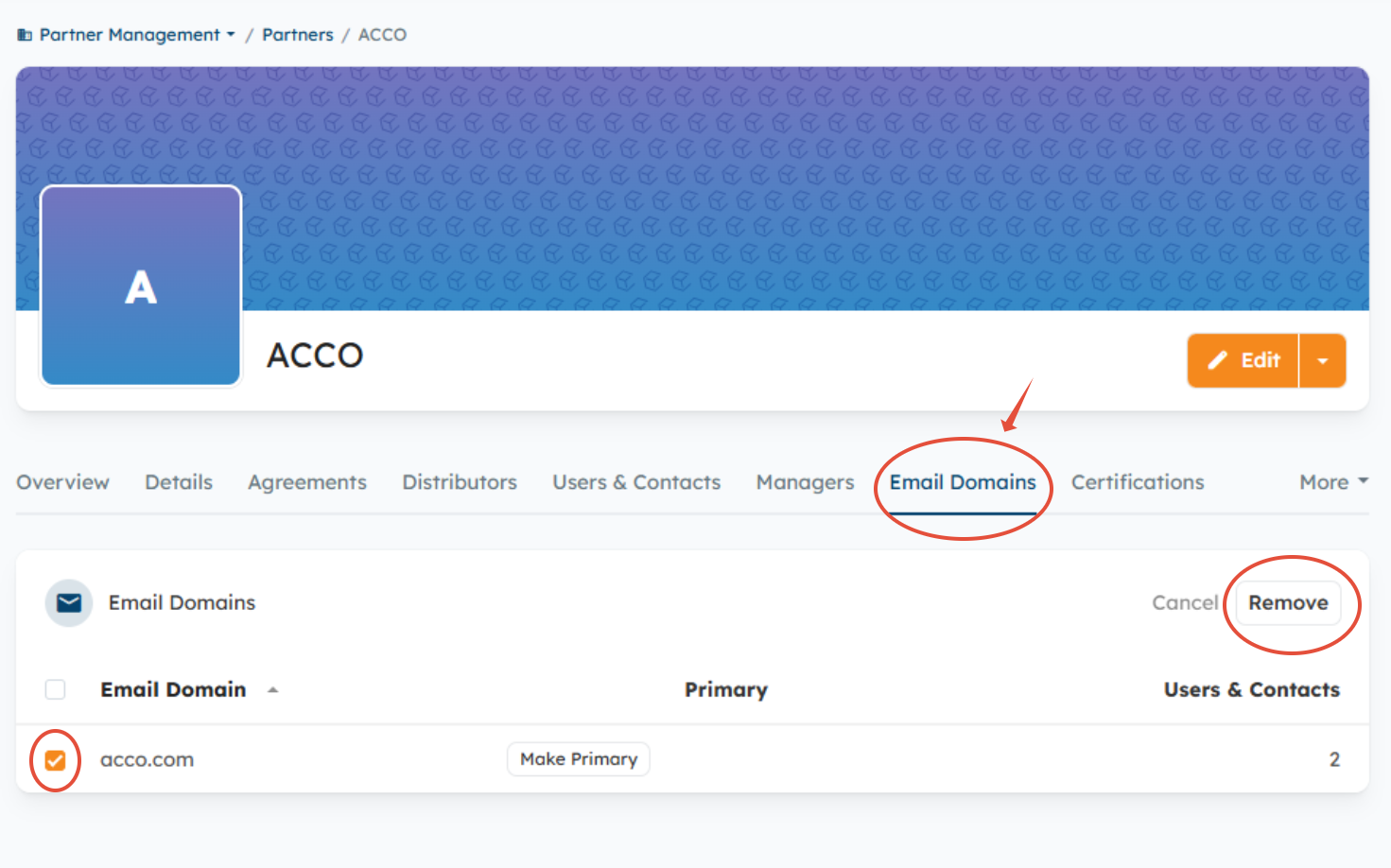
Email Domains Organization Details Page
How do I add an email domain to the Ignored Email Domains list?
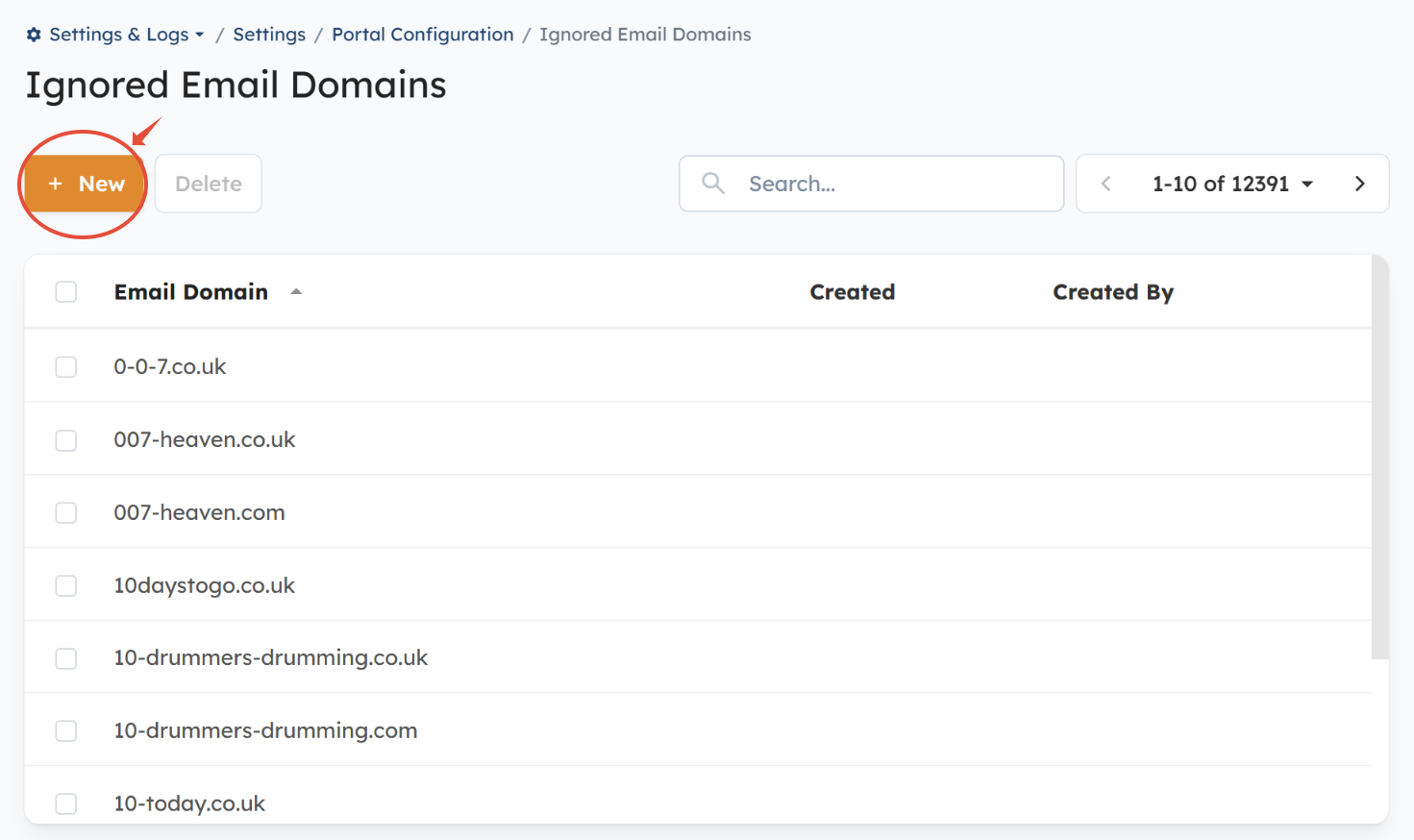
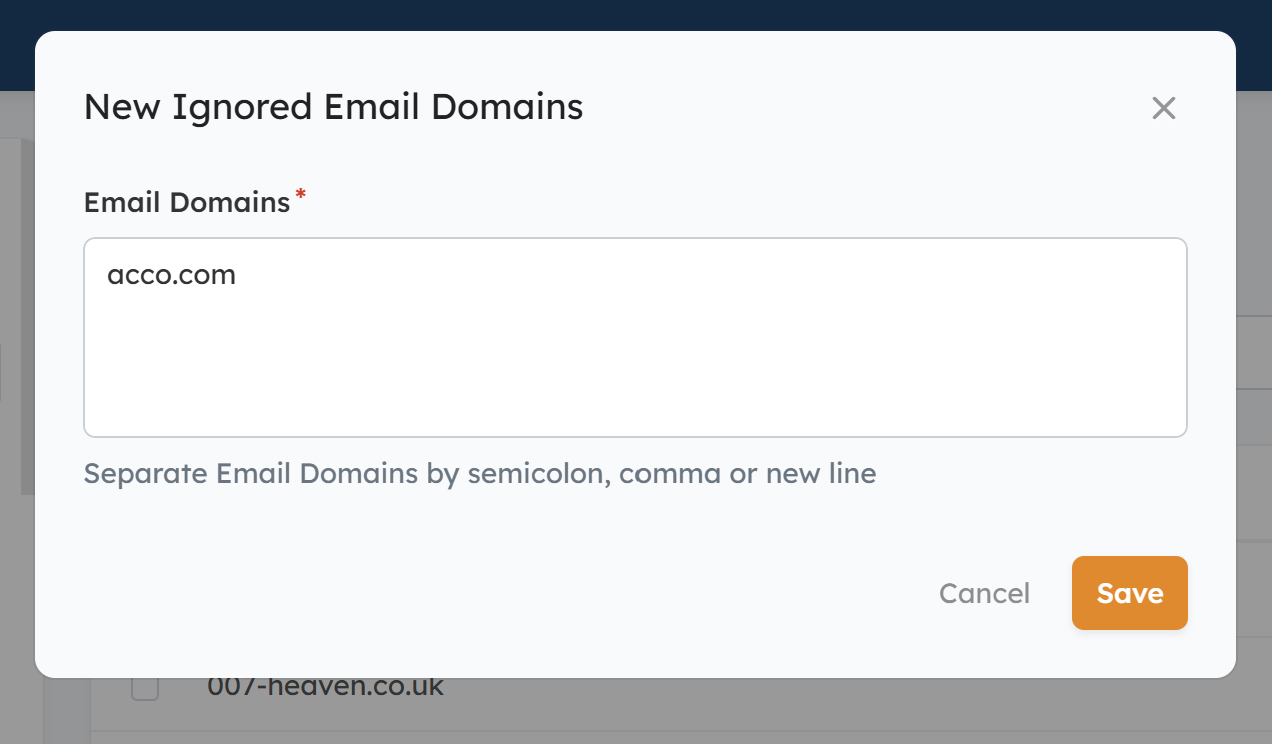
To add an email domain to the Ignored Email Domains list, you must first make sure the email domain is not associated with any Organization. If it's associated with an Organization, you'll need to remove it, then go to Settings > Portal Configuration > Ignored Email Domains > click the "New" button > enter the email domain > Save.
How do I remove an email domain from the Ignored Email Domains list?
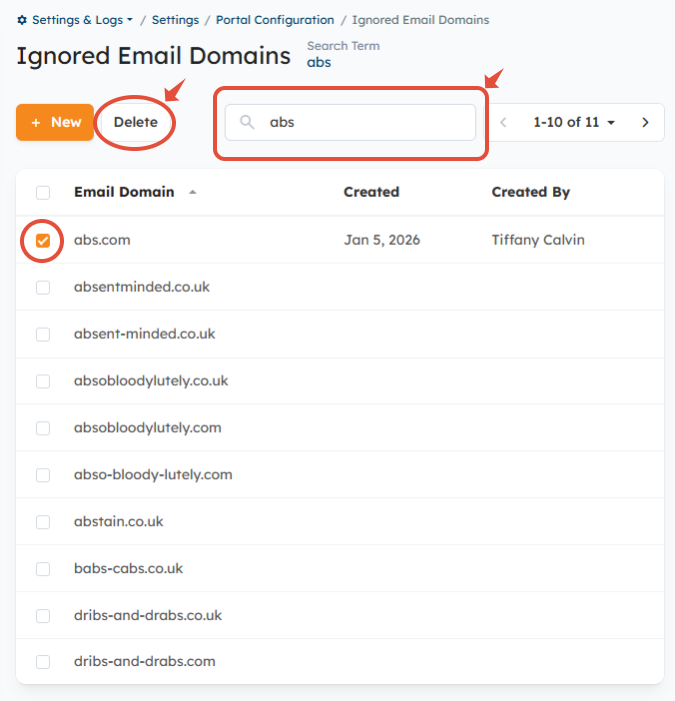
You can remove a domain from the ignored email domains list by going to Settings > Portal Configuration > Ignored Email Domains, searching for the domains you're looking to remove, selecting the checkbox next to the domain, and clicking the "Delete" button.
FAQs:
Can more than one email domain be assigned to an Organization?
Yes. An Organization can have multiple email domains assigned to it; however, the same email domain cannot be assigned to more than one Organization.
Was this article helpful?
That’s Great!
Thank you for your feedback
Sorry! We couldn't be helpful
Thank you for your feedback
Feedback sent
We appreciate your effort and will try to fix the article