If you haven't already done so, please familiarize yourself with Regions before continuing.
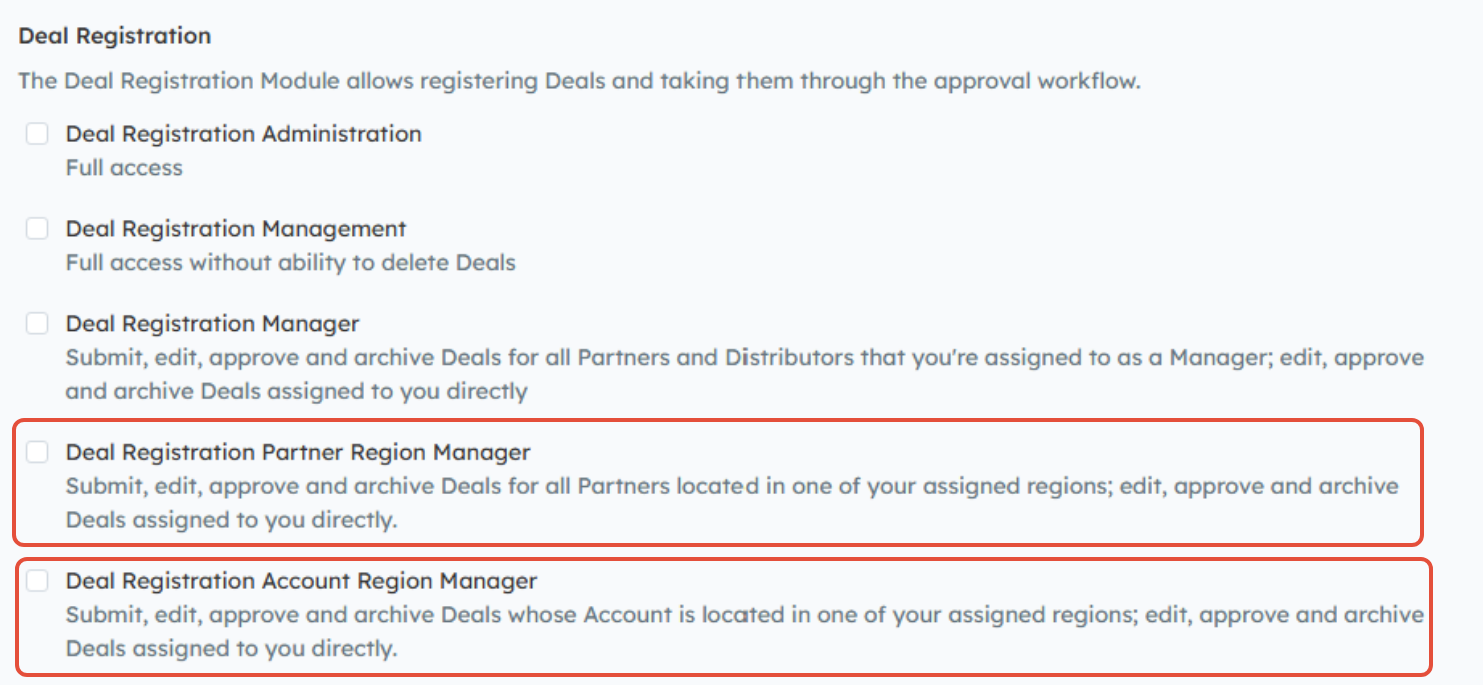
Channeltivity's Deal Registration module features two Region-based levels of permissions that allow you to give your Internal Users access to Deal Registrations based on Regions:
- Deal Registration Partner Region Manager: Based on the location of the Partner Organization, Users will only have access to the Deals of Partners located in the Region(s) they are assigned to as Manager.
- Deal Registration Account Region Manager: Based on the location of the end user/customer Account, Users will only have access to Deals that have end user Accounts located in the Region(s) they are assigned to as Manager.
Setting up Region Permissions Step-by-Step:
Deal Registration Region Permissions are easy to set up. Here are the steps:
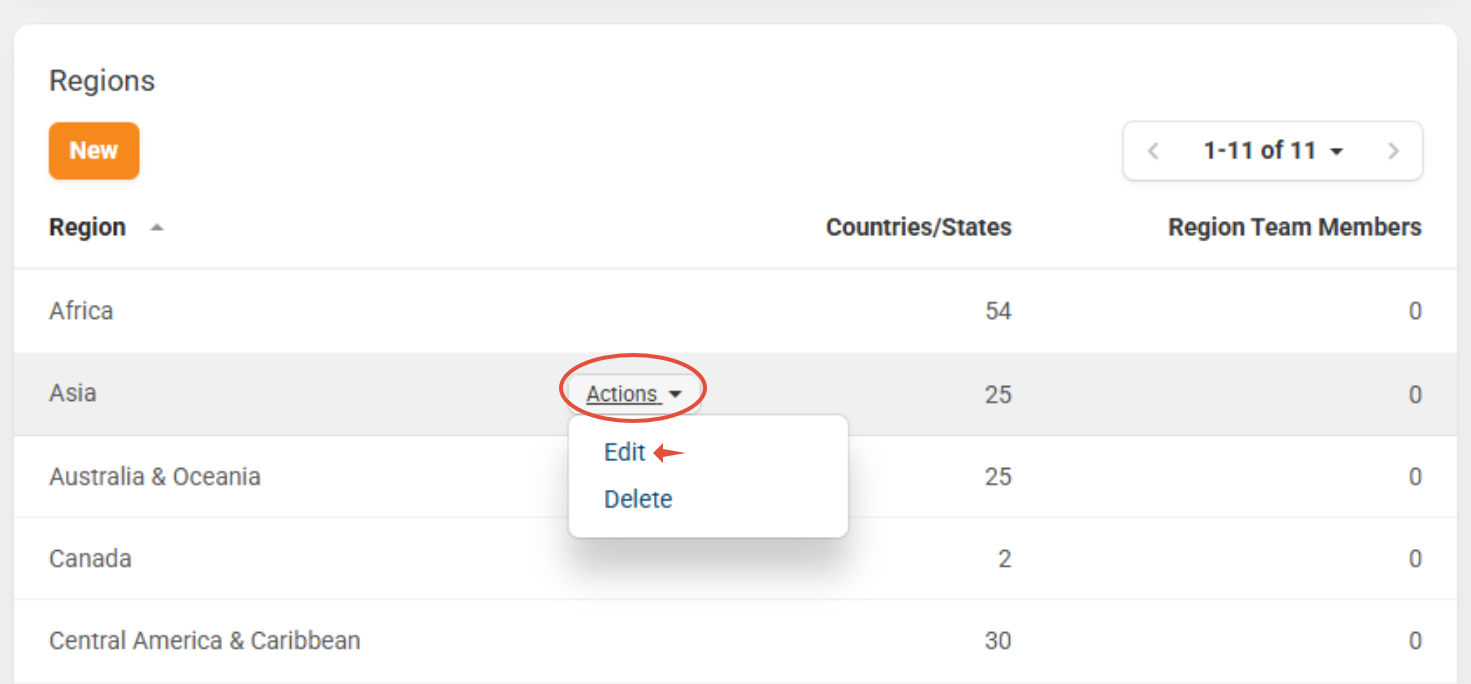
- Assign Users to Region Teams - Go to Settings > Portal Configuration > Region Settings. Hover over the Region you wish to assign a User to, and click the "Actions" button that appears to the right > Edit.
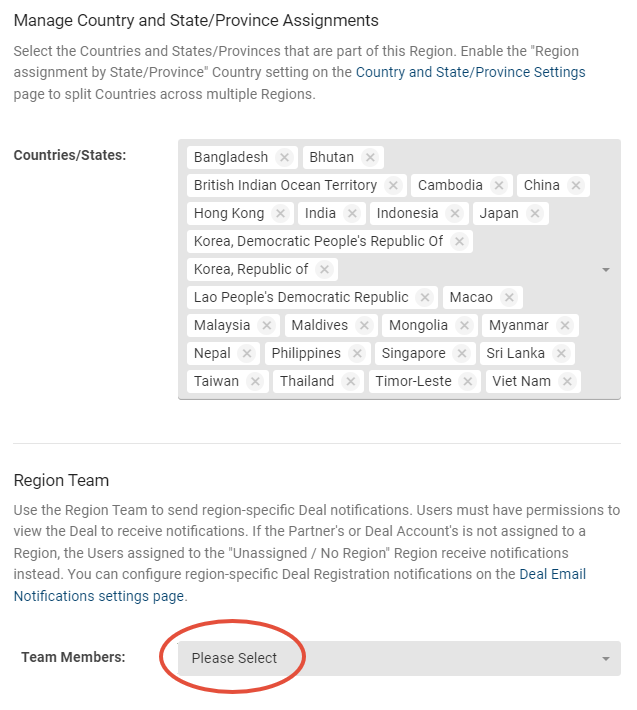
- You'll then select the names of the Internal Users you wish to assign to each Region using the "Team Members" field under the Region Team section below > Save. Learn more about this topic in Setting up and Managing Region Teams.
- Add Region Permission(s) to Group: Create a new Internal Group (Admin > Groups > New > New Internal Group) or edit an existing Group to add one (or both) of the Region Permissions listed below to the Group
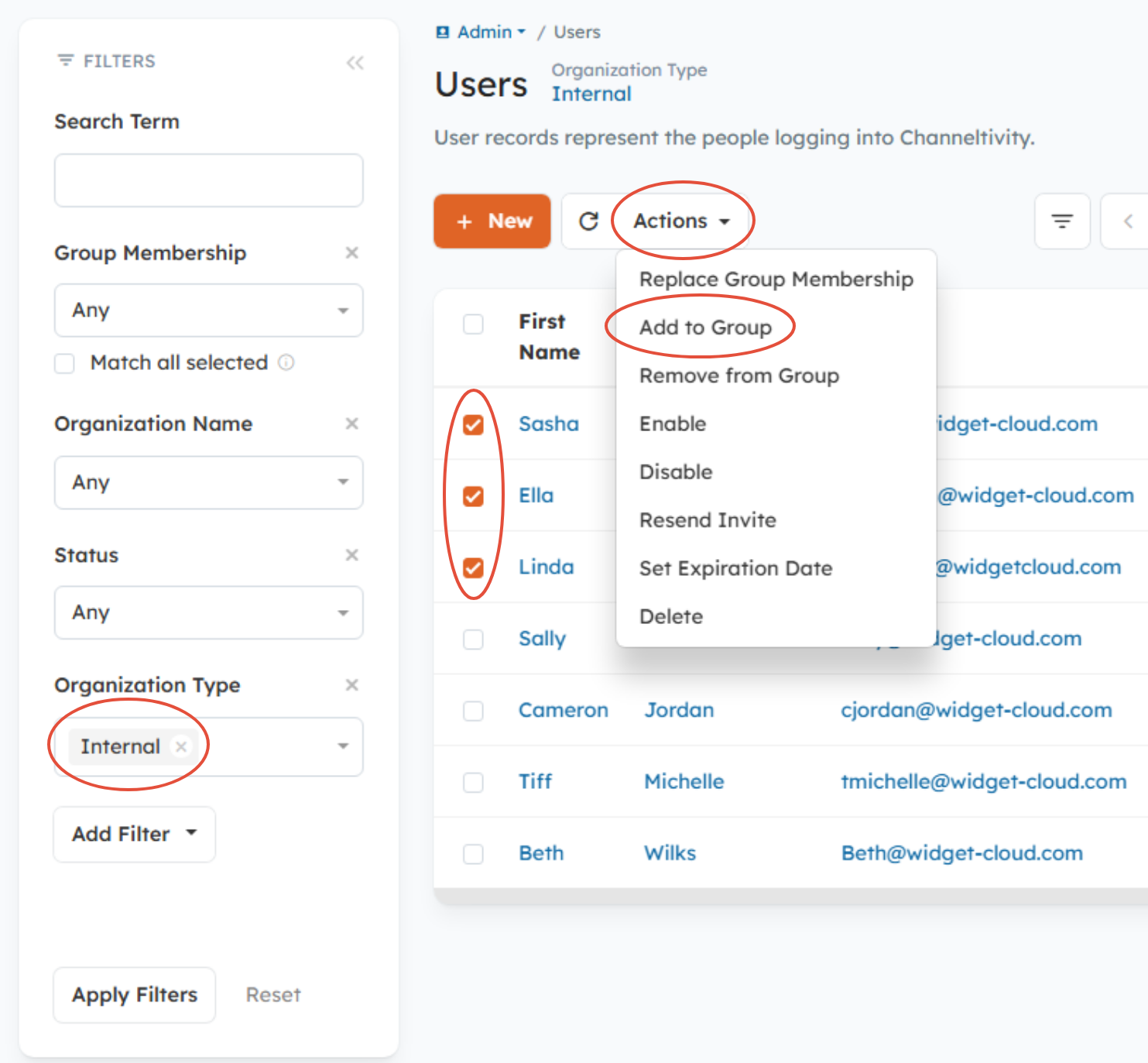
- Add the Users to the Group: Go to Admin > Users and set the Organization Type filter to "Internal" to view only Internal Users. Select the checkboxes next to the Users you wish to add to the Group > Actions > Add to Group > select the new Group from the dropdown menu > Add.
Related Documentation:
Was this article helpful?
That’s Great!
Thank you for your feedback
Sorry! We couldn't be helpful
Thank you for your feedback
Feedback sent
We appreciate your effort and will try to fix the article