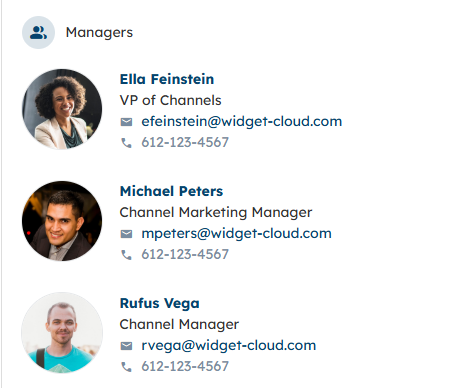
The Managers Widget displays a contact list of all the Partner Managers assigned to Partner and Distributor Organizations. Learn how to assign Internal Users to Organizations as Managers using the instructions in this article: What is a Partner/Distributor Manager?.
How do I configure the Managers Widget?
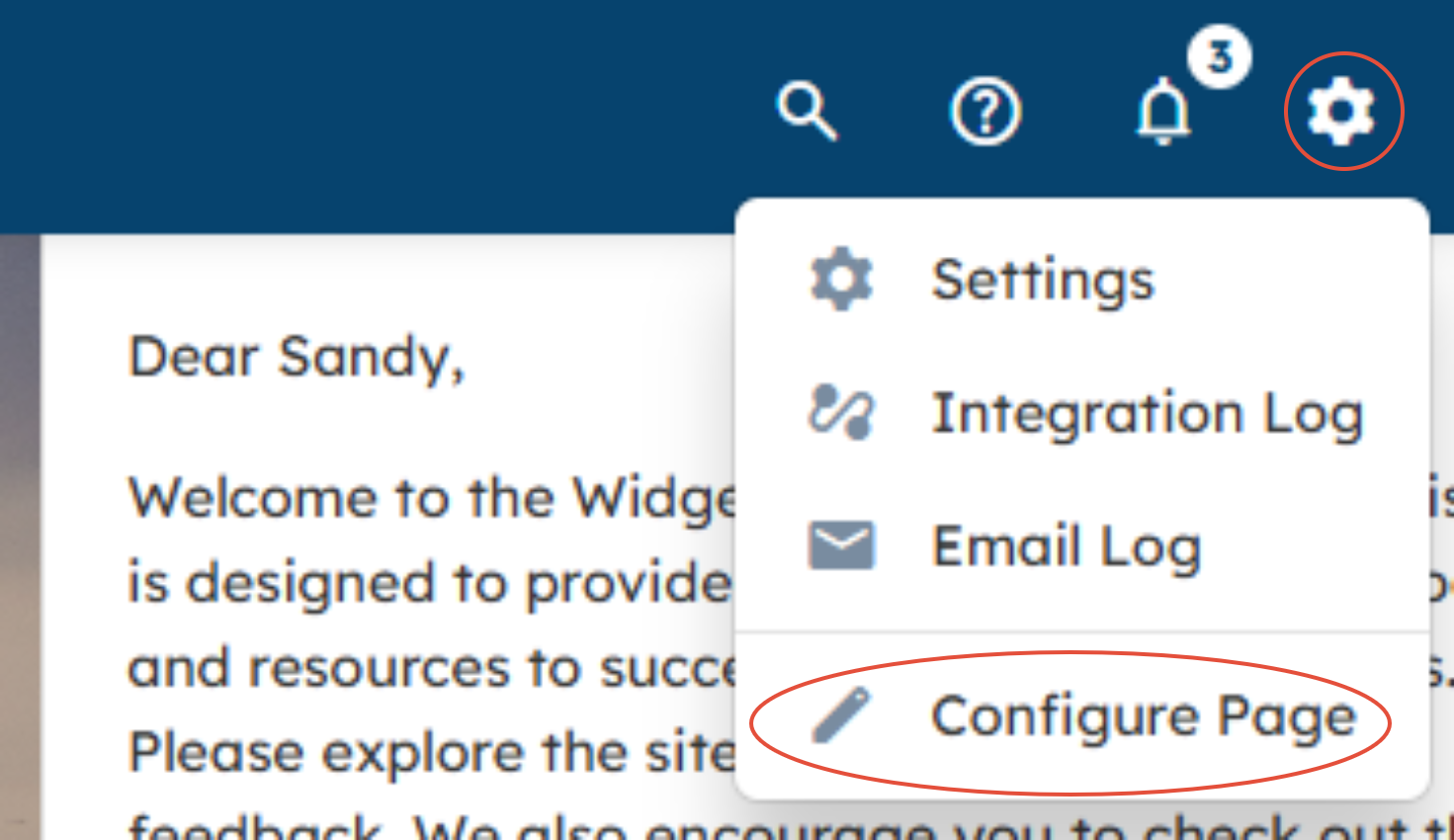
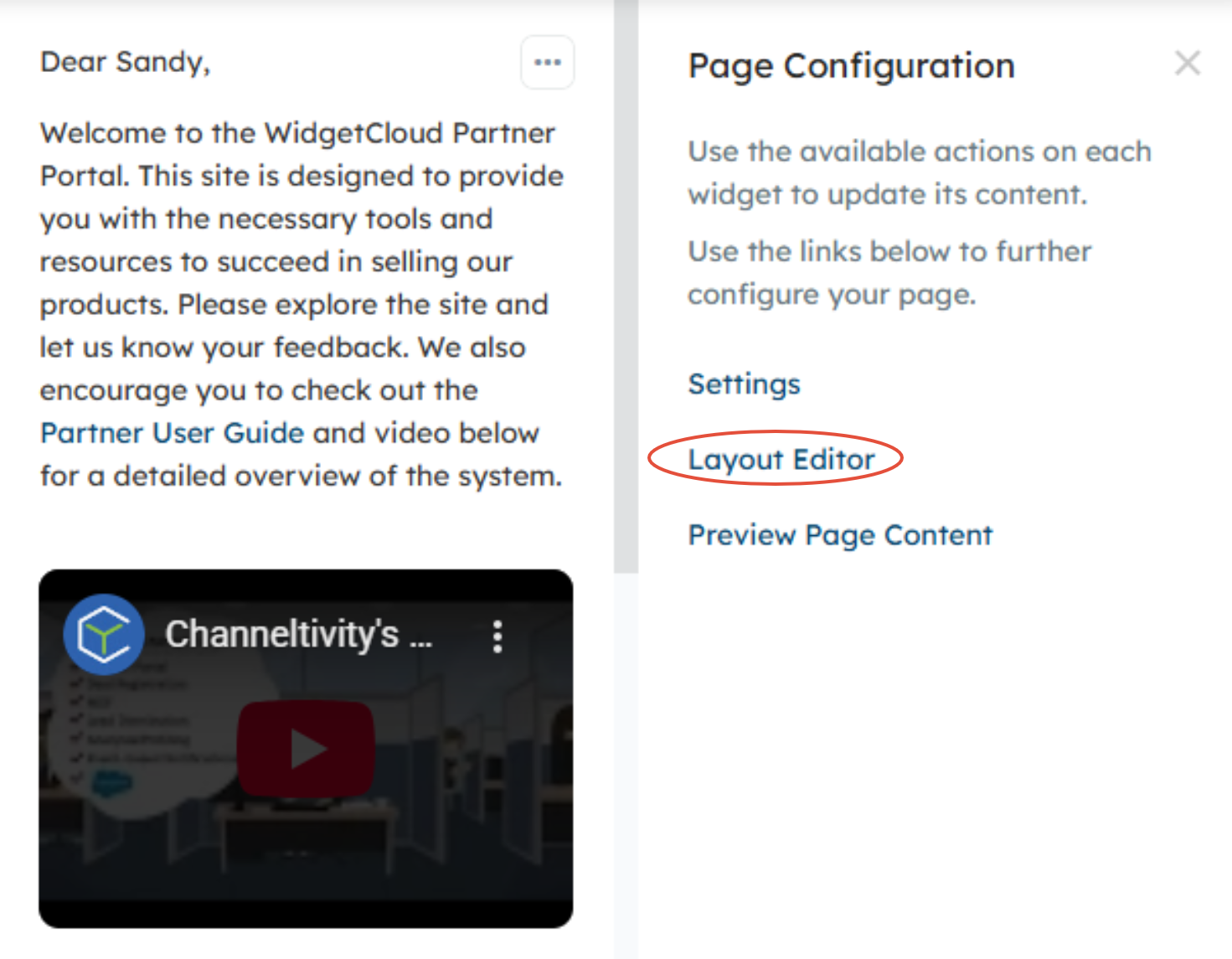
On the home page, click the gear icon in the top right corner of the header > Configure Page > Layout Editor.
You'll then select the Managers Widget from the right side panel to drag the Widget to the desired location on the home page. 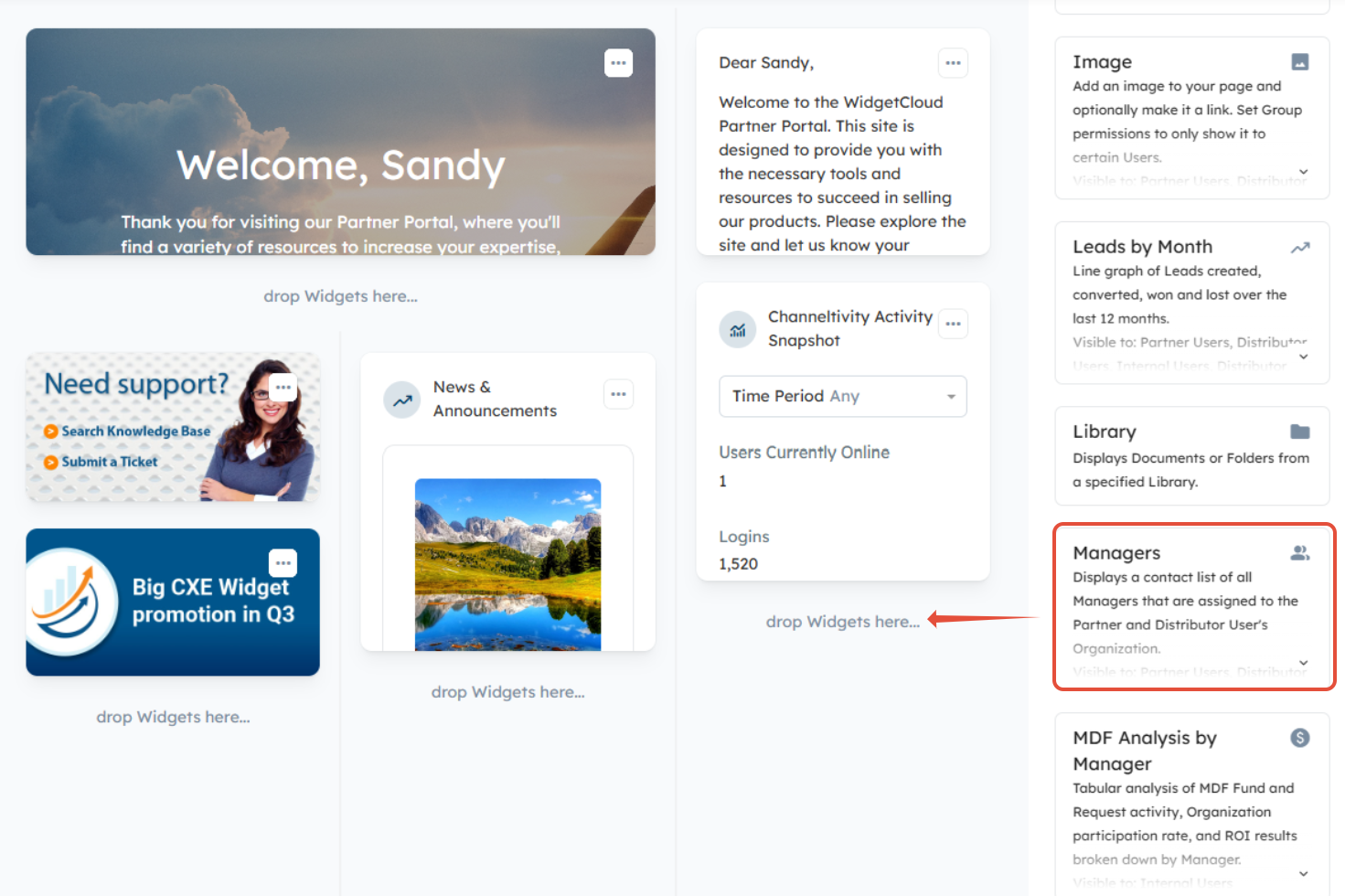
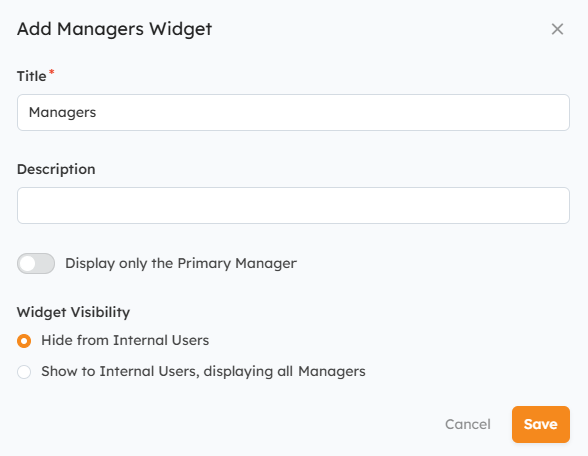
From there, you'll configure the following items:
- Title
- Description (optional)
- Toggle the "Display only the Primary Manager" setting to the ON position if you only want to display the Primary Managers in the Widget.
- Widget Visibility:
- Hide from Internal Users - You can hide the Widget from Internal Users, making it only visible to Partners and Distributor Users
- Show to Internal Users, displaying all Managers - You can choose to make the Widget visible to your Internal Team and include all Managers
When you're done, click "Save" to save your changes.
How do I add/remove a User from the list?
You can add Users to the Widget by assigning them to Organizations as Managers using the instructions in this article. The User will then be added to the Widget automatically.
To remove a User, you'll need to unassign them from all the Organizations they are assigned to as Manager.
What Managers will a Partner/Distributor User see?
Partner and Distributor Users will see the contact information of the Managers assigned to their Organization. Contact information and profile pictures are pulled from the Manager's User Profile in Channeltivity.
Was this article helpful?
That’s Great!
Thank you for your feedback
Sorry! We couldn't be helpful
Thank you for your feedback
Feedback sent
We appreciate your effort and will try to fix the article