A Partner/Distributor Manager is an Internal User who's assigned to an Active Partner or Distributor Organization as a Manager. Assigned Managers have access to the Partner/Distributor profile data, Contacts, Agreements, Email Domains, and History. There's also a special set of Manager Group permissions and email notifications for Leads, Deals, MDF, and Business Plans that allow Users to only view, manage, and receive notifications related to the Partners/Distributors they are assigned to as Managers.
What is a Primary Partner/Distributor Manager?
While you have the option to assign multiple Managers to an Active Partner or Distributor Organization, only one of the Managers can be marked as the Primary Manager. Marking one Manager as the Primary Manager gives you the ability to notify them about events that other Managers aren't notified about for Deals, Leads, MDF, Business Planning, and Training & Certification.
When assigning Managers to Partners/Distributors in bulk using the instructions listed in the next section, you can select the Make Primary Manager checkbox to set the User as the Primary Manager. 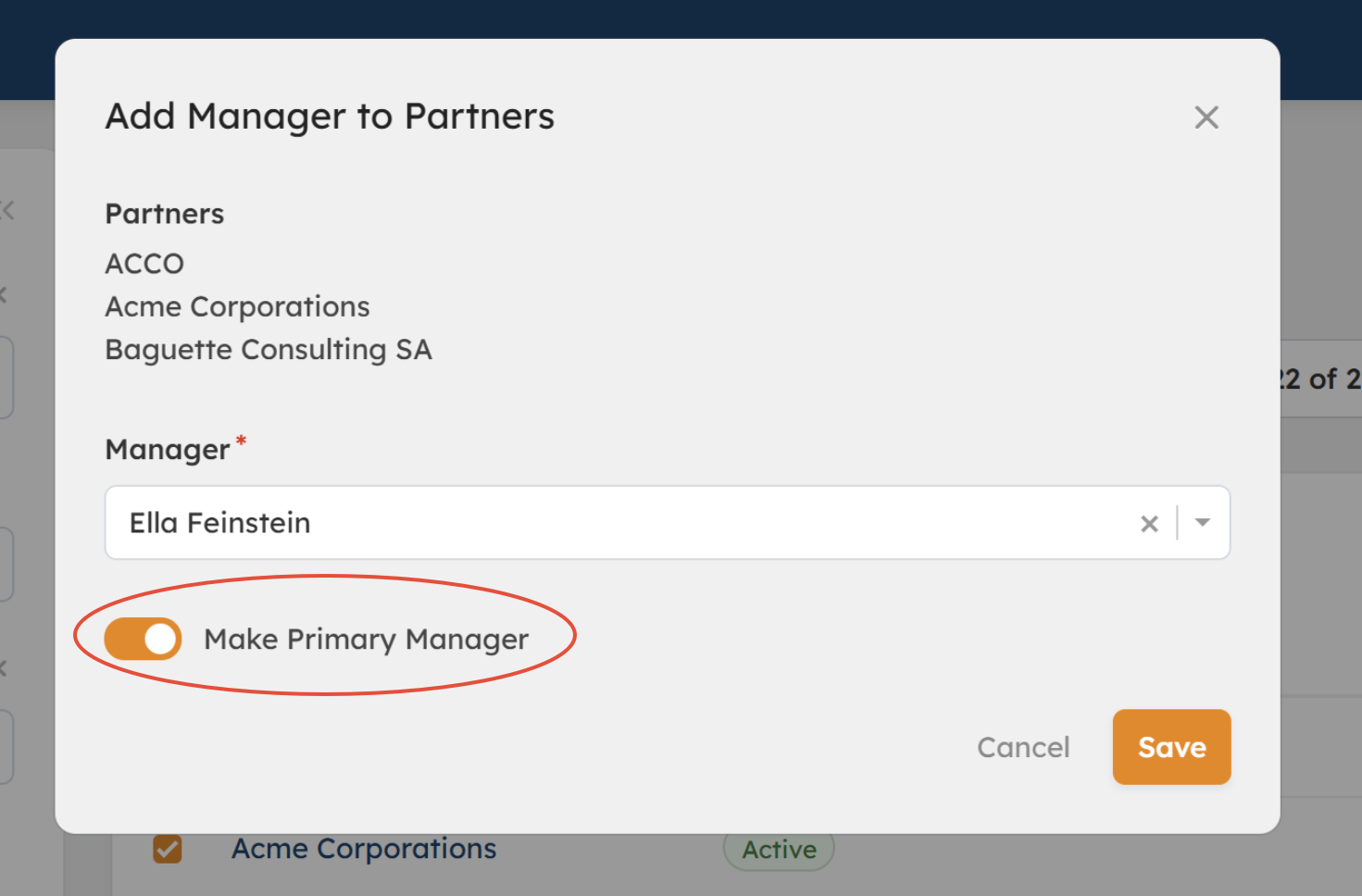
Primary Partner Manager Assignment (bulk)
How Do I Manage Partner/Distributor Manager Assignments?
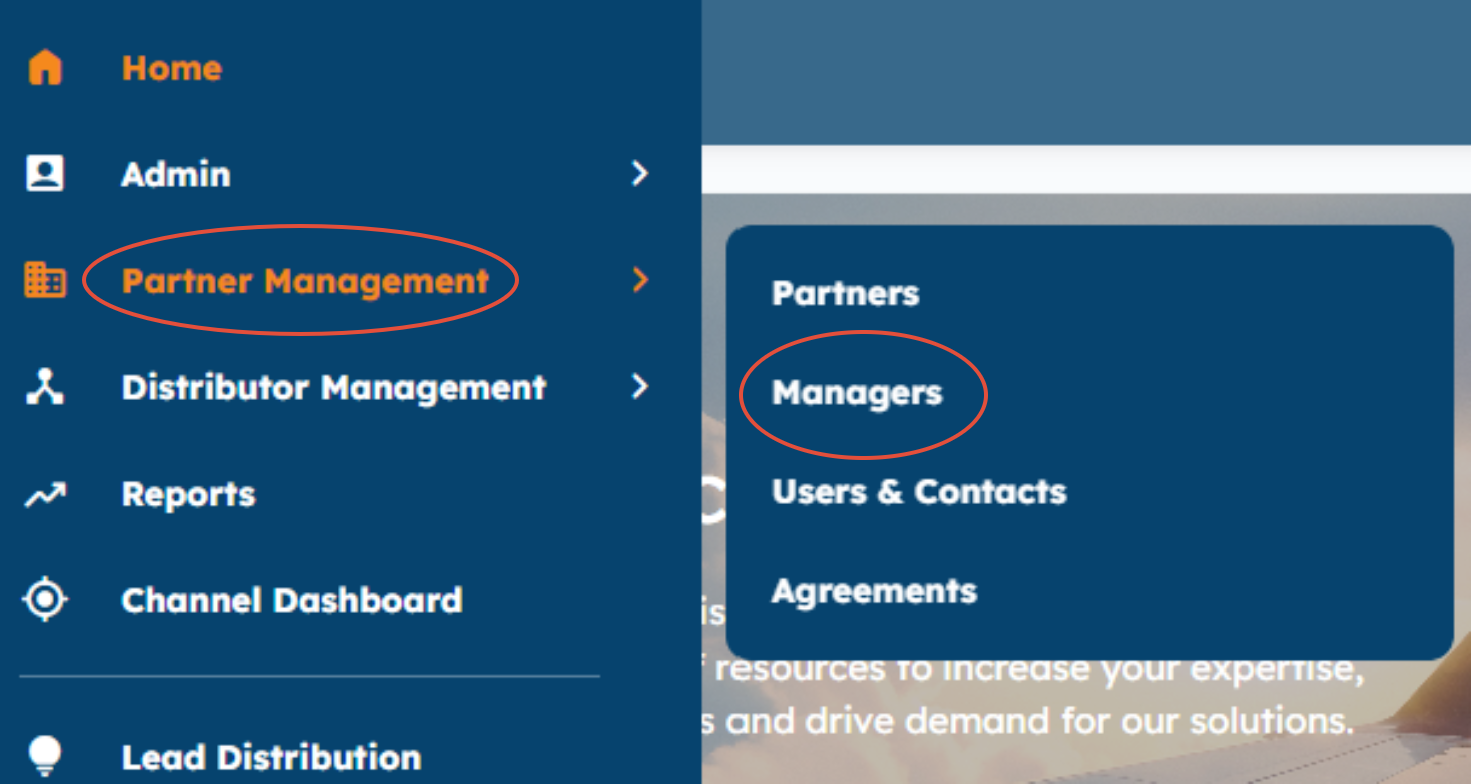
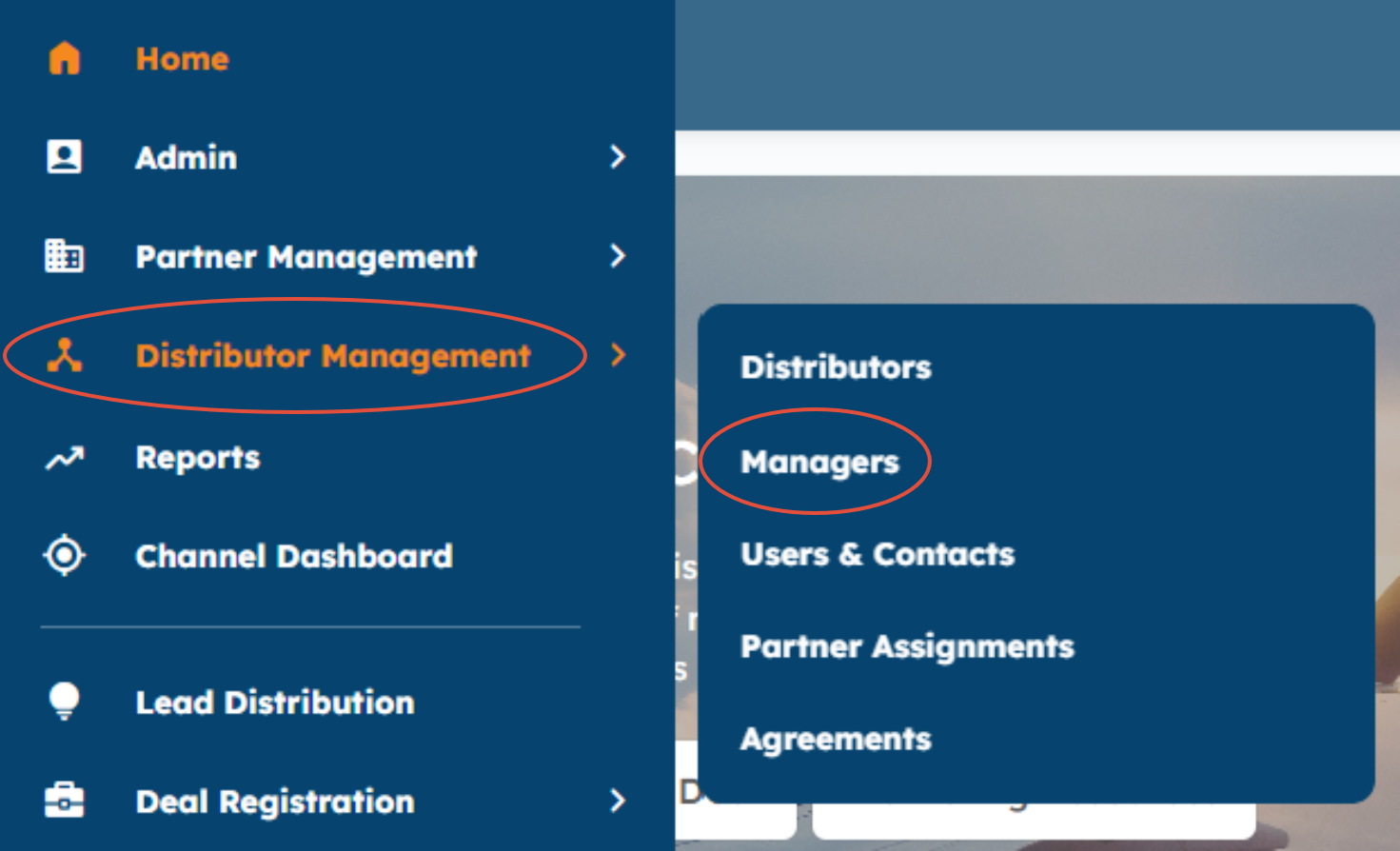
You can assign Internal Users to Active Partner and Distributor Organizations by going to the Partner Management or Distributor Management modules in the left navigation menu.
From the Partners/Distributors lister page, you'll select the checkboxes next to the Partners or Distributors you want to assign a Manager to > Actions, and select one of the following: 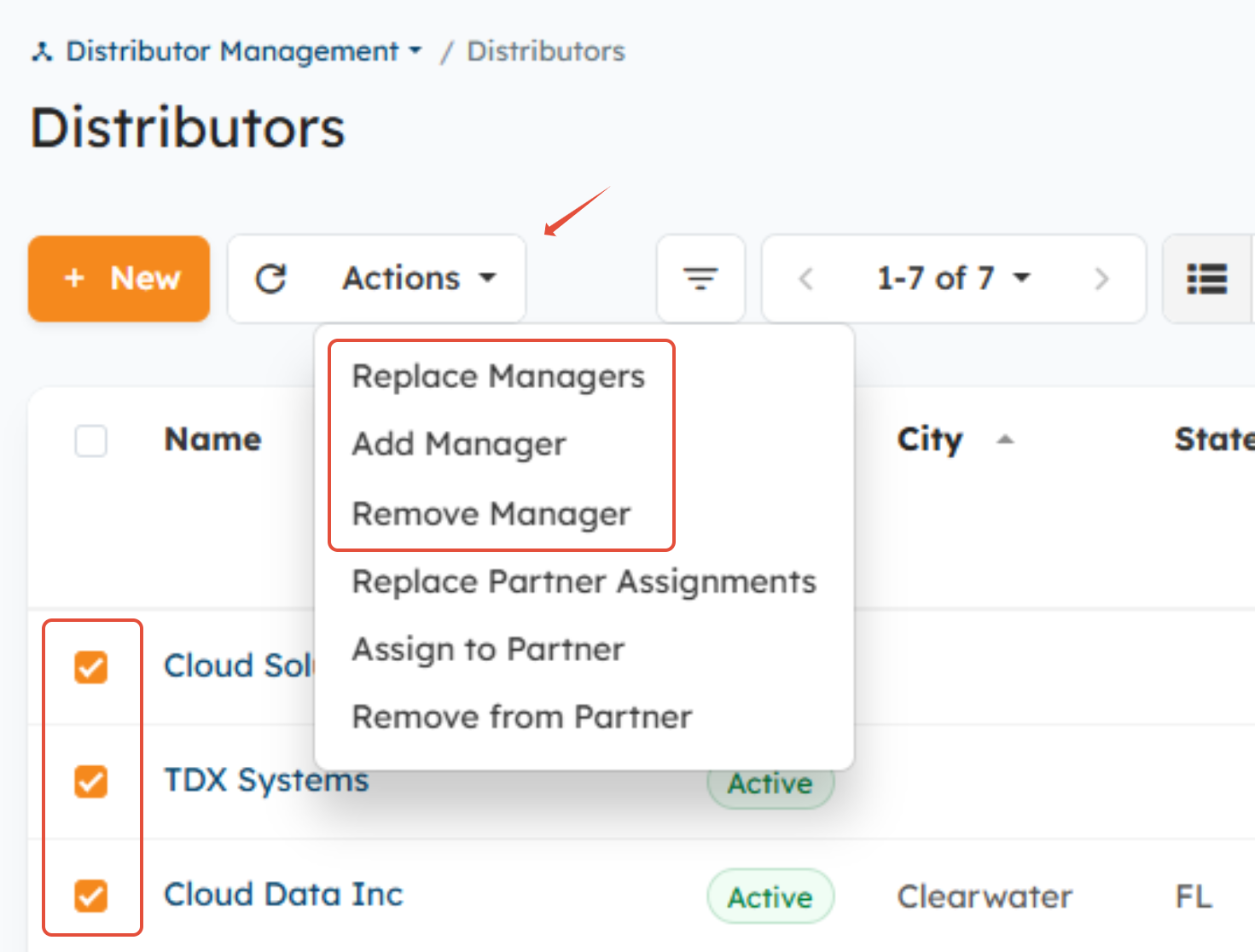
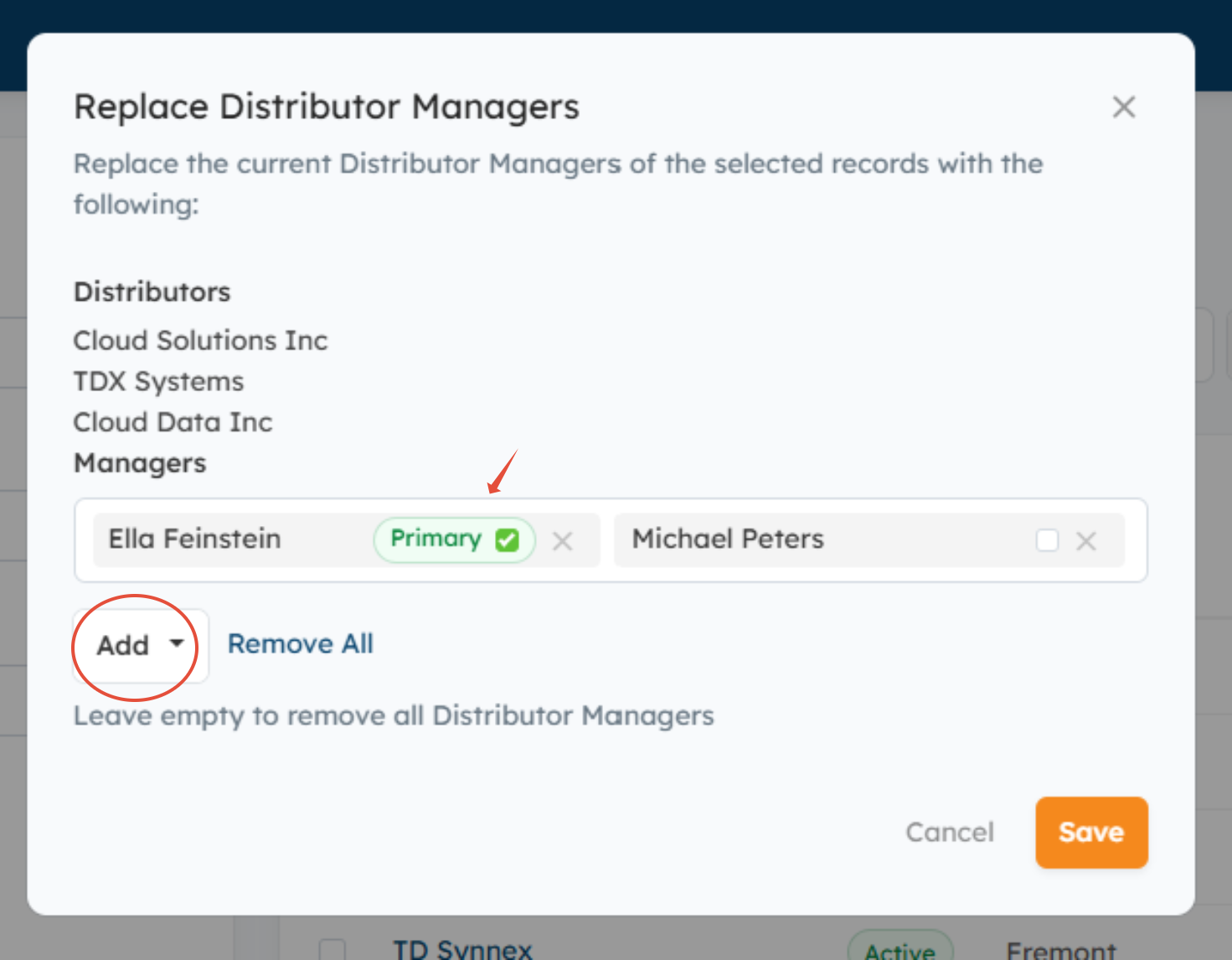
- Replace Manager - Allows you to change/replace the Managers currently assigned to the selected records. You can select multiple Managers at a time and flag one as the Primary.
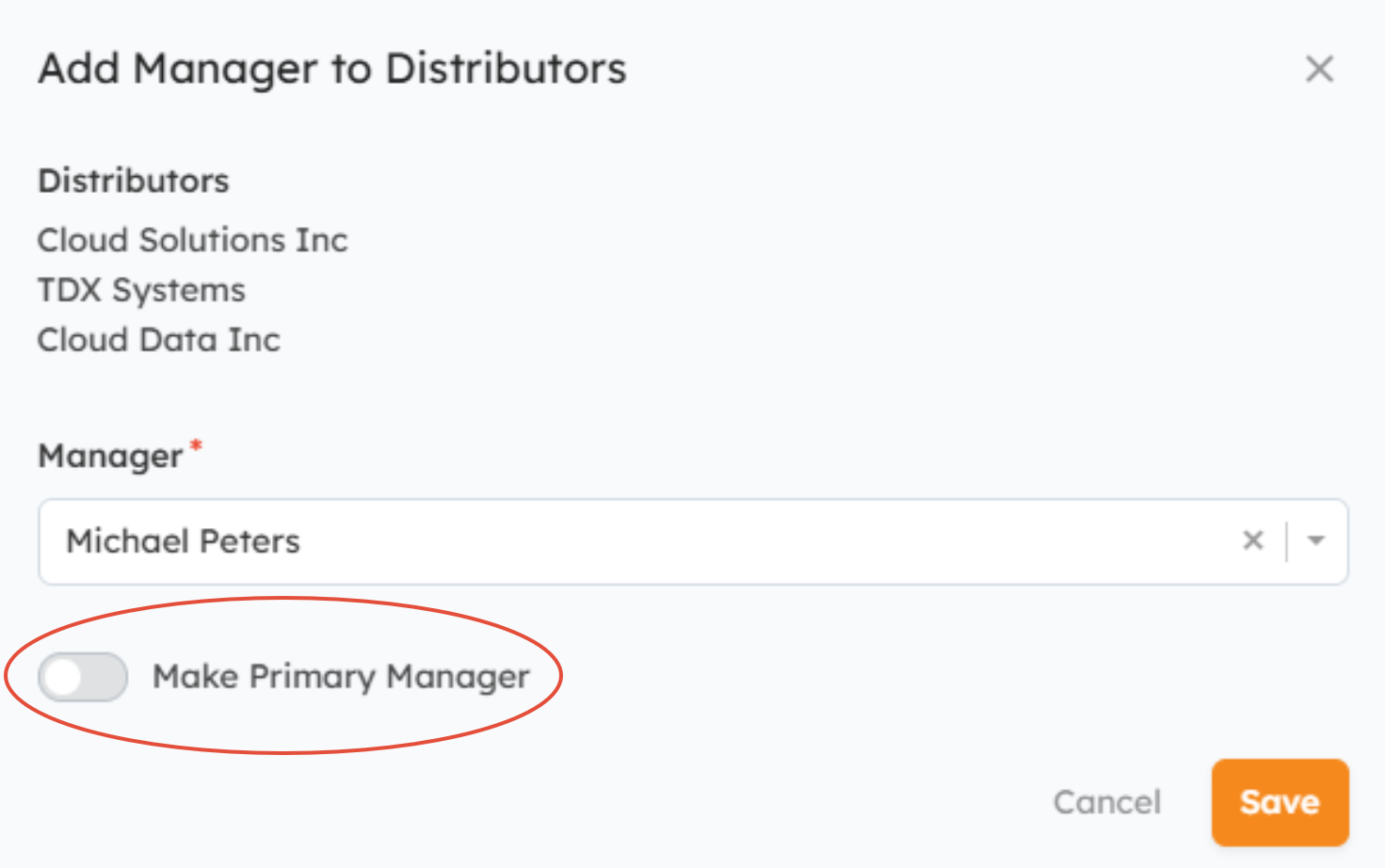
- Add Manager - Allows you to assign an Internal User to the selected Organization(s) as Manager. You can make the User the Primary Partner Manager by switching the Make Primary Manager toggle to the ON position.
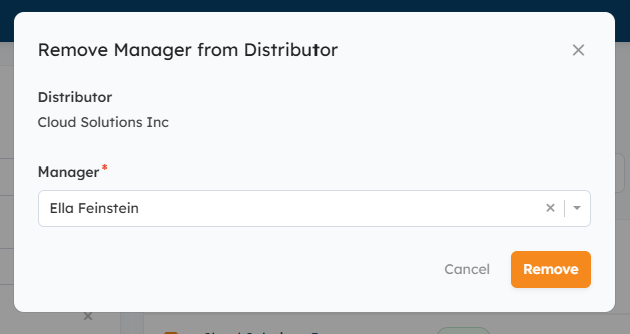
- Remove Manager - Allows you to remove Managers from the selected records.
Other Methods for Updating Partner/Distributor Manager Assignments:
You can also view and manage Organization Manager assignments using the following methods:
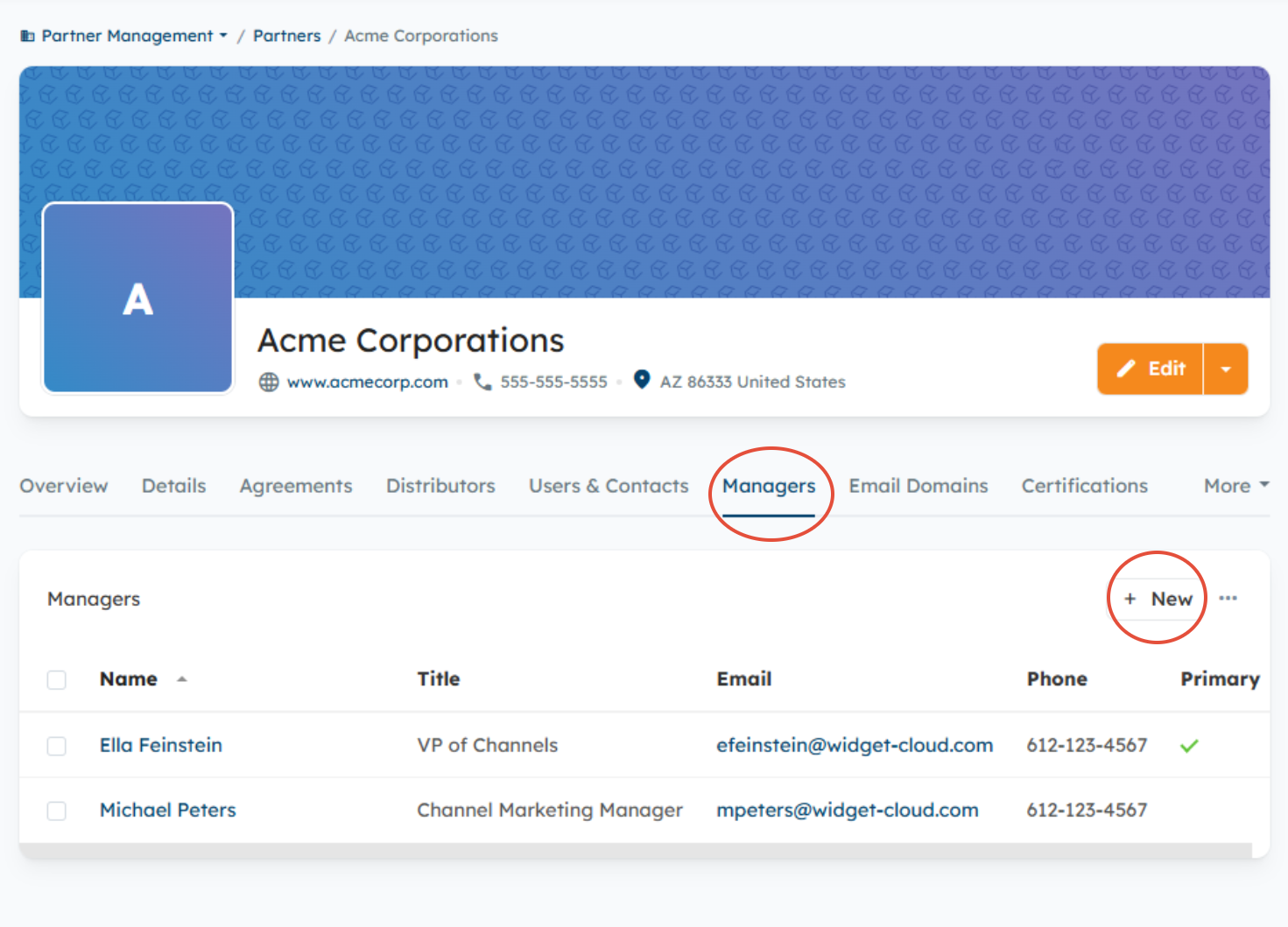
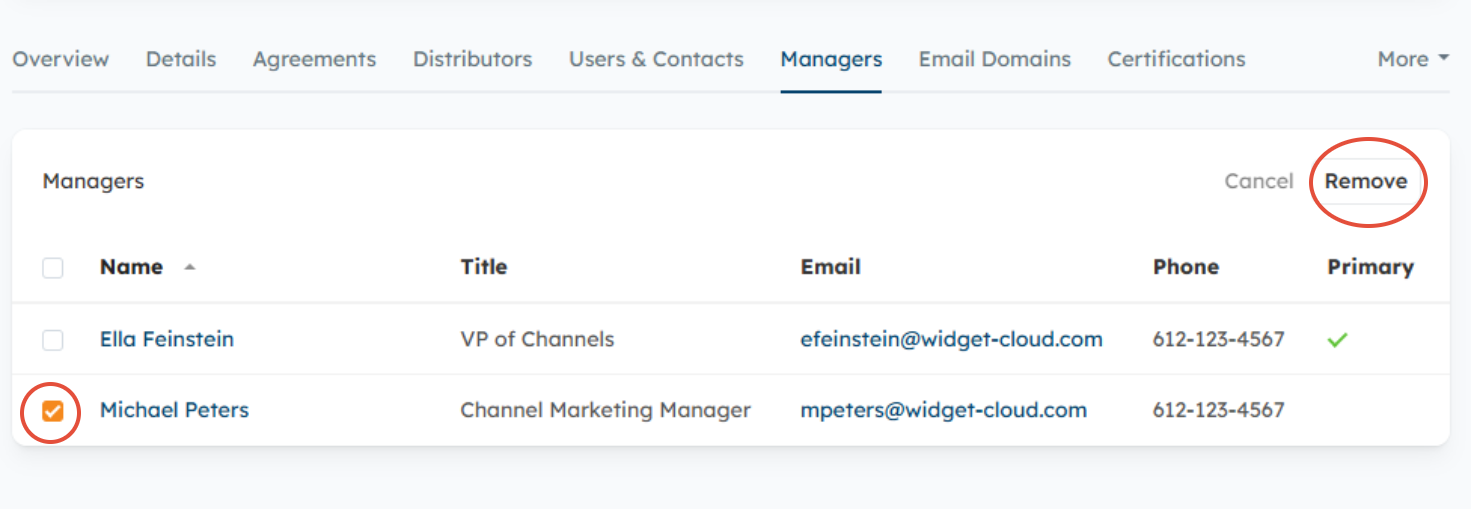
- From the Partner/Distributor Overview page, select the Managers tab and click the New button to add a Manager, or select the checkbox next to an existing Manager > Remove to remove an existing Manager.
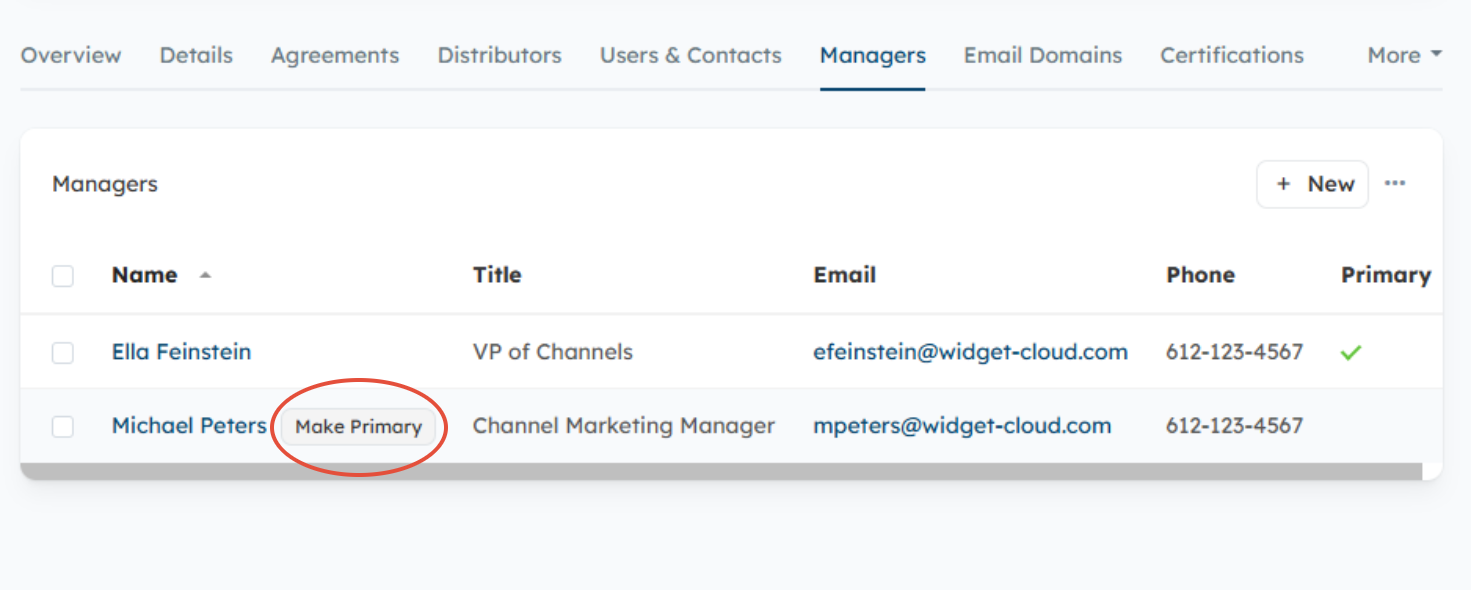
- To make an existing Manager the Primary, hover over the User's name and click the Make Primary button that appears to the right.
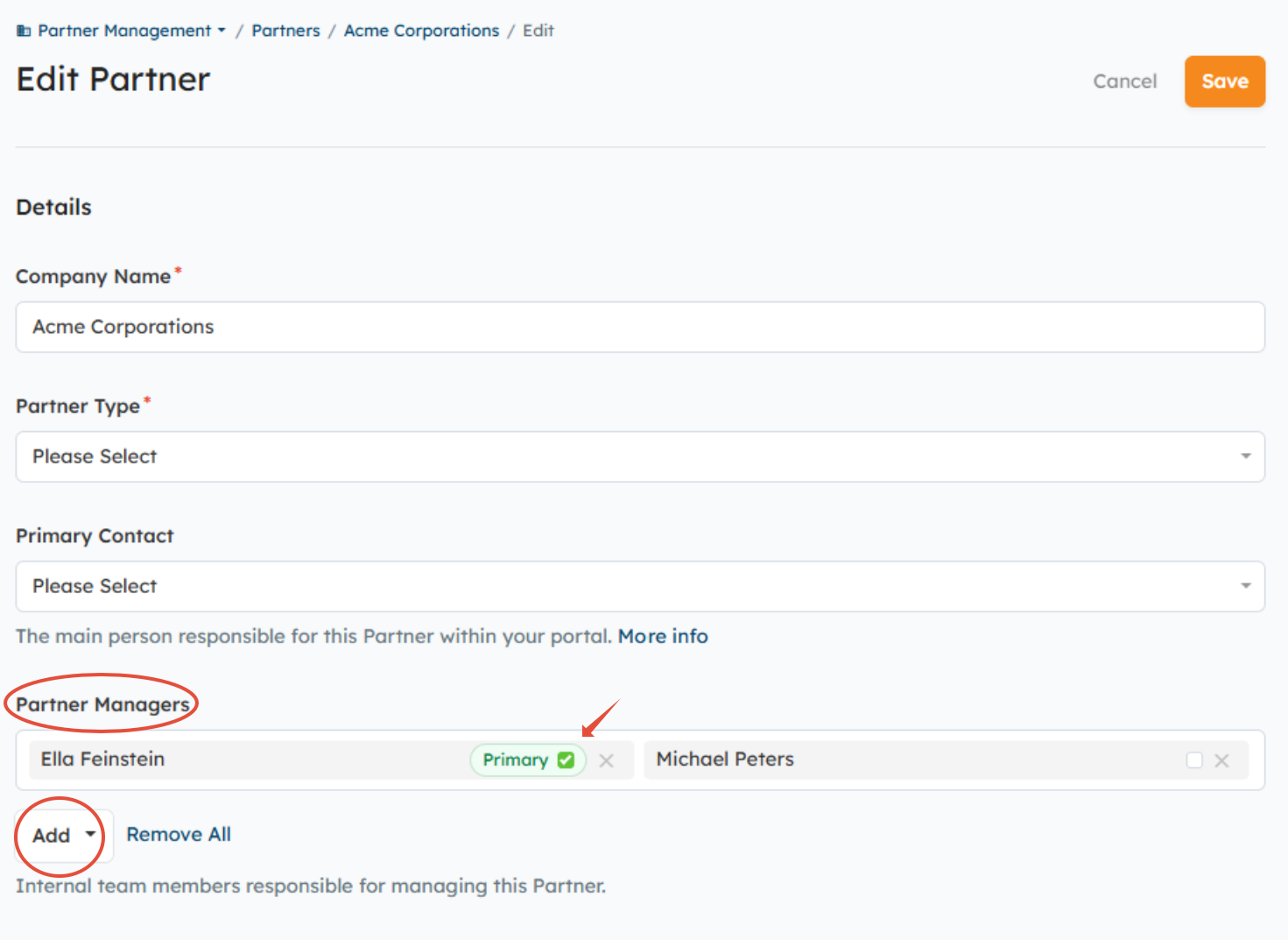
- When editing an existing or creating a new Active Partner or Distributor Organization, you can add/remove Managers via the Managers field.
Can a User be assigned to more than one Organization as a Manager?
Yes, Users can be assigned to more than one Organization as Manager, but only one can be flagged as the Primary Manager.
How can I view the Managers assigned to all Partner/Distributor Organizations?
You can view all Users assigned to Partner and Distributor Organizations as Managers by going to Partner Management > Managers for Partners or Distributor Management > Managers for Distributors.
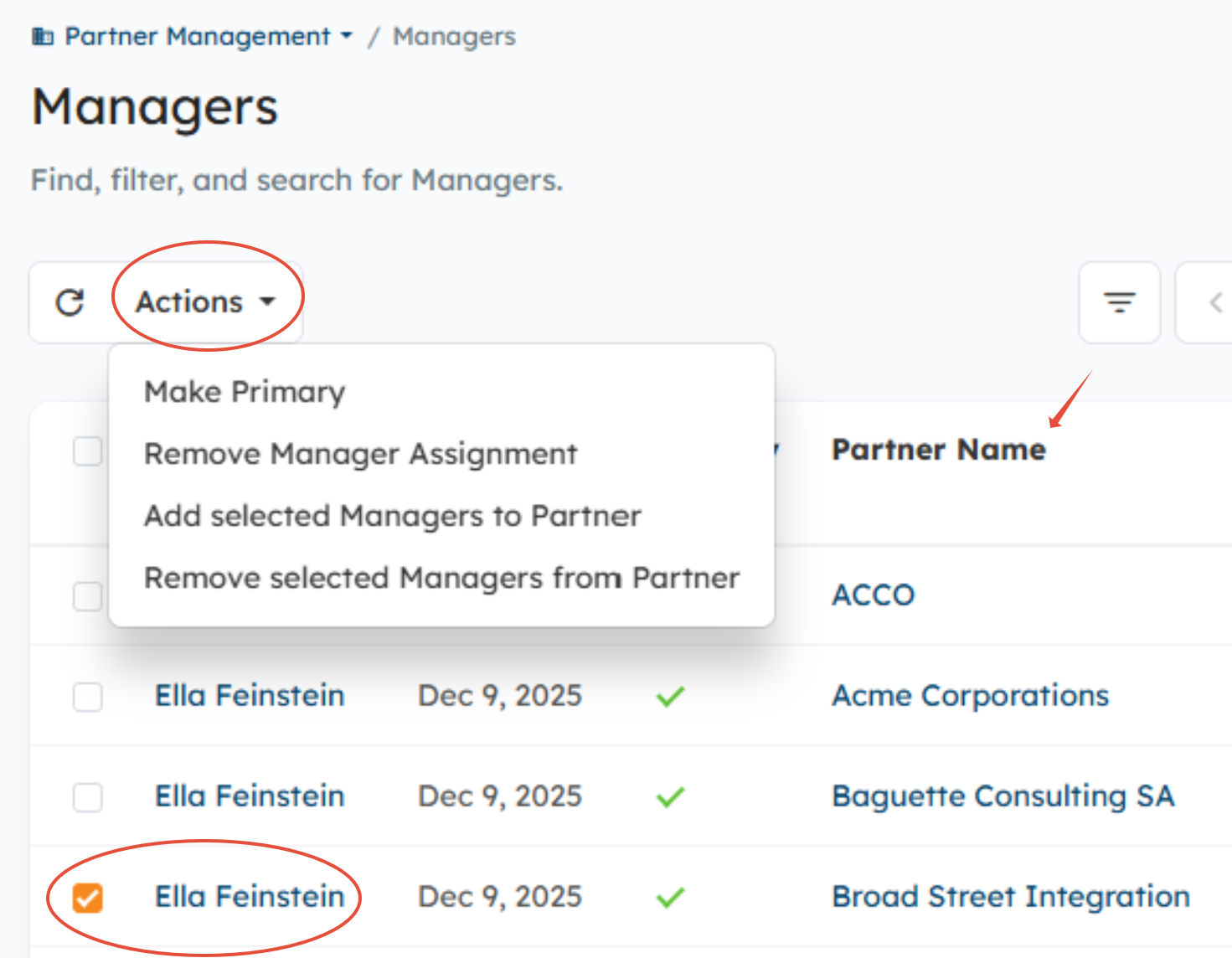
From the Managers lister page, you can see a comprehensive list of all Managers and the Partner or Distributor Organizations they are assigned to.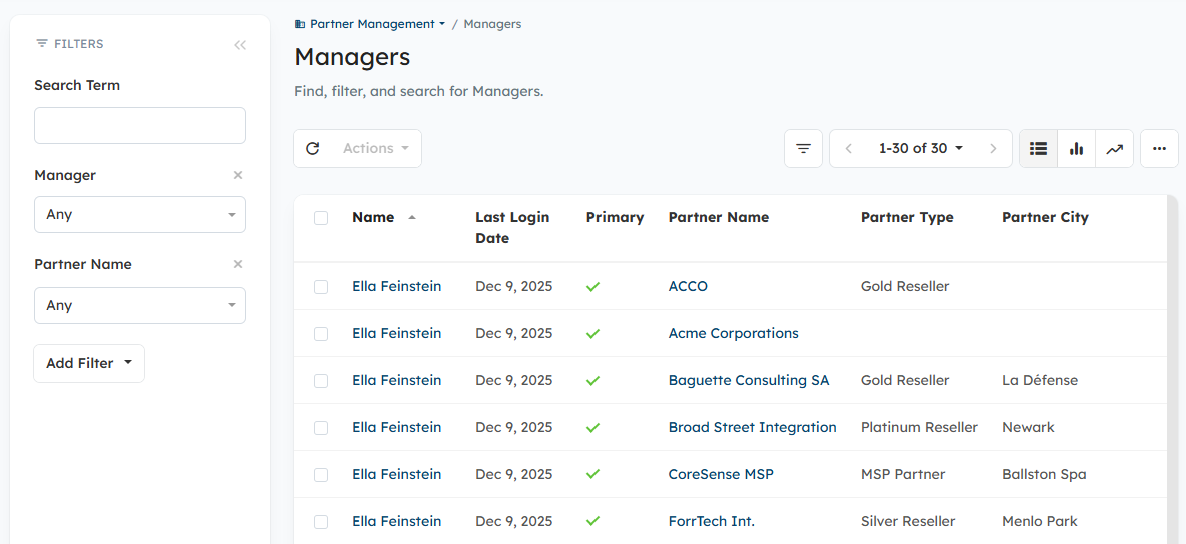
You can also update Manager assignments from the Managers lister page by selecting the checkboxes next to the name of the User(s) > Actions to complete any of the following updates to Manager assignments:
- Make Primary - Allows you to mark the selected User as the Primary Manager of the Organization(s) they are assigned to in the Name column on the right.
- Remove Manager Assignment - Allows you to remove the selected User(s) from the Organization(s) they are assigned to in the Name column on the right.
- Add Selected Manager to Partners - Allows you to add the selected User(s) to another Organization as Manager.
- Remove Selected Managers from Partner - Allows you to remove the selected User(s) from any Organization they are assigned to as Manager.
Can Managers be assigned to Prospective Partner Organizations?
No. Partner Managers can only be assigned to Active Partner and Distributor Organizations. If you try to assign an Internal User to a Prospective Partner, you will receive the error message below. 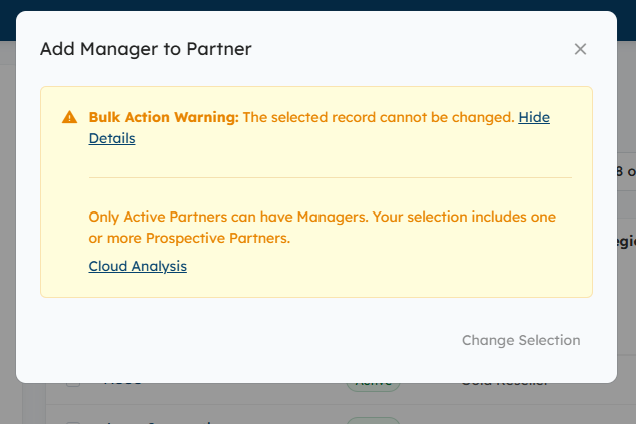
However, by enabling the below setting in the Partner Module Settings (Settings > Partners > Partner Module Settings), the system will automatically assign the Internal User assigned to the Prospective Partner for vetting and approval as the Primary Partner Manager once the Organization is made active.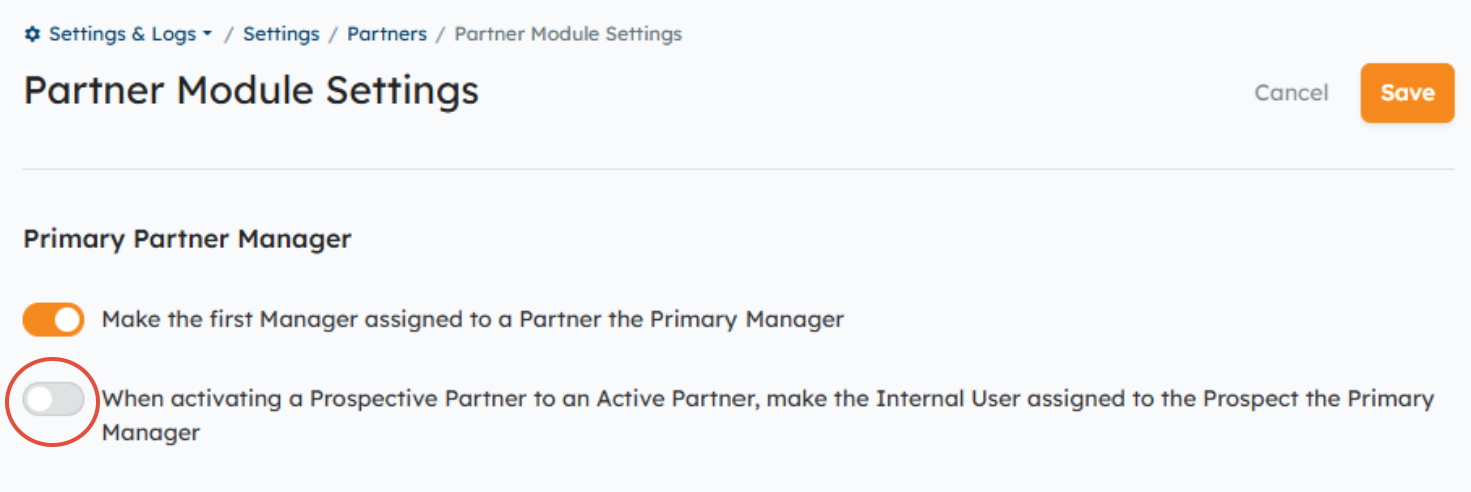
How do I control who appears in the Managers Widget?
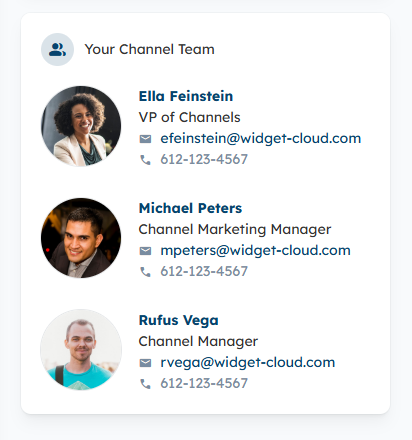
The Managers Widget displays a contact list of all the Managers assigned to Partner and Distributor Organizations. Learn how to manage/configure the Widget here.
Related Documentation:
Was this article helpful?
That’s Great!
Thank you for your feedback
Sorry! We couldn't be helpful
Thank you for your feedback
Feedback sent
We appreciate your effort and will try to fix the article