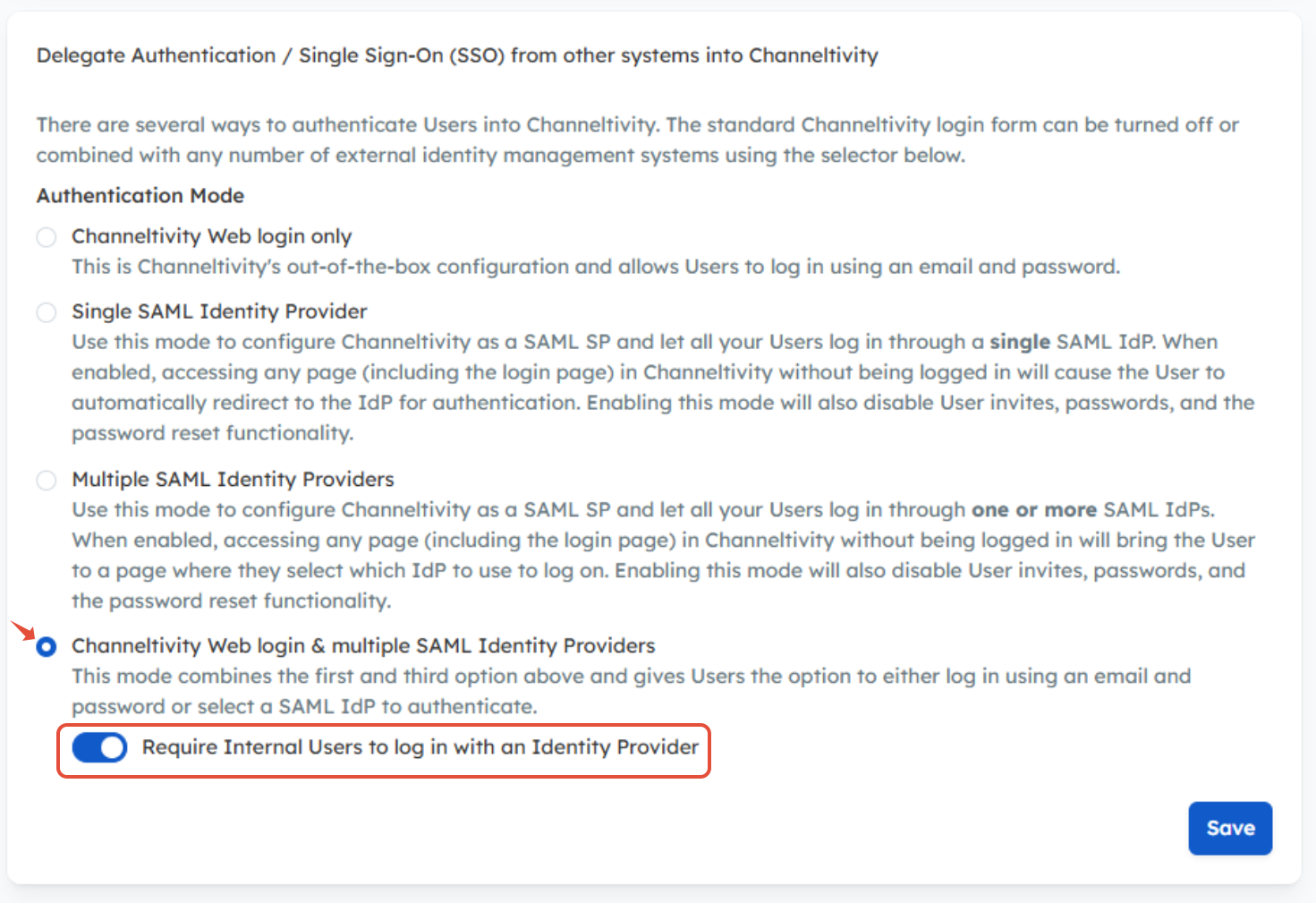
Yes. With the Channeltivity Web Login & multiple SAML Identity Providers authentication mode enabled, you can require Internal Users to authenticate via SSO using an Identity Provider, while Partners and Distributors can continue to log in using their username and password. This allows you to apply different authentication requirements for Internal Users without impacting the Partner or Distributor login experience.
To enable this setting:
Go to Settings > Single Sign-On (SSO) > Overview & Settings
Select the Channeltivity Web Login & multiple SAML Identity Providers authentication mode
Toggle Require Internal Users to log in with an Identity Provider to the ON position
Click Save
How Does It Work?
When the "Require Internal Users to log in with an Identity Provider" setting is enabled, the SSO button will continue to appear on the login page. However, if an Internal User attempts to log in using a username and password, they will receive an error indicating that their credentials are invalid.
If they attempt to reset their password, they will receive an email from the portal instructing them to log in via SSO instead.
To help avoid confusion and ensure Internal Users select the correct login option, we recommend updating the SSO button on your login page to clearly indicate that SSO is required for Internal Users. For example:
- “WidgetCloud Employees: Click Here to Log in with SSO (Required)”
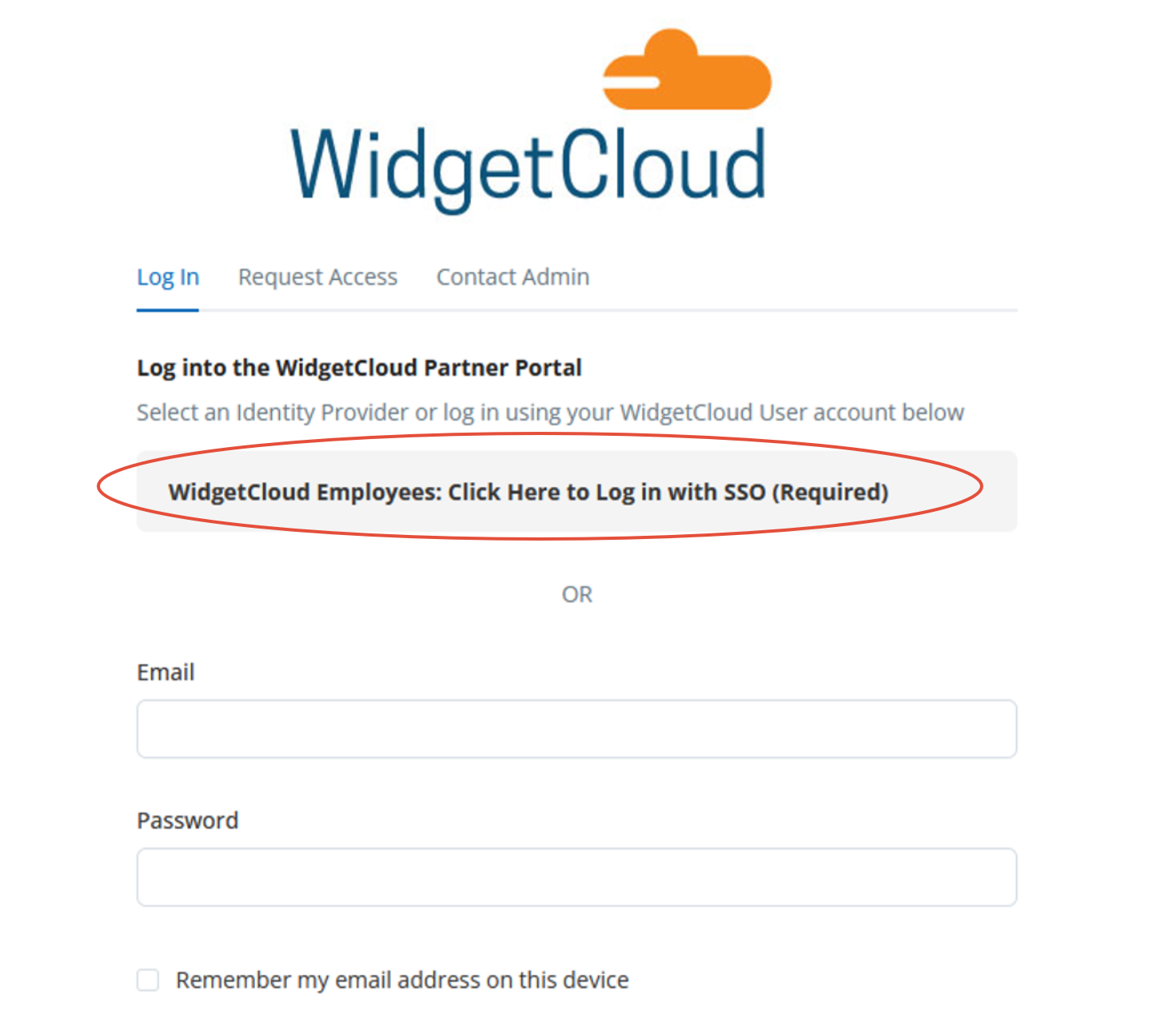
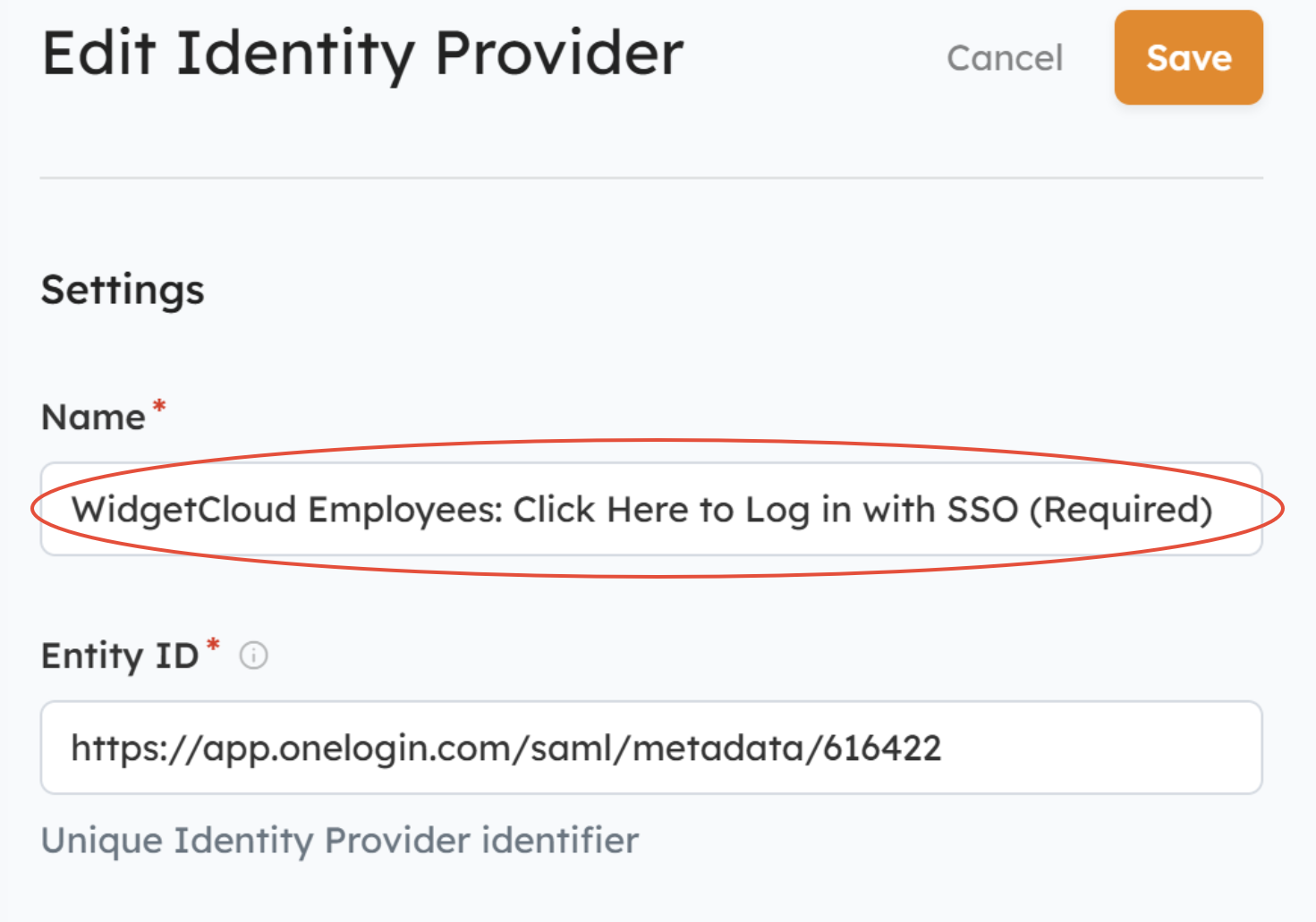
To customize the SSO button text, update the name of the SAML Identity Provider in Channeltivity by going to Settings > Single Sign-On (SSO) > SAML Service Provider. You'll then scroll down the page to select the Identity Provider from the list > Edit.
For more information on Channeltivity's Single Sign-On capabilities, check out the articles below or feel free to reach out to our Support Team for assistance.
- Does Channeltivity support Single Sign-On (SSO)?
- SSO: How to configure Channeltivity as a SAML 2.0 Service Provider
- SSO: How to configure Channeltivity as a SAML 2.0 Identity Provider
Was this article helpful?
That’s Great!
Thank you for your feedback
Sorry! We couldn't be helpful
Thank you for your feedback
Feedback sent
We appreciate your effort and will try to fix the article