We’re excited to share that we've added some fantastic new features and enhancements! Here’s a quick look at what’s new, along with links to detailed articles for each feature.
If you’d like to learn more about any of these features or have questions, please feel free to contact our Support Team, as we're always happy to help!
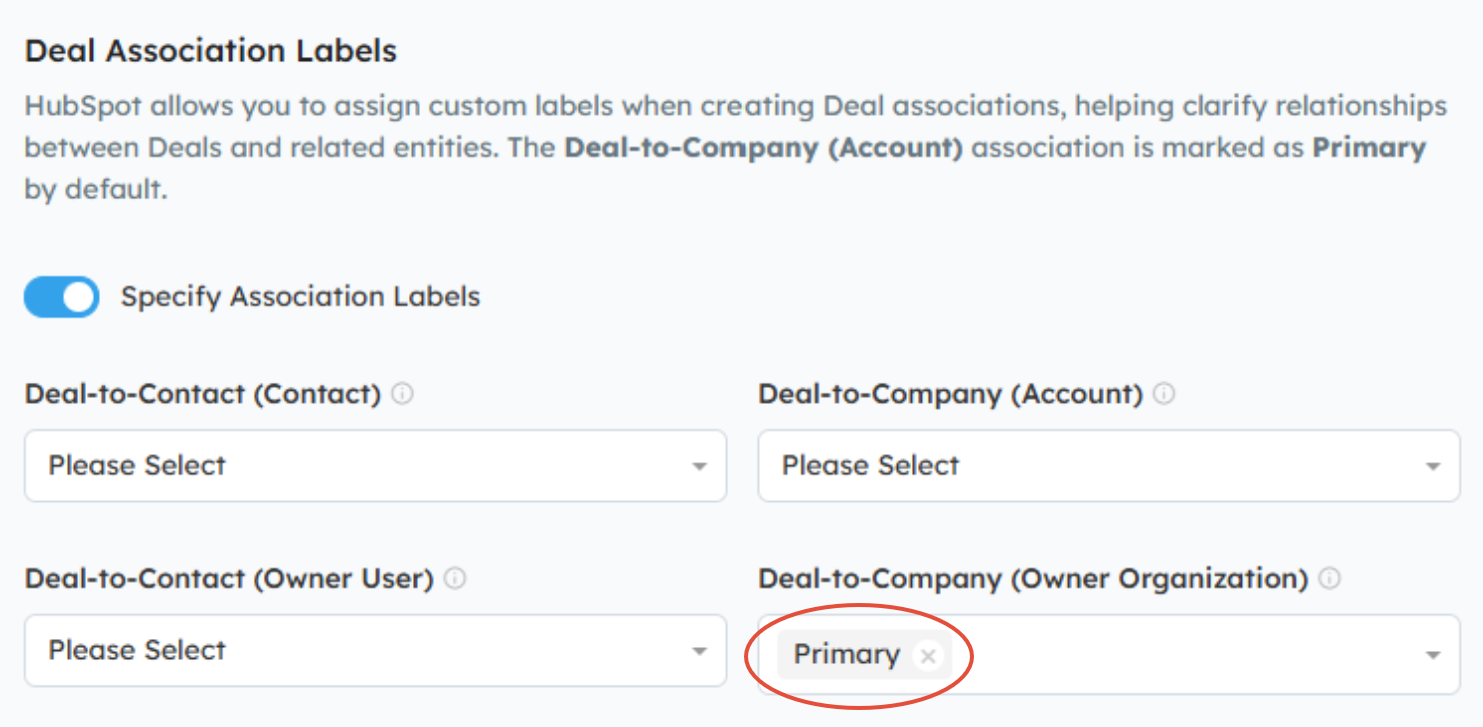
Support for HubSpot's Deal Association Labels
By default, Channeltivity sets the End User / Customer Company as the Primary Company on the Deal in HubSpot upon creation. However, some customers who have this optional setting enabled that also associates the Partner/Distributor Company and Contact to the Deal in HubSpot upon creation may want the Partner/Distributor Company set as the Primary instead of the End User Company. The new Deal Association Labels feature allows you to change that if needed.
Learn more about this topic here: Managing HubSpot Deal Association Labels
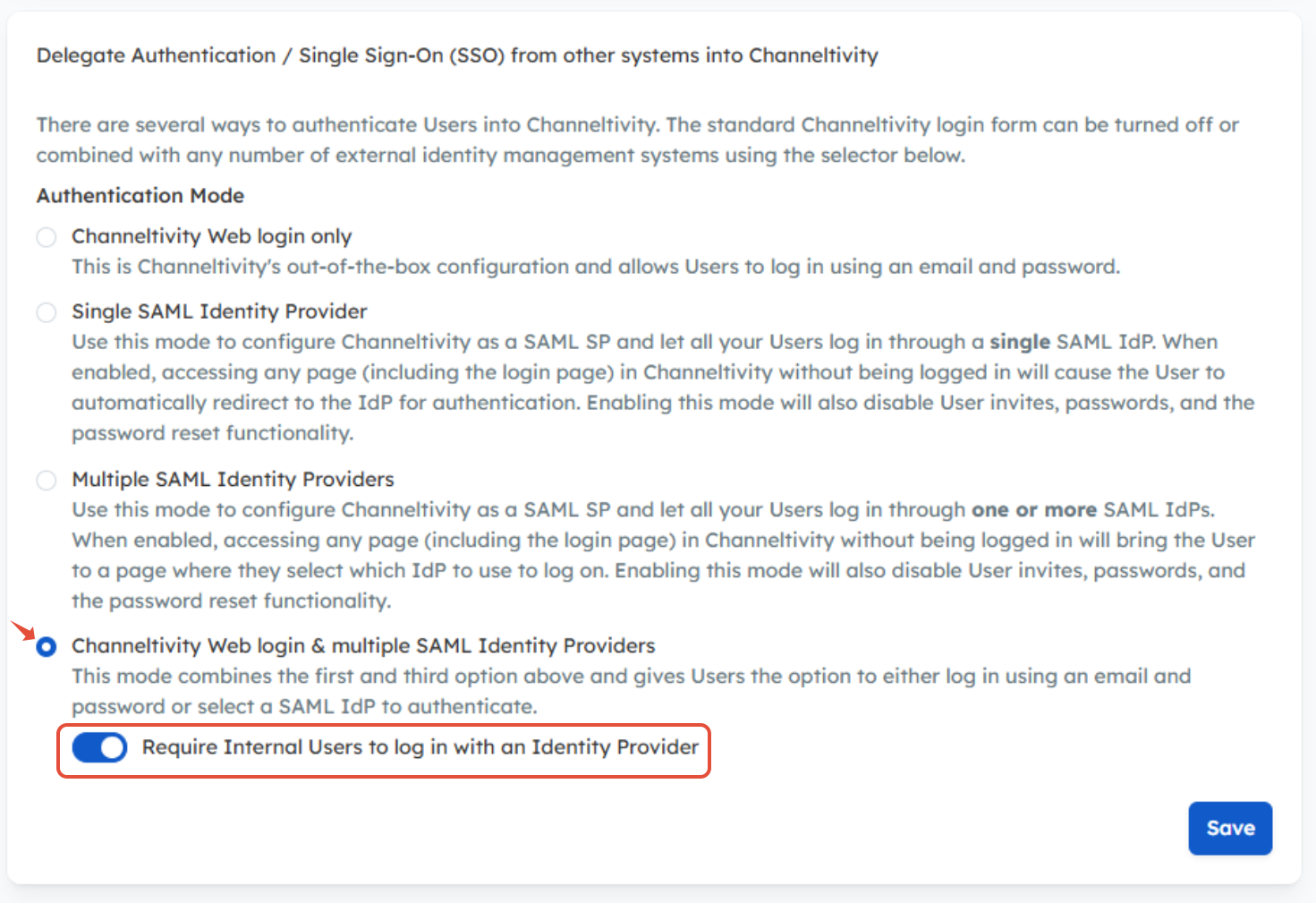
SSO-Only Login for Internal Users
You can now require Internal Users to log in to the portal via SSO while still allowing Partners and Distributors to log in with a username and password. This allows you to apply different authentication requirements for Internal Users without impacting the Partner/Distributor login experience.
Learn more about this topic here: Can I Enforce SSO for Internal Users Only?
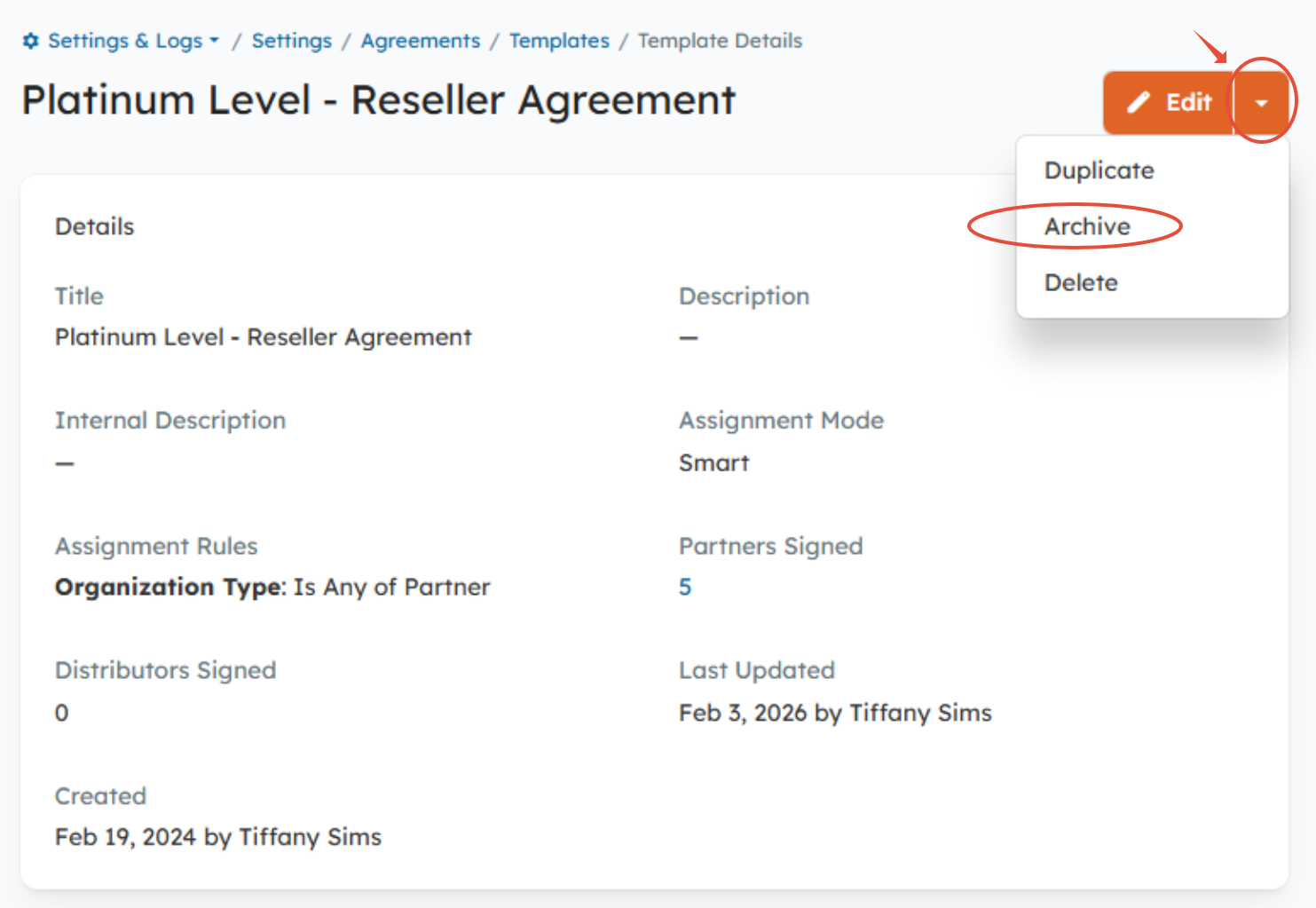
Archiving Agreement Templates
Archiving an Agreement Template allows you to retire an Agreement Template without deleting it. This is useful when a Template is no longer active, has been replaced by a newer version, or should no longer be assigned to Organizations, but still needs to be retained for recordkeeping, reporting, or historical reference.
Learn more about this topic here: How Do I Archive an Agreement Template?
Salesforce Opportunity Creation Based on Contact Match (Deal Registration + Salesforce)
We added a new optional setting to the Deal Registration integration with Salesforce that allows Channeltivity to create an Opportunity instead of a Lead when specific conditions are met:
- Before pushing the Deal to Salesforce, Channeltivity will attempt to match the End User Contact on the Deal in Channeltivity with a Contact in Salesforce using the email address. If exactly one match is found, an Opportunity is created and is associated with the matched Contact and related Account. If no Contact match is found (or multiple matches exist), a Lead is created.
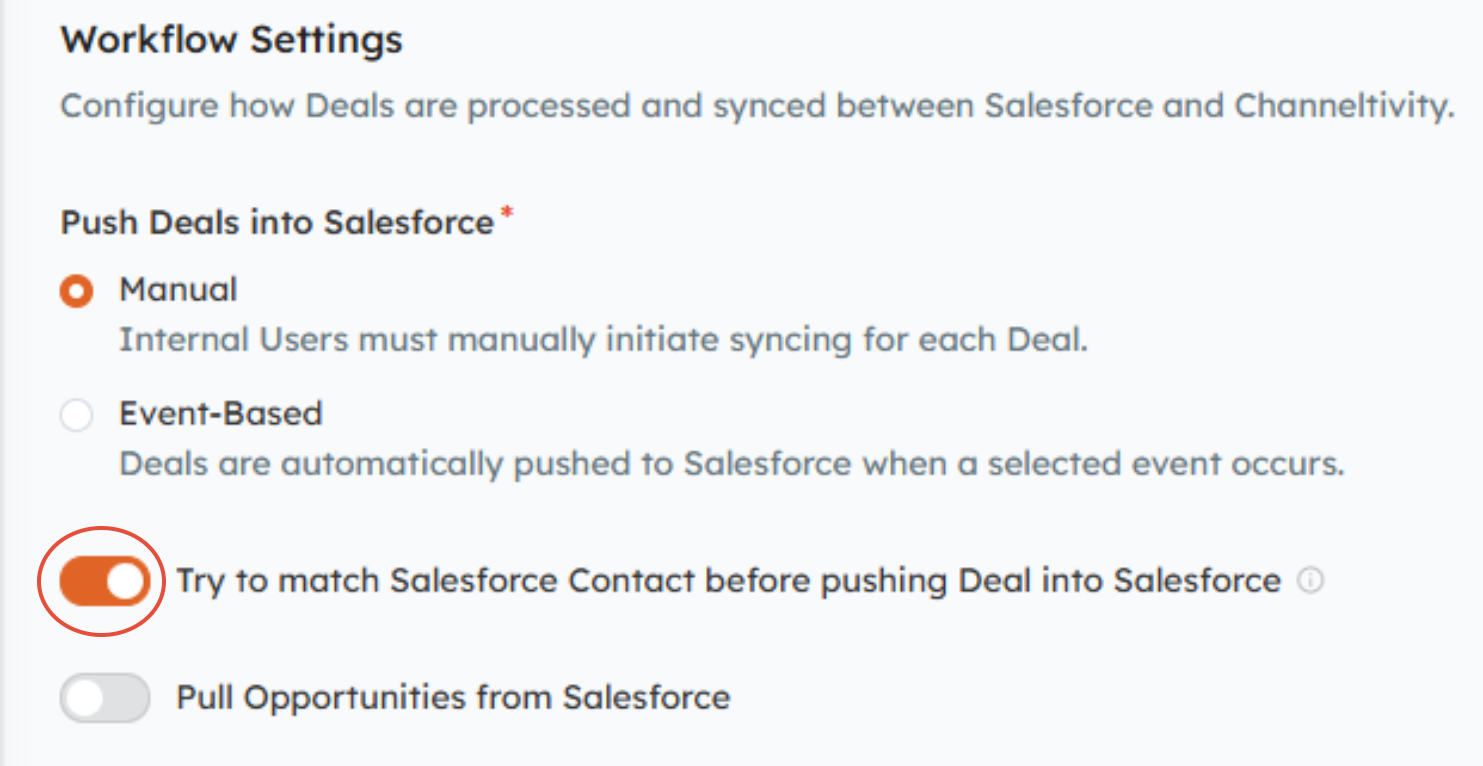
This helps reduce manual Lead conversion while ensuring Opportunities are only created when they can be confidently associated with the correct Contact and Account.
For more details on this functionality and the requirements for successful operation, check out this article: Can Channeltivity create an Opportunity vs. a Lead in Salesforce?
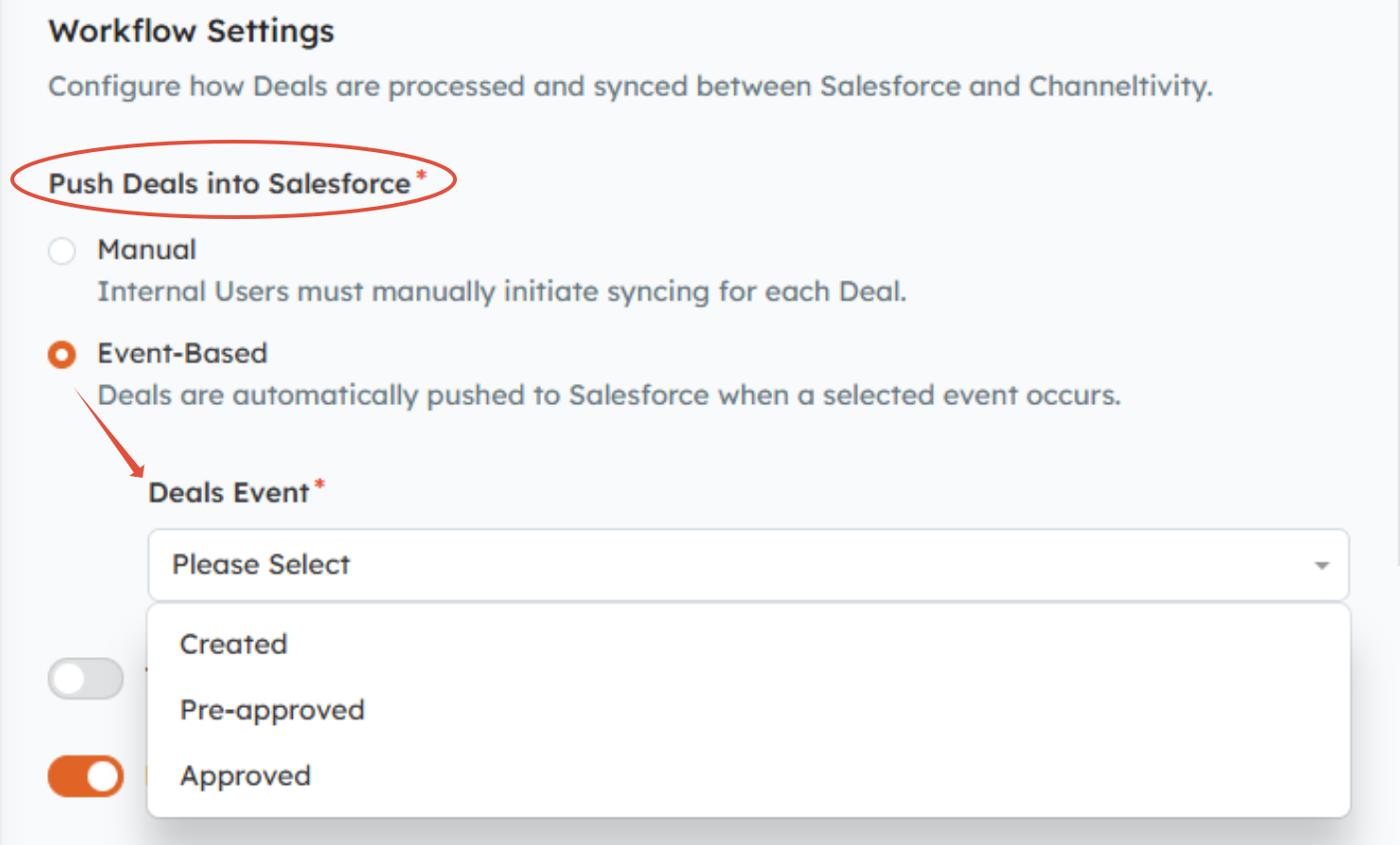
Event-Based Deal Syncing (Deal Registration + Salesforce)
Instead of automatically syncing every new Deal upon creation, you can choose the event that triggers the sync, such as Deal approval. This provides greater control over when Deals are pushed to Salesforce and ensures data is reviewed before syncing.
Learn more about this topic in this article: When Are Deals Synced to Salesforce?
Was this article helpful?
That’s Great!
Thank you for your feedback
Sorry! We couldn't be helpful
Thank you for your feedback
Feedback sent
We appreciate your effort and will try to fix the article