Removing Margins
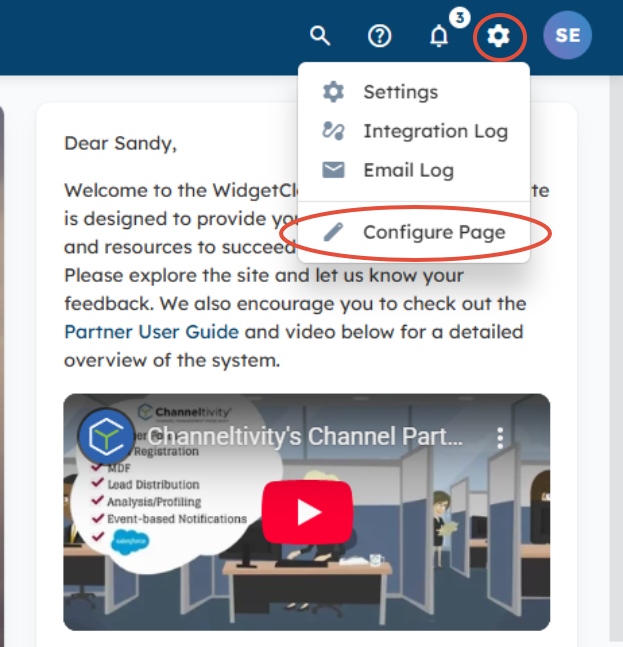
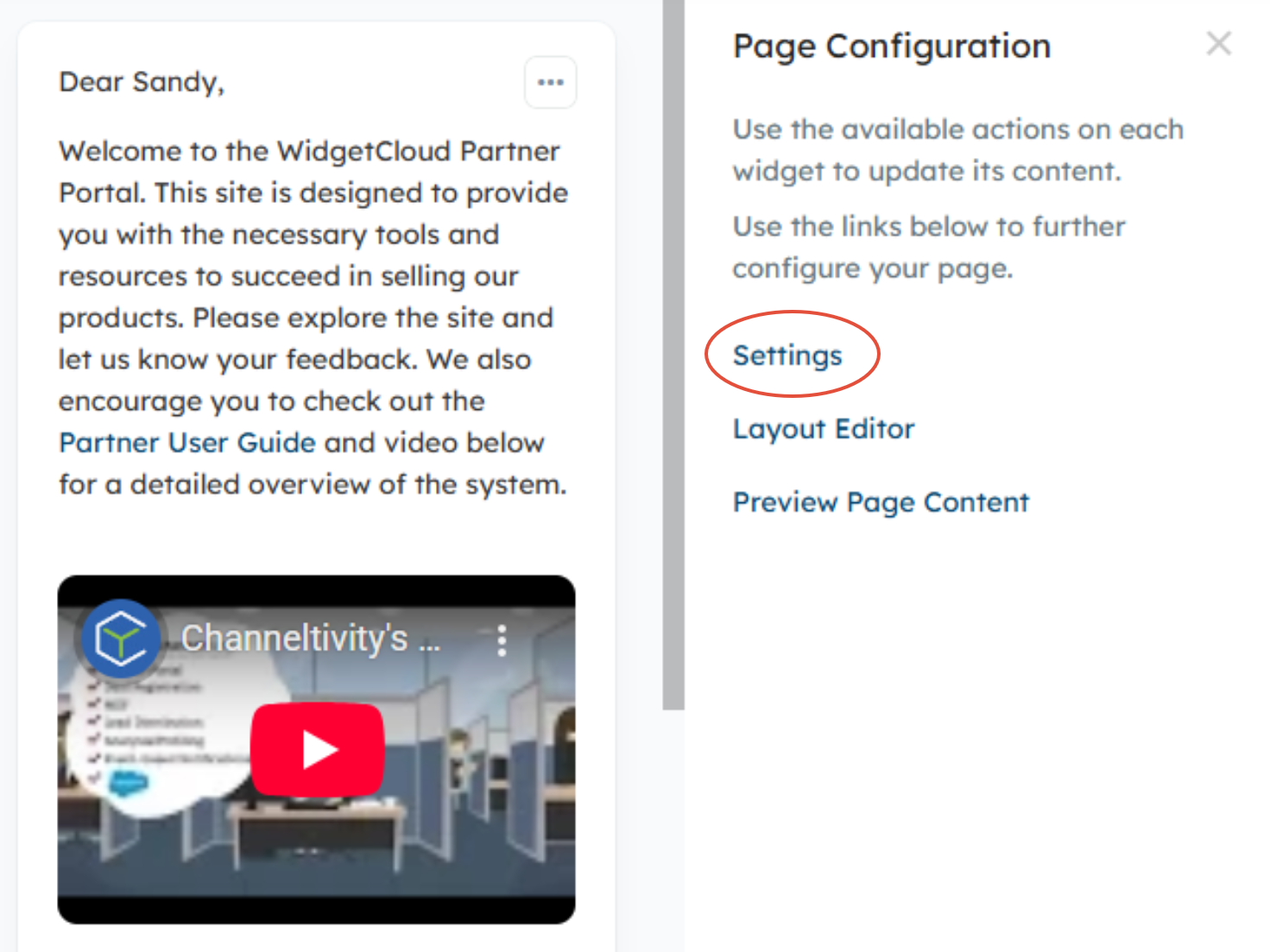
You can remove margins on a custom page by clicking the gear icon in the top right > Configure Page > Settings.
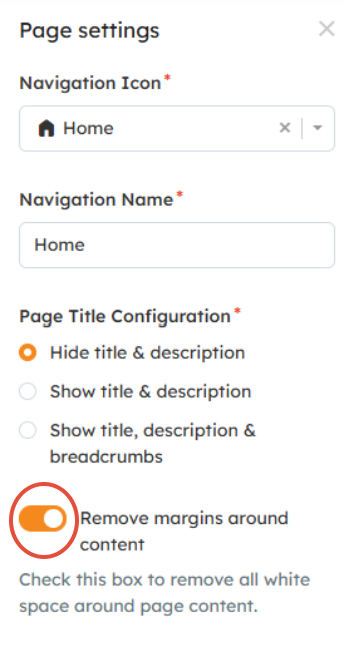
From the Page settings menu, you'll toggle the "Remove margins around content" to the ON position > Save.
With Margins:

Without Margins:

Related Articles:
Was this article helpful?
That’s Great!
Thank you for your feedback
Sorry! We couldn't be helpful
Thank you for your feedback
Feedback sent
We appreciate your effort and will try to fix the article