The Registration Status workflow settings control the approval process for Deal Registrations. To configure this setting, go to Settings > Deal Registration > Registration Status Workflow.
To add a new Status click the New button.
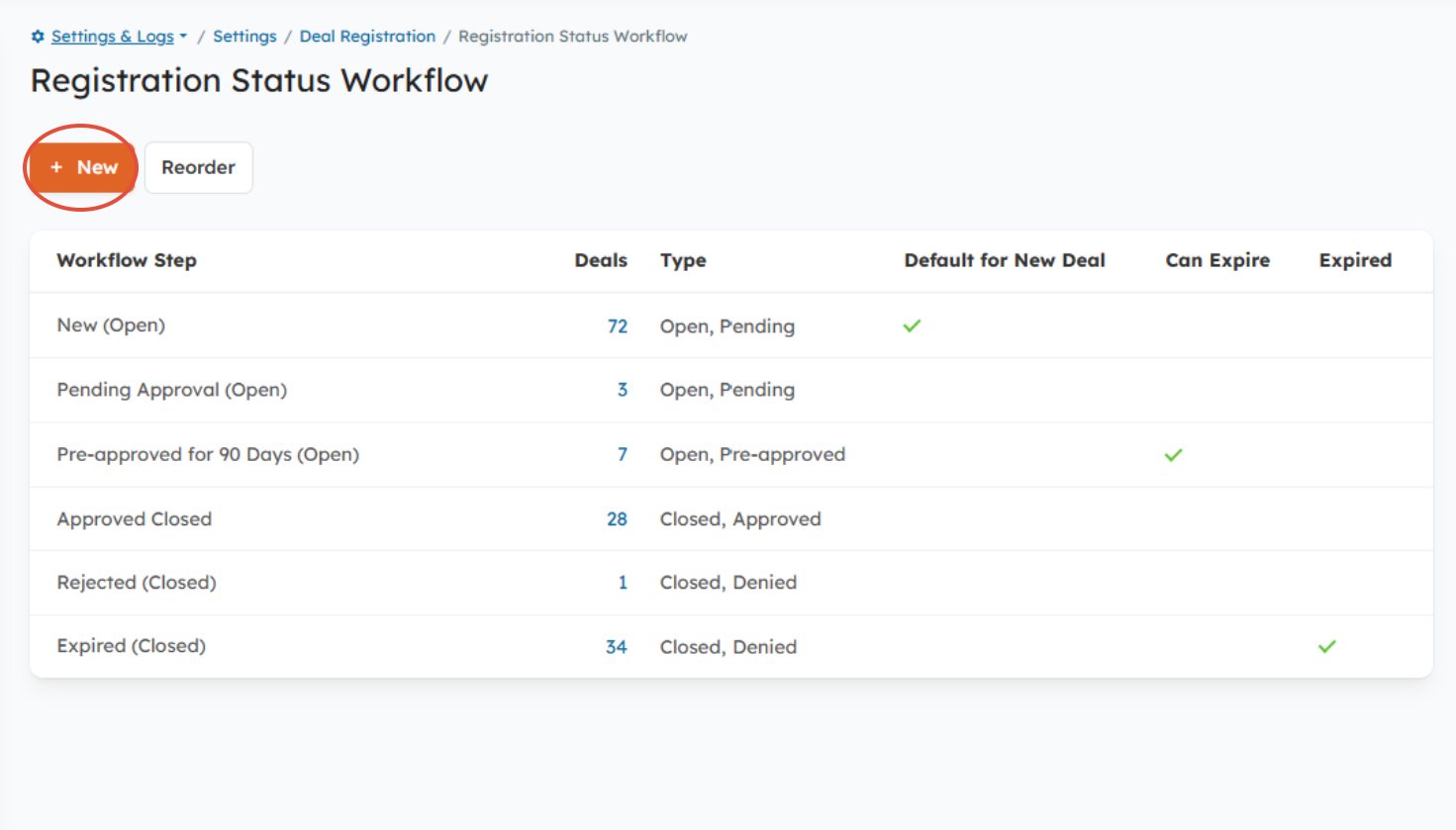
Registration Status Workflow
From there, you'll specify the following:
- Workflow Step: The name of the Status.
- Type: There are four types of Steps used to indcate the status of the Deal
- Open: The Deal is neither approved nor denied.
- Open: Pre-approved: The Deal is approved but still being worked on, which means it's still open. Use this Step for approvals that expire.
Closed:Approved: The Deal is approved and no longer being worked on, which means it's closed.
Closed:Denied: The Deal is denied/rejected, which means it's closed.
Default for New Registrations: All Partner and Distributor created Deal Registrations are automatically set to this Status. For Open Statuses only.
(optional) Can Expire: If you have Deal Expiration enabled, you'll enable this setting to assign an expiration date to the Deal when it's in this Status. For Open and Open:Pre-Approved Statuses only.
(optional) Expired: You can enable this setting set Deals that expire to this Status. For Closed: Denied Statuses only.
***For more in-depth instructions, check out: How to configure the Deal Registration workflow***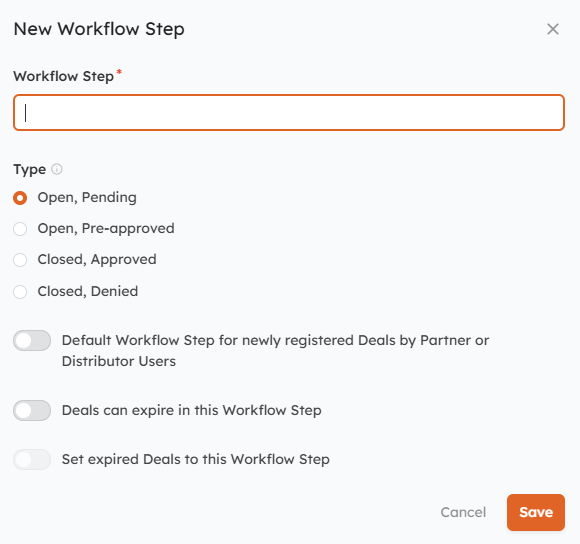
New Workflow Step Window
Was this article helpful?
That’s Great!
Thank you for your feedback
Sorry! We couldn't be helpful
Thank you for your feedback
Feedback sent
We appreciate your effort and will try to fix the article