The HTML Code Widget allows you to run and display custom HTML, JavaScript, and CSS within a Widget on a custom page. Flexible permissions allow you to specify which User Groups will see the Widget. Since Channeltivity's Article, Rich Text, and Welcome Message Widgets restrict the types of content that can be displayed, the HTML Code Widget provides Web-savvy Admins a workaround to display any content.
This article shows you how to create an HTML Code Widget and populate it with your code (make sure to have it ready).
Step 1: Go to the Layout Editor
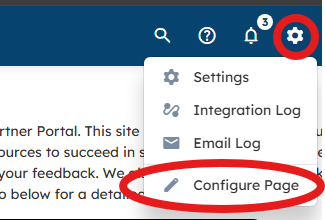
Click the gear icon in the top right corner of the portal > Configure Page.
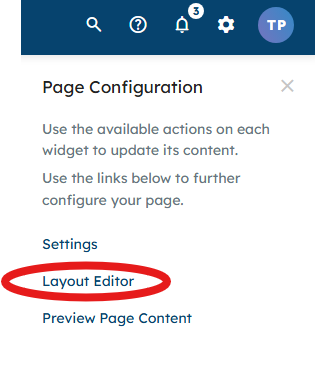
Select Layout Editor from the right side panel.
Step 2: Select a Widget from the Menu
Scroll through the Widgets to find the HTML Code Widget or type "HTML" into the search box, then click and drag the HTML Code Widget onto the page. 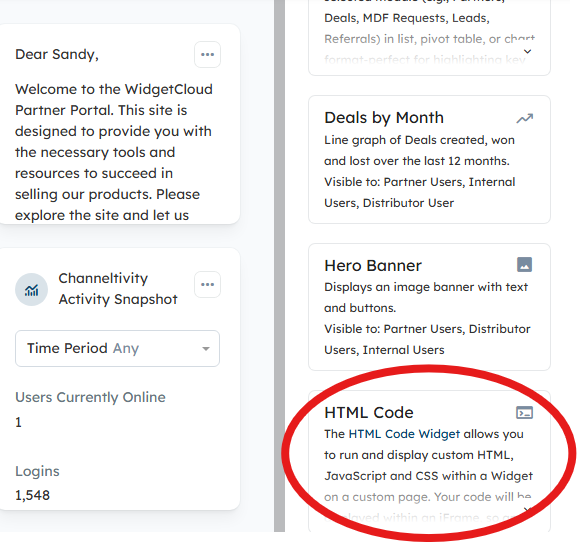
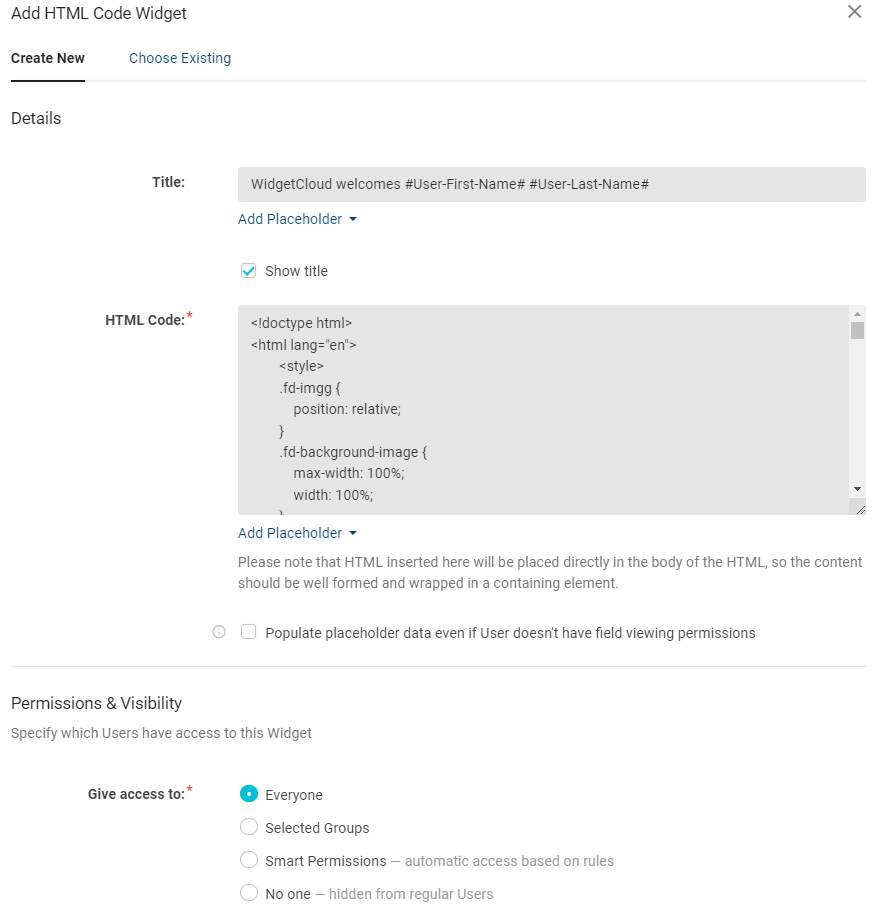
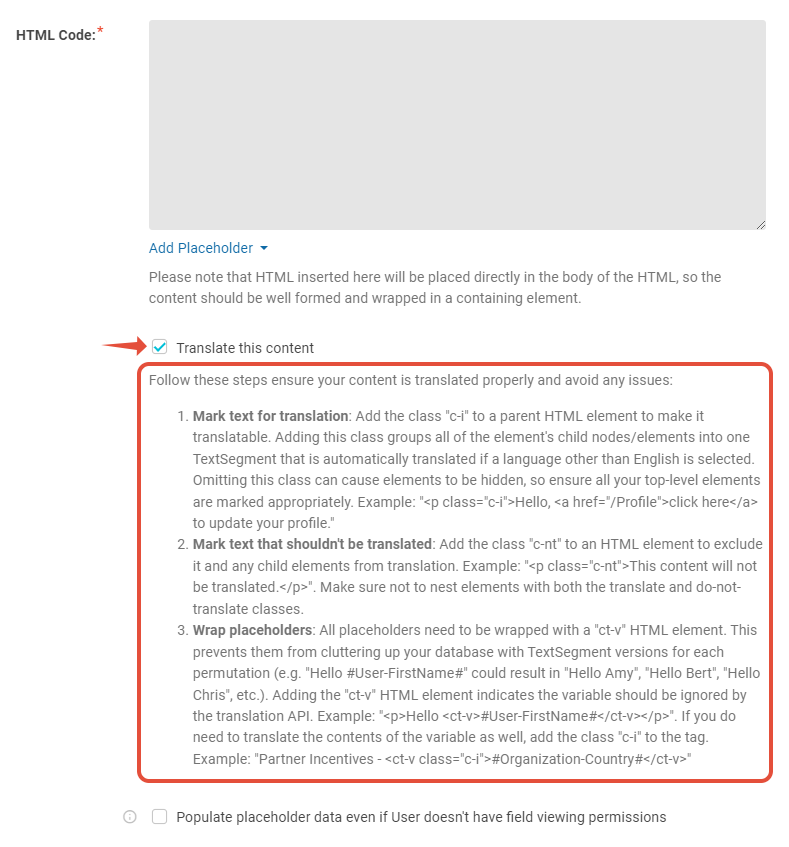
Step 3: Configure the HTML Widget
Step 4: You're Done!
That's it! Since Channeltivity can be accessed from different device types, including mobile phones, make sure your code works well across all types of devices.

Related Articles:
Was this article helpful?
That’s Great!
Thank you for your feedback
Sorry! We couldn't be helpful
Thank you for your feedback
Feedback sent
We appreciate your effort and will try to fix the article