By default, when a Deal is synced to Salesforce through the Deal Registration integration, Channeltivity creates a Lead in Salesforce. Should you decide to convert that Lead to an Opportunity in Salesforce, Channeltivity will recognize the conversion and maintain the link to the corresponding Deal record.
However, an optional setting is available that allows Channeltivity to create an Opportunity instead of a Lead when specific conditions are met.
How Does it Work
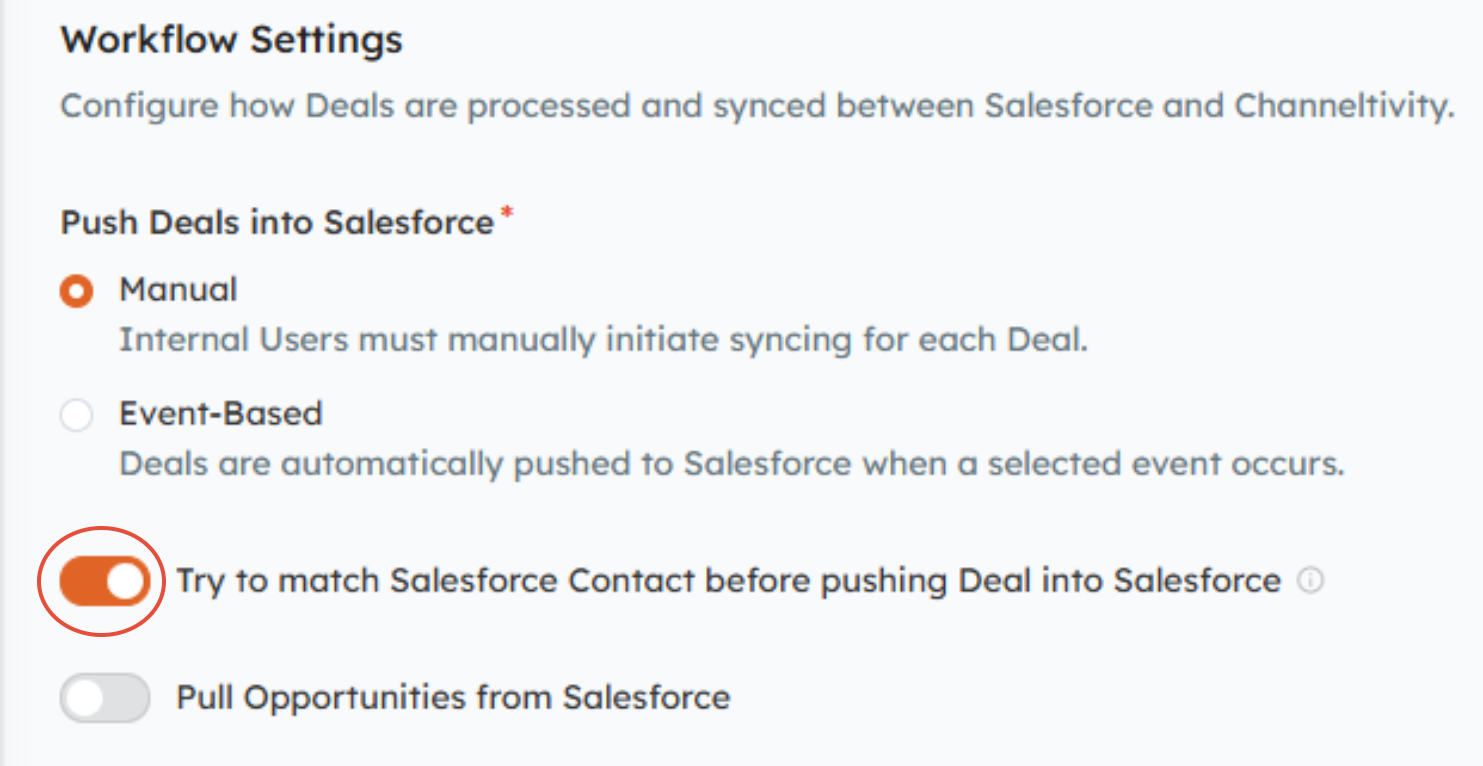
Once the “Try to match Salesforce Contact before pushing Deal into Salesforce” setting is enabled in the Deal Registration integration settings, Channeltivity follows the process below when a Deal is synced to Salesforce:
Channeltivity will attempt to match the End User Contact on the Deal to an existing Salesforce Contact using the email address.
- If exactly one matching Contact is found in Salesforce, Channeltivity will create an Opportunity instead of a Lead and associate it with the matched Contact and related Account. This ensures Opportunities are only created when Channeltivity can confidently associate them with the correct Contact and Account.
- If no Contact match is found (or multiple matches exist), Channeltivity will default to creating a Lead.
How to Know If This Configuration Is Right for You
This setting is ideal if:
Your Salesforce Contacts are well-maintained and uniquely identified by email
You want to reduce manual Lead conversion
You prefer more automated Opportunity creation during Deal Registration
If your organization requires manual review or has complex Account/Contact rules, the default Lead-based flow may still be the best fit.
Requirements for Successful Operation
End User Contact Email Requirement:
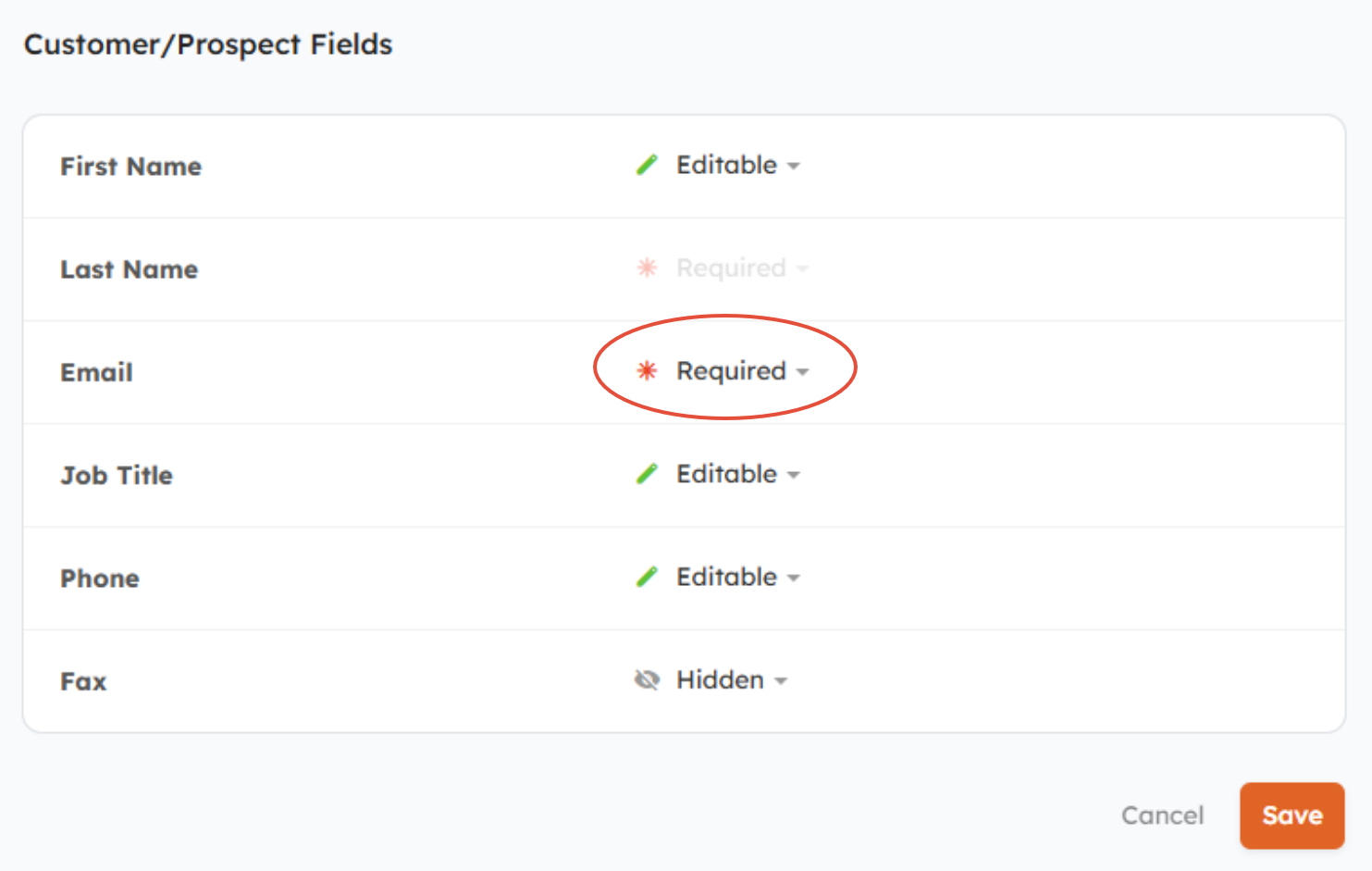
- The Email field on the Deal's End User Contact should be made required in Channeltivity, as it’s used to identify a matching Salesforce Contact. If exactly one match is found, an Opportunity is created instead of a Lead. If no match is found, a Lead is created.
To make the Email field required, go to Settings > User & Organization Fields > User Field Requirement & Visibility. Scroll down the page to the "Customer/Prospect Fields" section to set the Email field to Required.
Close Date Field Requirement:
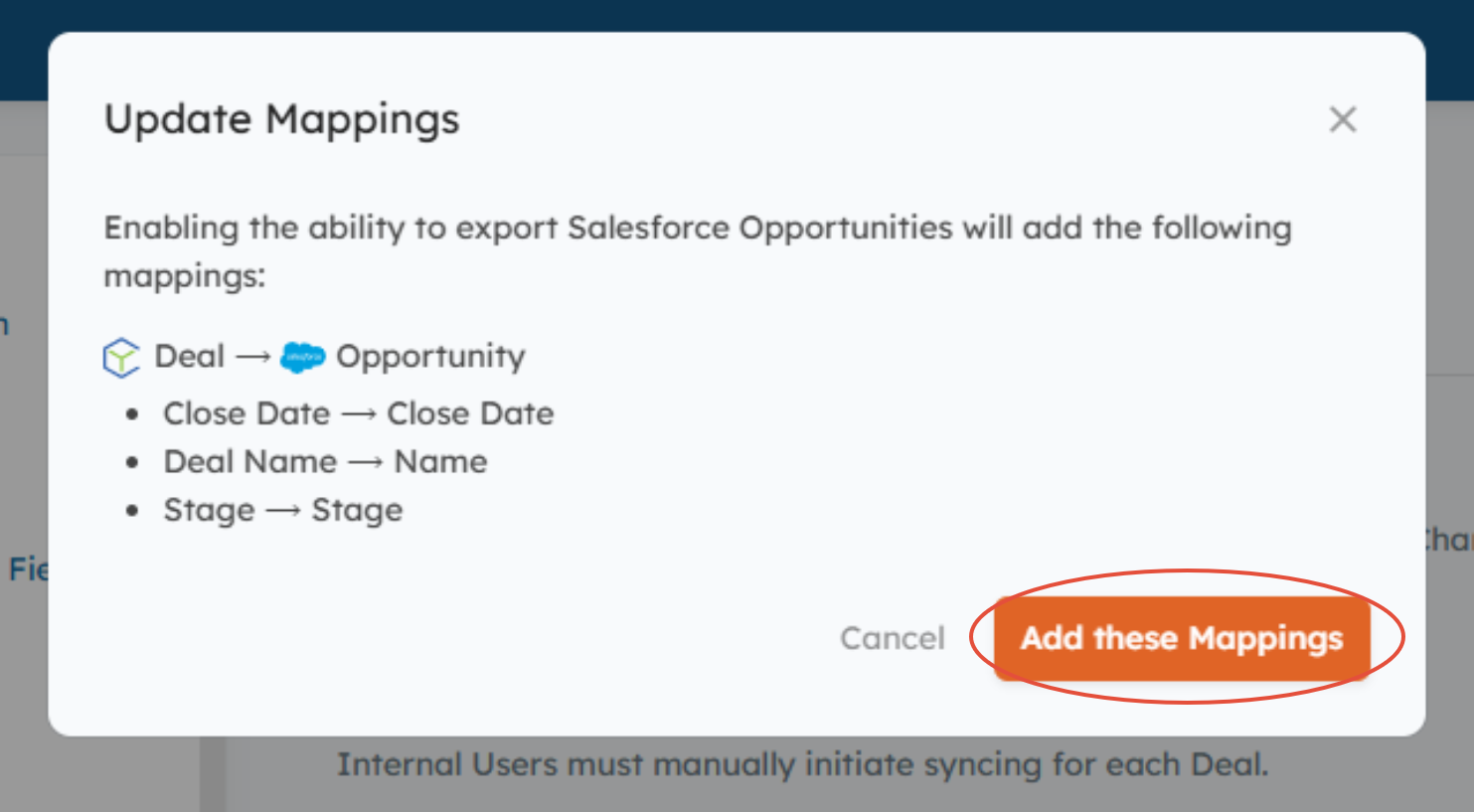
- The Close Date field on the Salesforce Opportunity object is required by Salesforce. Therefore, the Close Date field on the Deal in Channeltivity must be populated for Channeltivity to create an Opportunity record in Salesforce. It must also be mapped to the corresponding Opportunity Close Date field in Salesforce.
To avoid sync errors for records with no Close Date value, we recommend making the Close Date field in Channeltivity required by going to Settings > Deal Registration > Deal Registration Module Settings.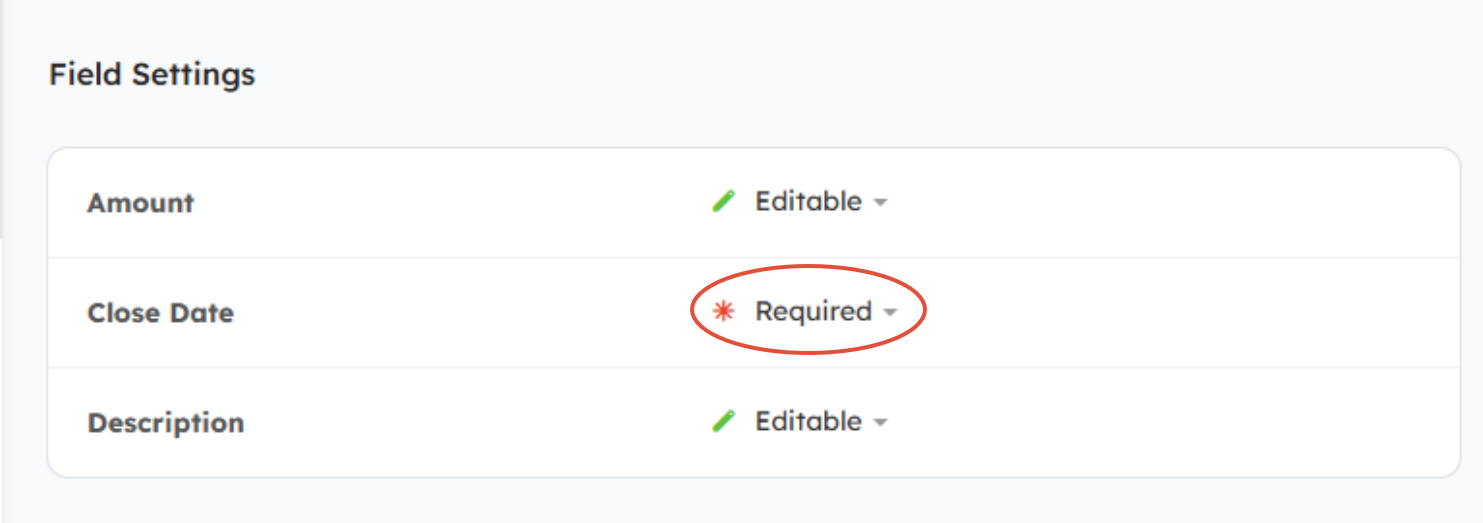
NOTE: When mapping the Deal Close Date field to the Opportunity Close Date field, we strongly recommend temporarily disabling the "Any Change" email notifications in the Deal Email Notifications before adding the mapping (Settings > Deal Registration > Deal Email Notifications).
You can then re-enable the notifications once the sync completes. 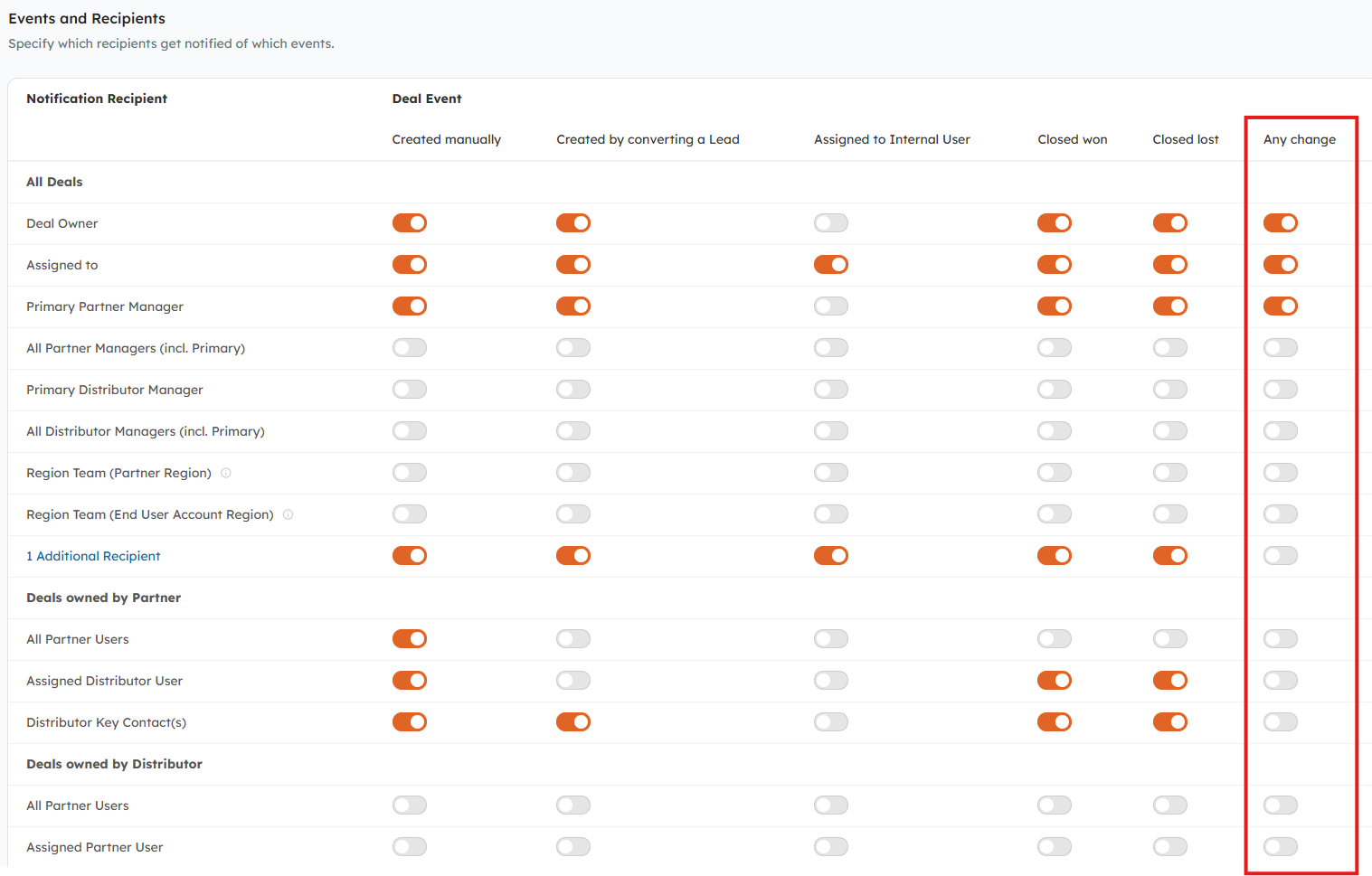
Salesforce Validation Rules:
- Salesforce Opportunities created by Channeltivity are subject to the same validation rules and field requirements as Opportunities created directly in Salesforce. If you have validation rules with special or manual requirements, you may want to update those rules to exclude records created by Channeltivity to ensure successful Opportunity creation.
How to Enable It
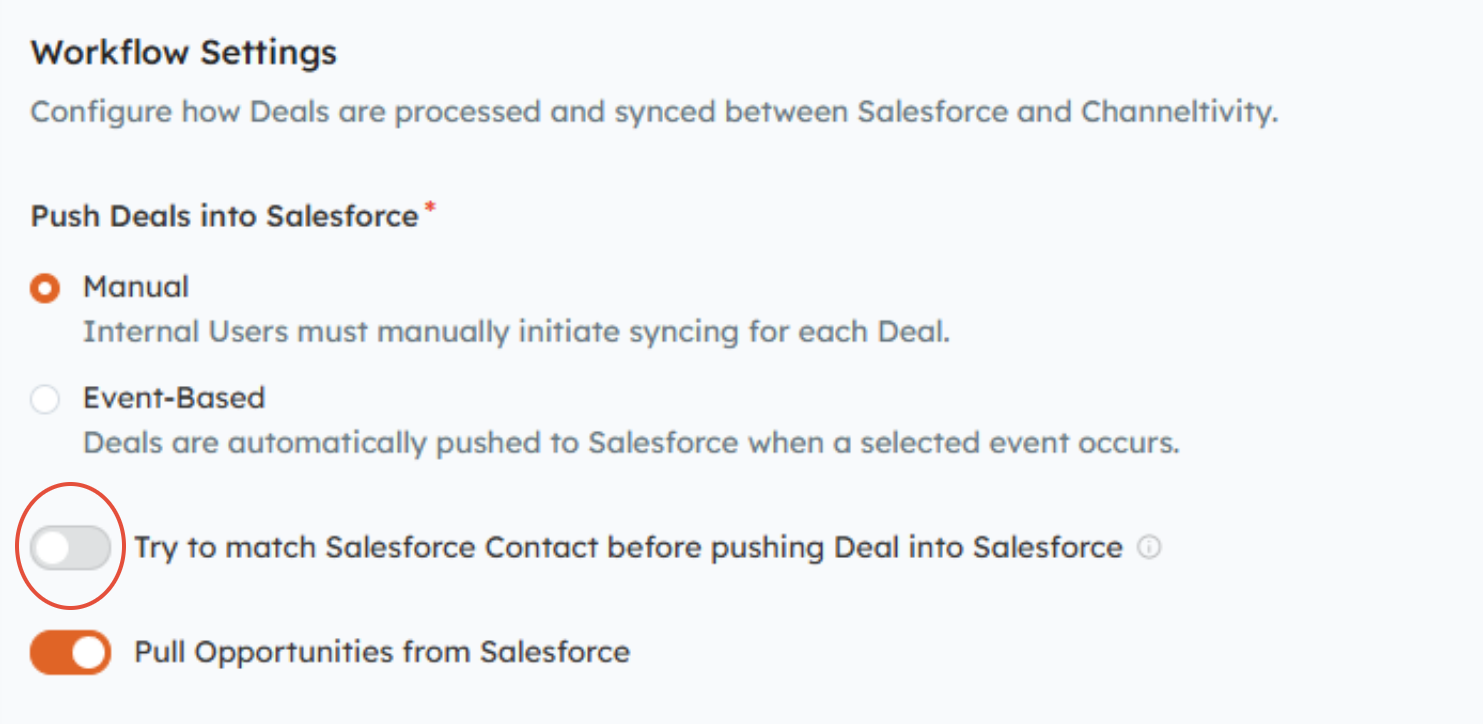
- In Channeltivity, go to Settings > Salesforce Integration > Deal Registration, and toggle the “Try to match Salesforce Contact before pushing Deal into Salesforce” setting to the ON position.
2. You’ll then be prompted to review and confirm any additional field mappings needed for the Deal to Opportunity creation.
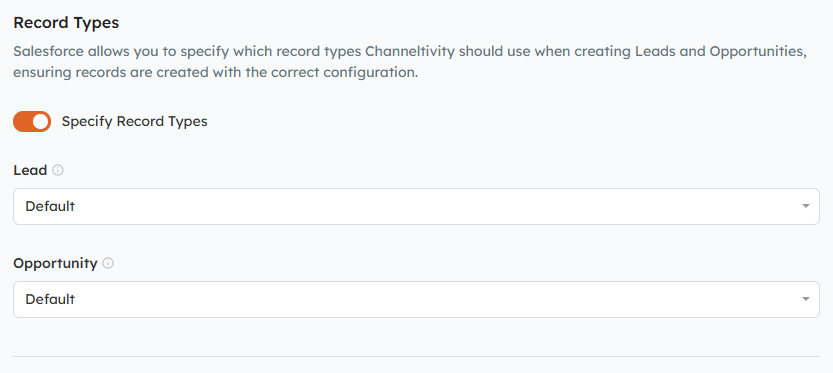
OPTIONAL: If needed, you can scroll down the page to specify the Salesforce Opportunity record type Channeltivity should use when creating new Opportunities.
3. Click Save to save your changes.
FAQs:
Why is the default behavior to create a Lead instead of an Opportunity in Salesforce?
The reason Channeltivity creates Leads instead of Opportunities is because Opportunities have to be associated with an Account and Contact in Salesforce, and every company has its own unique guidelines for establishing those associations. Since the rules vary across companies, we felt it was best to create Leads instead of Opportunities to allow Users to select the relevant Account/Contact when converting the Lead to an Opportunity.
Was this article helpful?
That’s Great!
Thank you for your feedback
Sorry! We couldn't be helpful
Thank you for your feedback
Feedback sent
We appreciate your effort and will try to fix the article