You can configure the Deal Registration integration with Salesforce to sync new Deals to Salesforce either manually or automatically based on specific events by going to Settings > Salesforce Integration > Deal Registration.
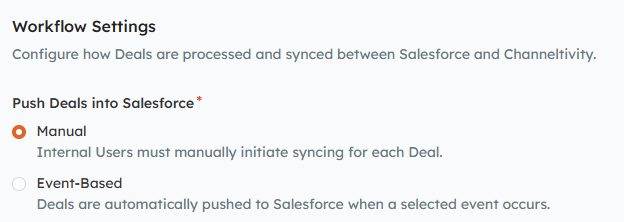
Manual:
Requires an Internal User to manually sync the Deal to Salesforce by clicking the Salesforce button on the Deal in Channeltivity > Sync .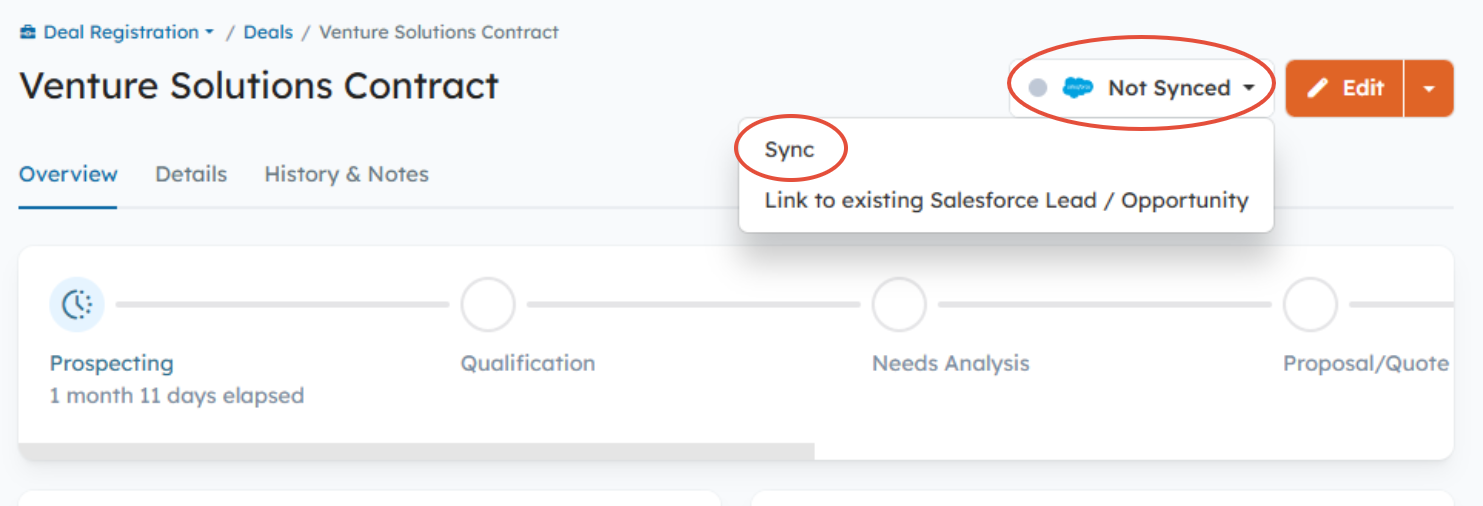
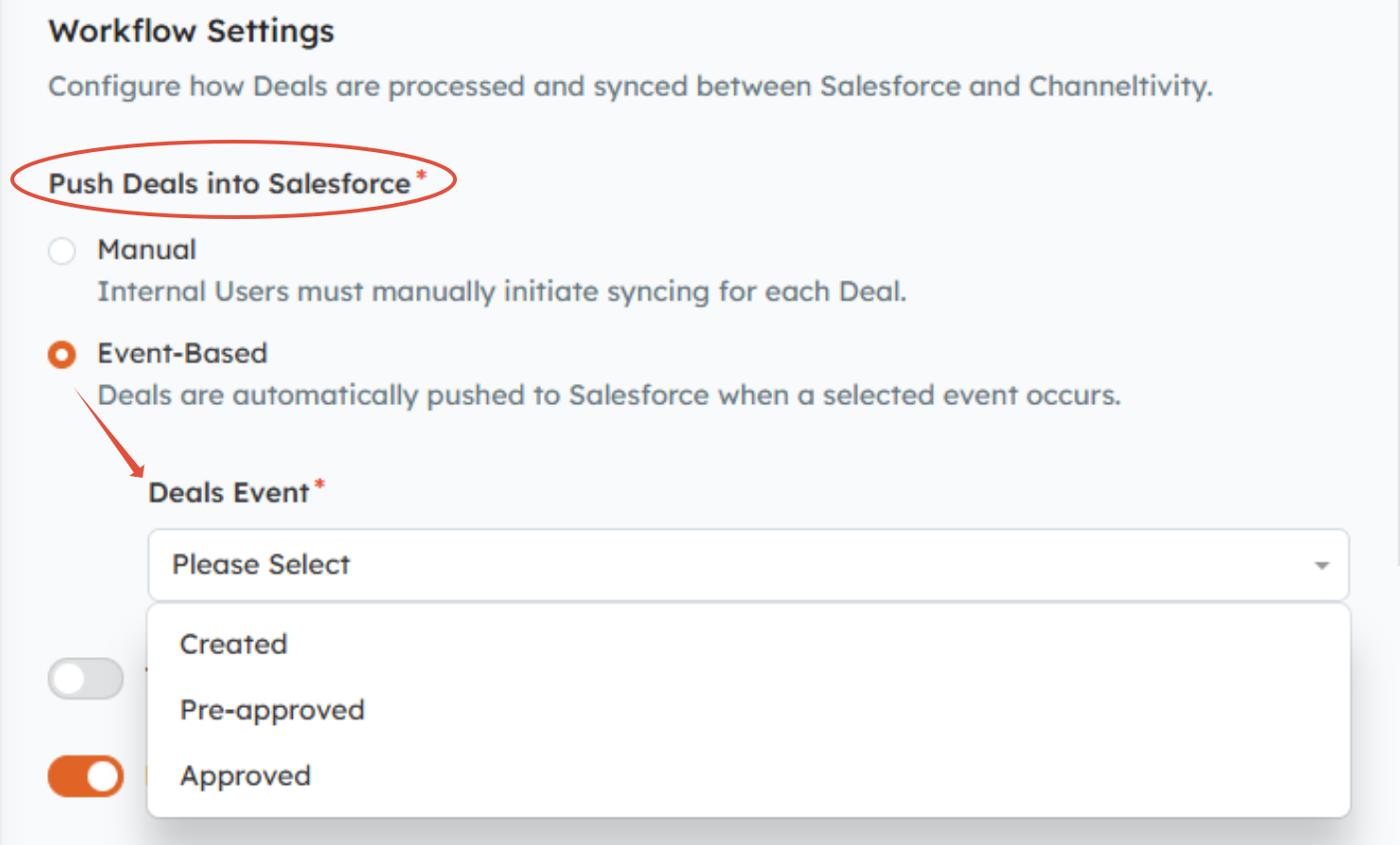
Event-Based (Automatic):
Deals are automatically synced to Salesforce when a selected event occurs (choose one):
- Created - Every new Deal is synced to Salesforce upon creation in Channeltivity.
- Pre-Approved - The Deal is synced to Salesforce when the Deal’s Registration Status is set to an Open:Pre-approved Status.
- Approved - The Deal is synced to Salesforce when the Deal’s Registration Status is set to a Closed, Approved Status.
FAQs:
What is the Deal Registration Status?
The Registration Status is used by the vendor (your Internal Team) to manage Deal approvals. Learn more about this topic in this article.
What is the difference between an Open:Pre-approved and Closed:Approved Status?
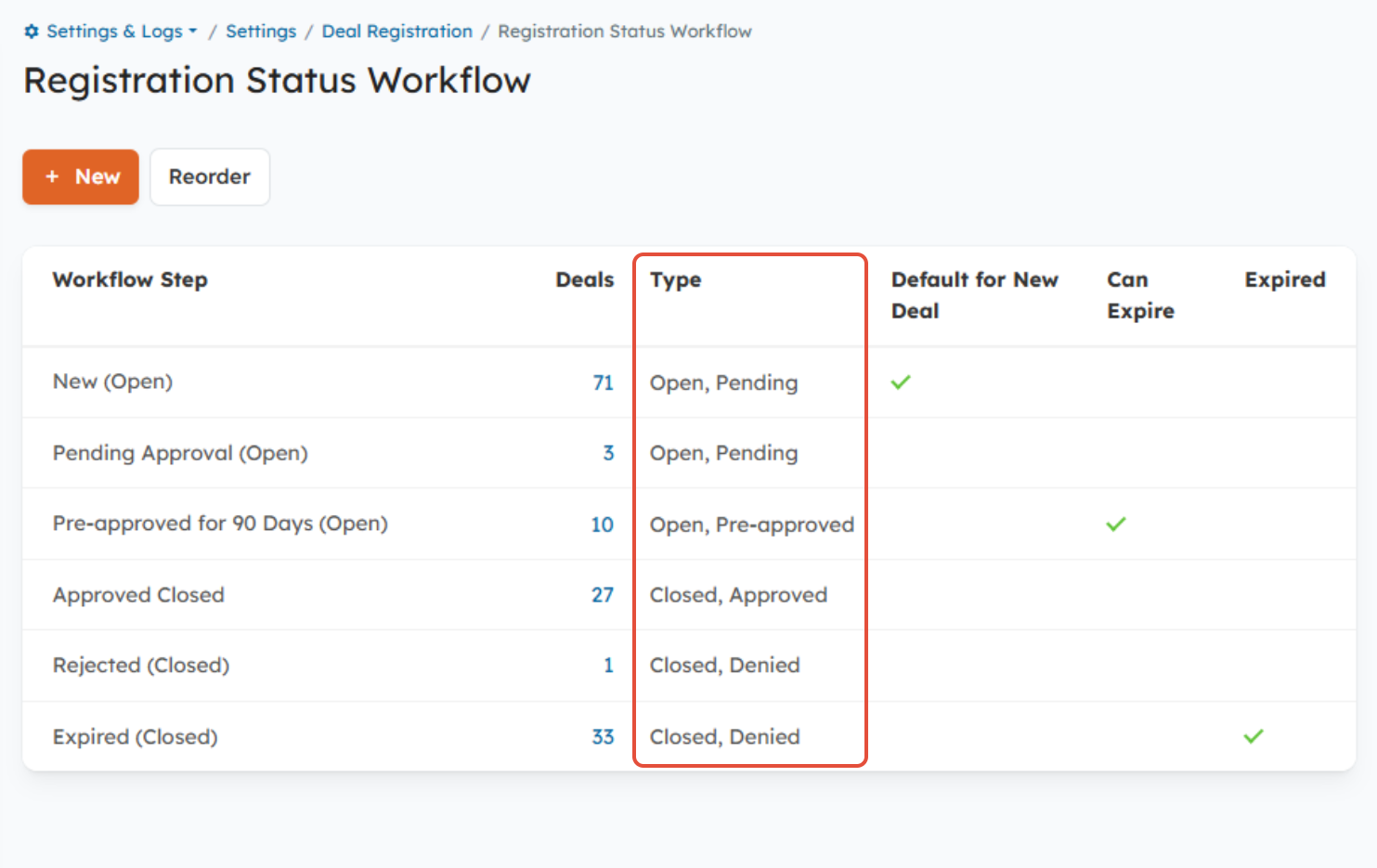
- Open: Pre-approved - The Deal has been approved, but is still in progress. It's often used alongside the Deal Expiration functionality to pre-approve Deals for a specific period of time.
- Closed: Approved - The Deal is Closed, and no further action is needed.
You can view and configure your Registration Statuses by going to Settings < Deal Registration > Registration Status Workflow
Was this article helpful?
That’s Great!
Thank you for your feedback
Sorry! We couldn't be helpful
Thank you for your feedback
Feedback sent
We appreciate your effort and will try to fix the article