HubSpot allows you to assign custom labels when creating Deal associations, helping clarify relationships between Deals and related entities. By default, Channeltivity sets the End User / Customer Company as the Primary Company on the Deal in HubSpot upon creation. You can also configure the integration to associate the Partner (or Distributor) Company and the Contact who own the Deal in Channeltivity (Deal Owner Organization and User) with the Deal in HubSpot upon creation.
However, if you prefer the Partner Organization (or Distributor) that owns the Deal in Channeltivity to be set as the Primary Company on the HubSpot Deal, you can update the "Deal Association Labels" section on the HubSpot Deal Registration Integration Settings page to reflect this behavior. Additionally, you can apply custom labels to the other Companies and Contacts associated with the HubSpot Deal if needed.
Setup Instructions:
In Channeltivity, go to Settings > HubSpot Integration > Deal Registration.
Scroll down to the "Deal Association Labels" section.
Toggle the Specify Association Labels to the ON position.
Use the dropdown menus to select the appropriate association labels for:
Deal-to-Contact (Contact) --- Deal-to-Company (Account): Represents the End User/Customer Contact and Account associated with the Deal in Channeltivity.
Deal-to-Contact (Owner User) --- Deal-to-Company (Owner Organization): Represents the Partner/Distributor User and Organization associated with the Deal in Channeltivity. (Only displayed if the Deal Owner Associations feature at the top of the Settings page is enabled)
Click Save to save your changes.
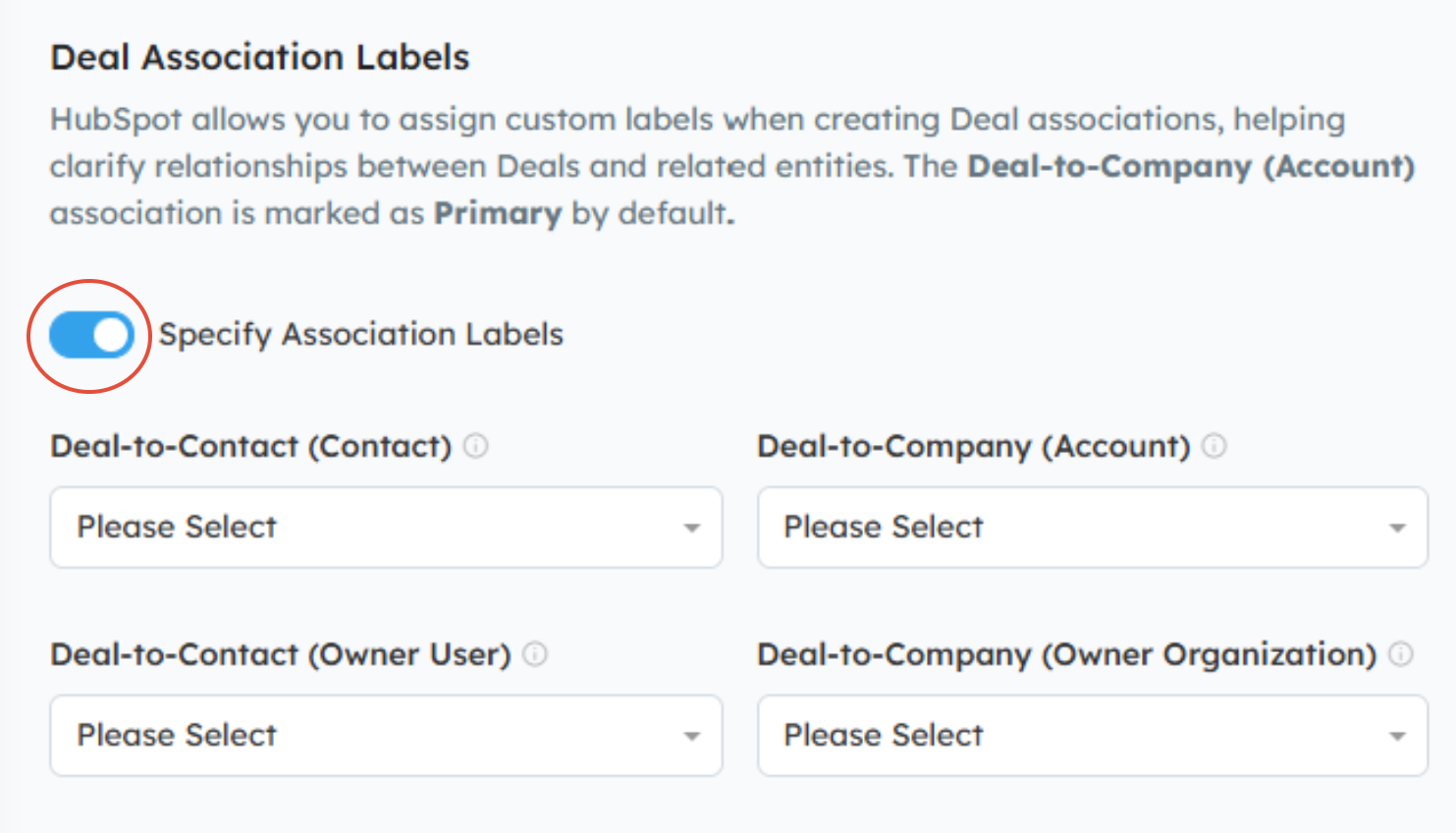
NOTE: Labels do not need to be specified for every entity. You can choose to apply them to only the Company, only the Contact, or any combination that fits your workflow.
In the example below, the Partner or Distributor Company that owns the Deal in Channeltivity will be set as the Primary on the Deal in HubSpot upon creation.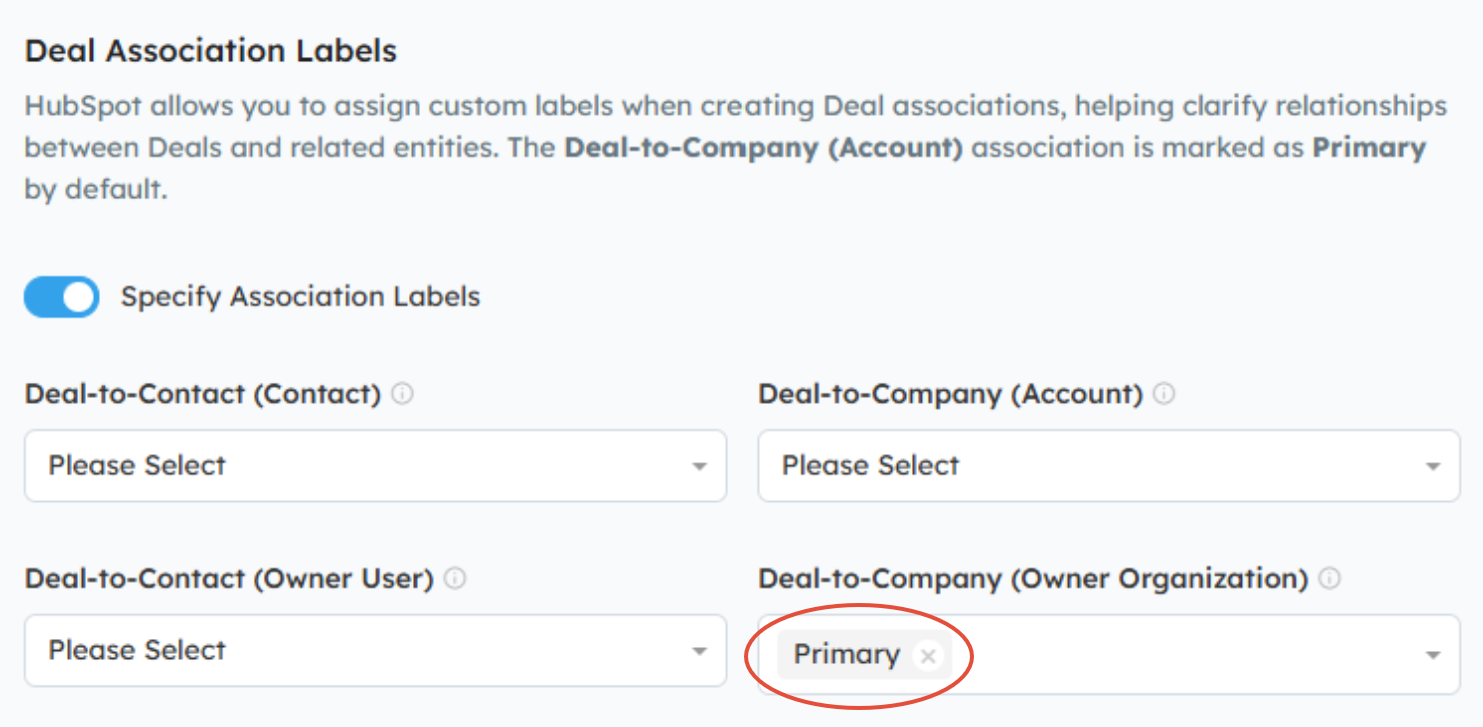
Was this article helpful?
That’s Great!
Thank you for your feedback
Sorry! We couldn't be helpful
Thank you for your feedback
Feedback sent
We appreciate your effort and will try to fix the article