By default, Channeltivity's Deal Registration integration with HubSpot associates the End User/Customer Account and Contact with the Deal when it’s synced to HubSpot. However, you can enable the setting below in the HubSpot Integration Deal Registration settings to associate the Partner (or Distributor) Company and the Contact who owns the Deal in Channeltivity (Deal Owner Organization and User) with the Deal in HubSpot upon creation. 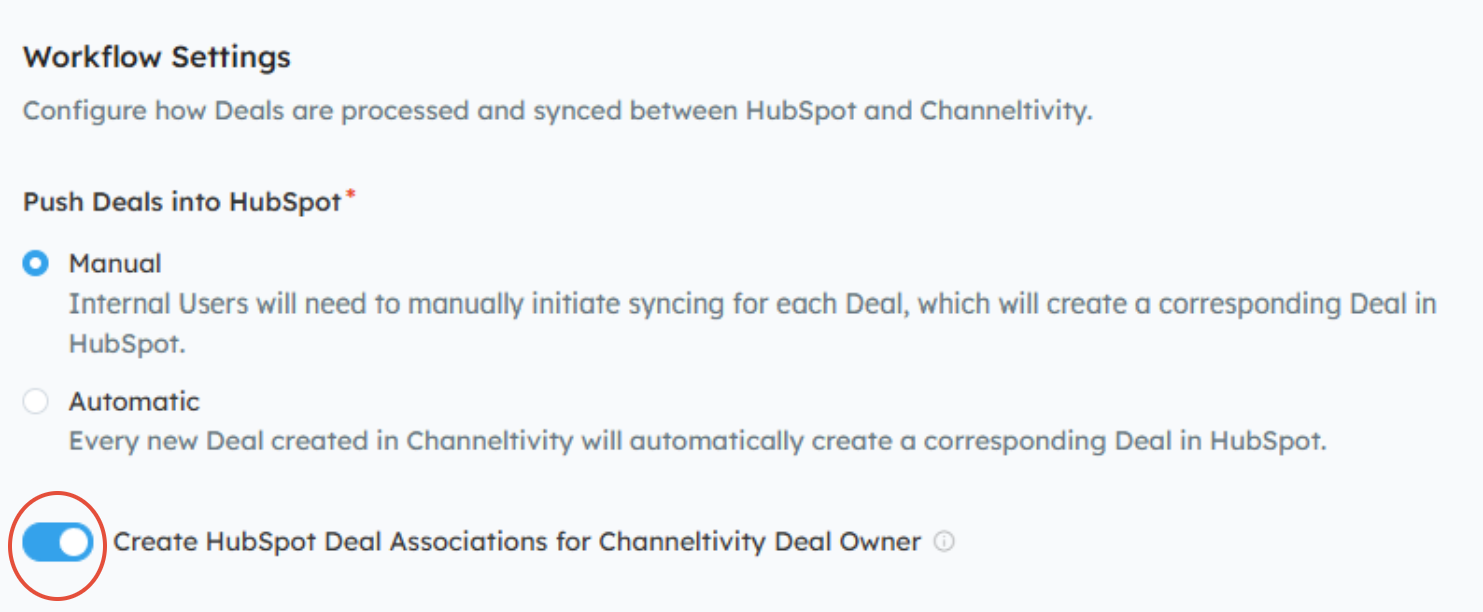
This way, both the End User/Customer and Partner/Distributor are tied to the Deal in HubSpot, giving you a more complete picture of every Deal that’s synced to HubSpot.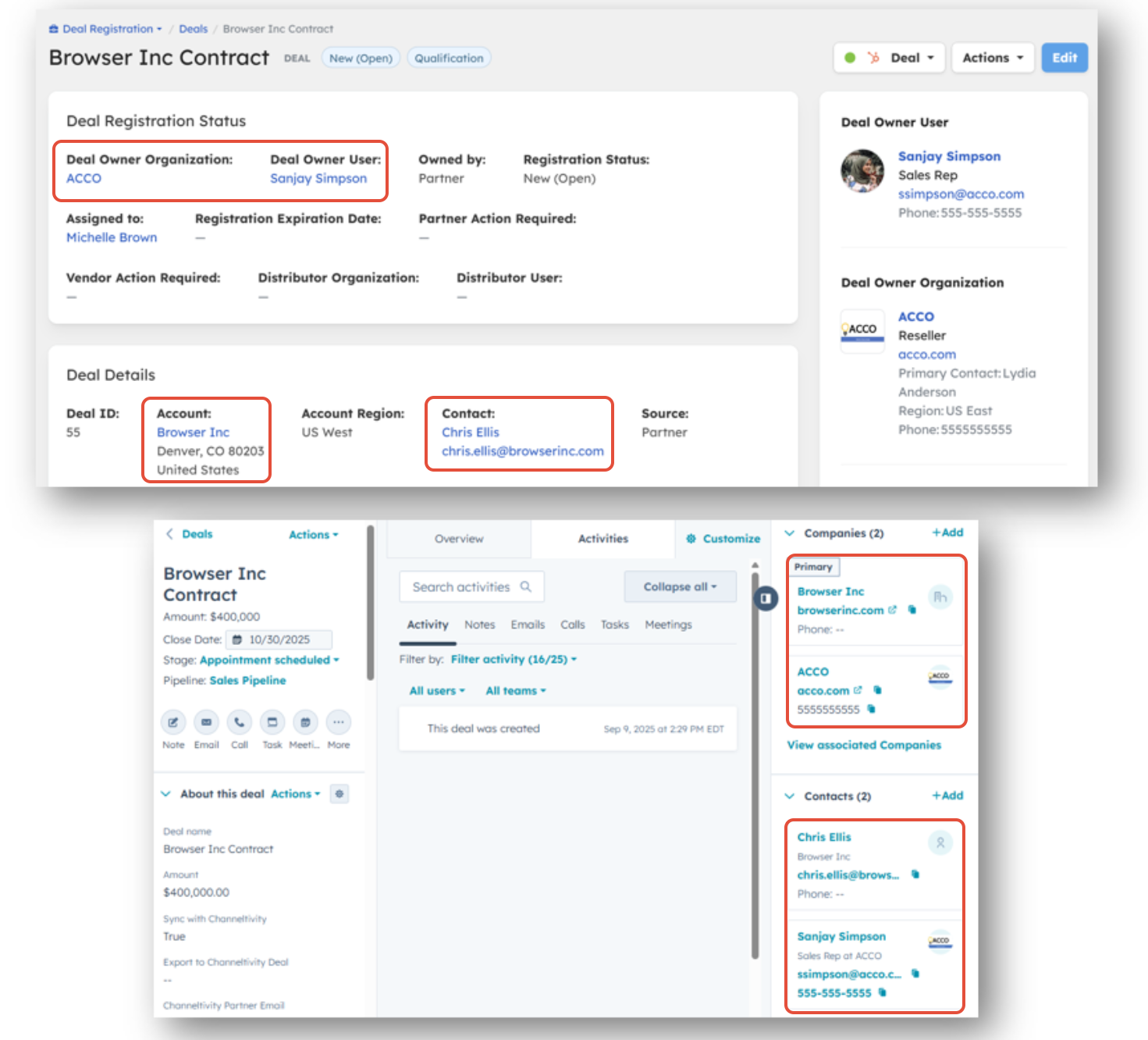
How It Works
When enabled, Channeltivity will create the following associations when a Deal is synced to HubSpot:
- End User/Customer (Default): Continue associating the End User/Customer Account and Contact with the Deal in HubSpot, which happens by default (see the FAQs section below for more details).
- Partner/Distributor: Associate the Partner (or Distributor) Company and Contact who registered the Deal in Channeltivity (Deal Owner Organization and User) with the Deal in HubSpot.
Channeltivity uses the email address/domain of the Partner (or Distributor) User who registered the Deal in Channeltivity (the Deal Owner User) to associate the Partner/Distributor Company and Contact with the Deal in HubSpot upon creation:
- If there’s a match on email: If a HubSpot Contact exists with the same email address as the Deal Owner User in Channeltivity, and that Contact’s domain is tied to a HubSpot Company, Channeltivity will associate the Deal with both that Contact and Company.
- If there’s only a domain match: If no HubSpot Contact exists with the same email, but the User’s email domain is tied to a HubSpot Company, Channeltivity will associate the Deal with the Company only.
- If there’s no match at all: If there is no HubSpot Contact with the same email address as the Deal Owner User in Channeltivity and the User’s email domain is not associated with a Company in HubSpot, Channeltivity will not create any Partner/Distributor Company associations on the Deal.
TIP: Use the HubSpot Organization Sync, which keeps your Partner and Distributor Organizations and Users/Contacts in Channeltivity synced with your Partner and Distributor Companies and Contacts in HubSpot to ensure more accurate associations.
How to Enable This Feature
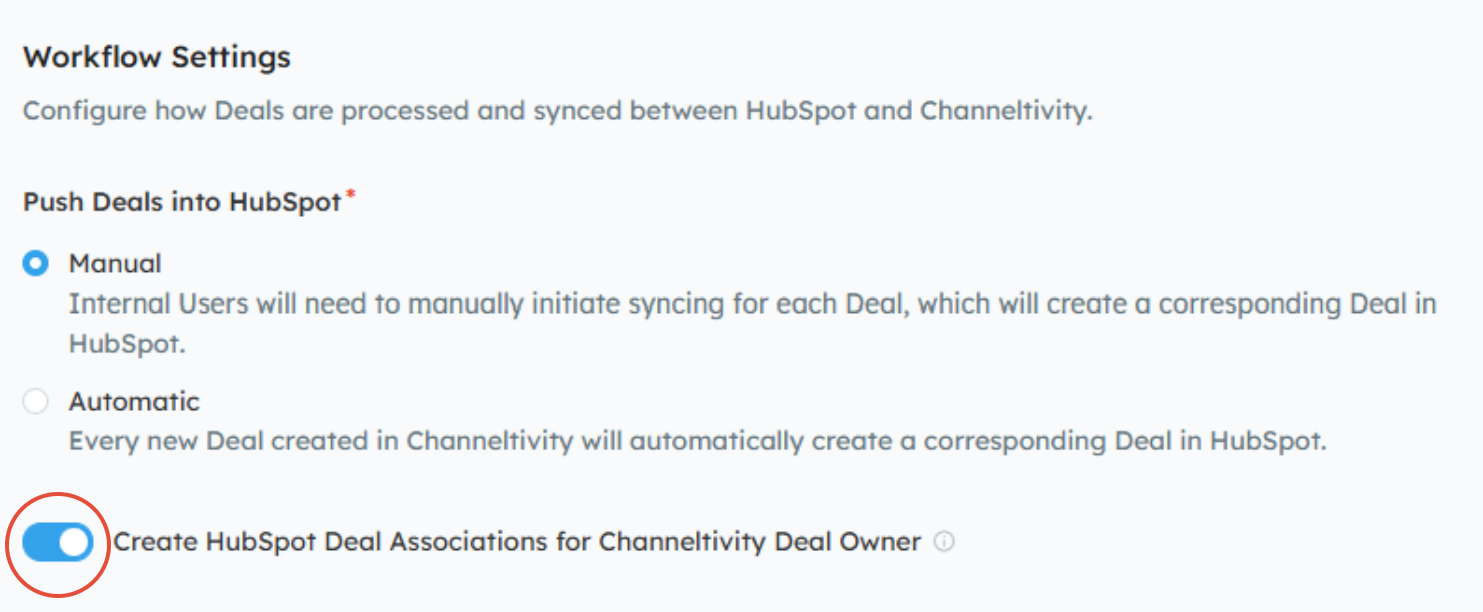
In Channeltivity, go to Settings > HubSpot Integration > Deal Registration, and switch the "Create HubSpot Deal Associations for Channeltivity Deal Owner" toggle to the ON position > Save.
FAQs
How does Channeltivity handle the End User Company and Contact associations when creating new Deals in HubSpot via the integration?
By default, the integration sets the Deal's Company and Contact based on the email address/domain of the Deal's End User Contact in Channeltivity. For example, if there's a Contact in HubSpot with the same email address as the End User Contact listed on the Deal in Channeltivity and the domain is associated with a HubSpot Company, Channeltivity will associate the Deal to that HubSpot Company and Contact instead of creating a new Company and Contact.
If the End User Contact's email address does not exist in HubSpot, Channeltivity will create a new Contact in HubSpot. If the Contact's email domain is not yet associated with a Company in HubSpot, Channeltivity will create both a new Company and Contact in HubSpot.
Your Deal Registration End User Account and Contact field mappings determine the data that is pushed to HubSpot to create new Companies and Contacts. Please note that any changes made in Channeltivity to the End User Account and Contact on the Deal after the initial creation of the Company and Contact in HubSpot will not be reflected on the corresponding records in HubSpot.
Learn more about this topic in this article: HubSpot Integration: Deal Registration - Overview.
Which Company is set as the Primary on the Deal in HubSpot?
By default, Channeltivity sets the End User / Customer Company as the Primary Company on the Deal in HubSpot upon creation. However, you can change this behavior for Companies as well as Contacts using the instructions below:
In Channeltivity, go to Settings > HubSpot Integration > Deal Registration.
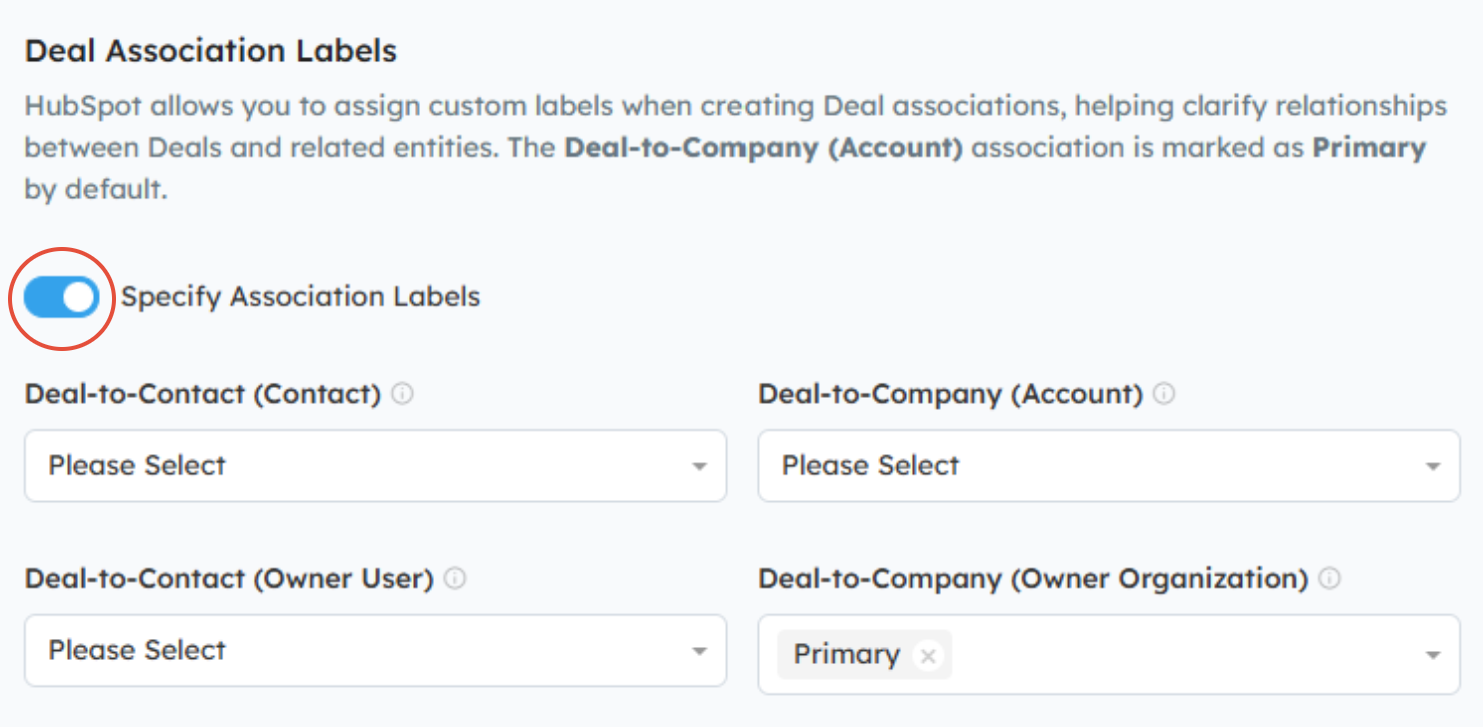
Scroll down to the Deal Association Labels section.
Toggle the Specify Association Labels to the ON position.
Use the dropdown menus to select the appropriate association labels for:
Deal-to-Contact (Contact) --- Deal-to-Company (Account): Represents the End User/Customer Contact and Account associated with the Deal in Channeltivity.
Deal-to-Contact (Owner User) --- Deal-to-Company (Owner Organization): Represents the Partner/Distributor User and Organization associated with the Deal in Channeltivity.
Click Save to save your changes.
In the example below, the Partner or Distributor Company that owns the Deal in Channeltivity will be set as the Primary on the Deal in HubSpot upon creation.
NOTE: Labels do not need to be specified for every entity. You can choose to apply them to only the Company, only the Contact, or any combination that fits your workflow.
Was this article helpful?
That’s Great!
Thank you for your feedback
Sorry! We couldn't be helpful
Thank you for your feedback
Feedback sent
We appreciate your effort and will try to fix the article