The Embeddable Partner & Distributor Locator allows you to display your Partners and Distributors externally on your corporate website using dynamic, customizable views powered by your Channeltivity portal.
This article provides an overview of each layout template along with the available configuration options for each.
There are three different layout templates for the Partner/Distributor Locator:
- Map View - Displays Partner Organizations on an interactive map. Visitors can click markers to see the organizations located in each city.
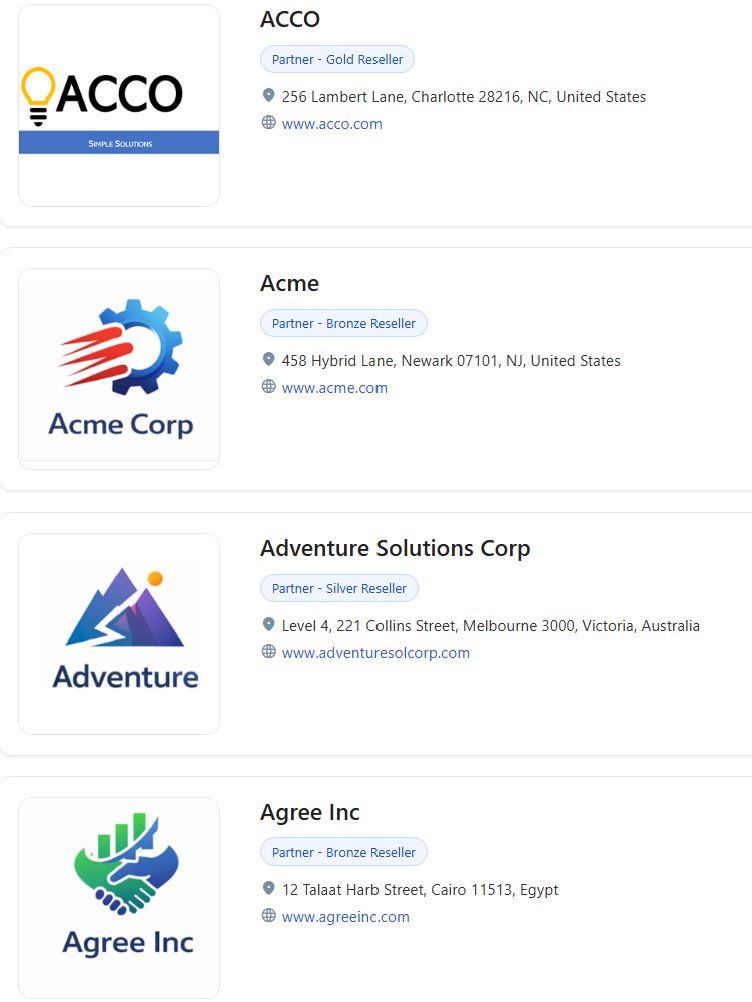
- Full-Width Card View (Custom) - Shows Organizations in a card layout with one card per row, including the logo, contact details, and any additional company information of your choice.
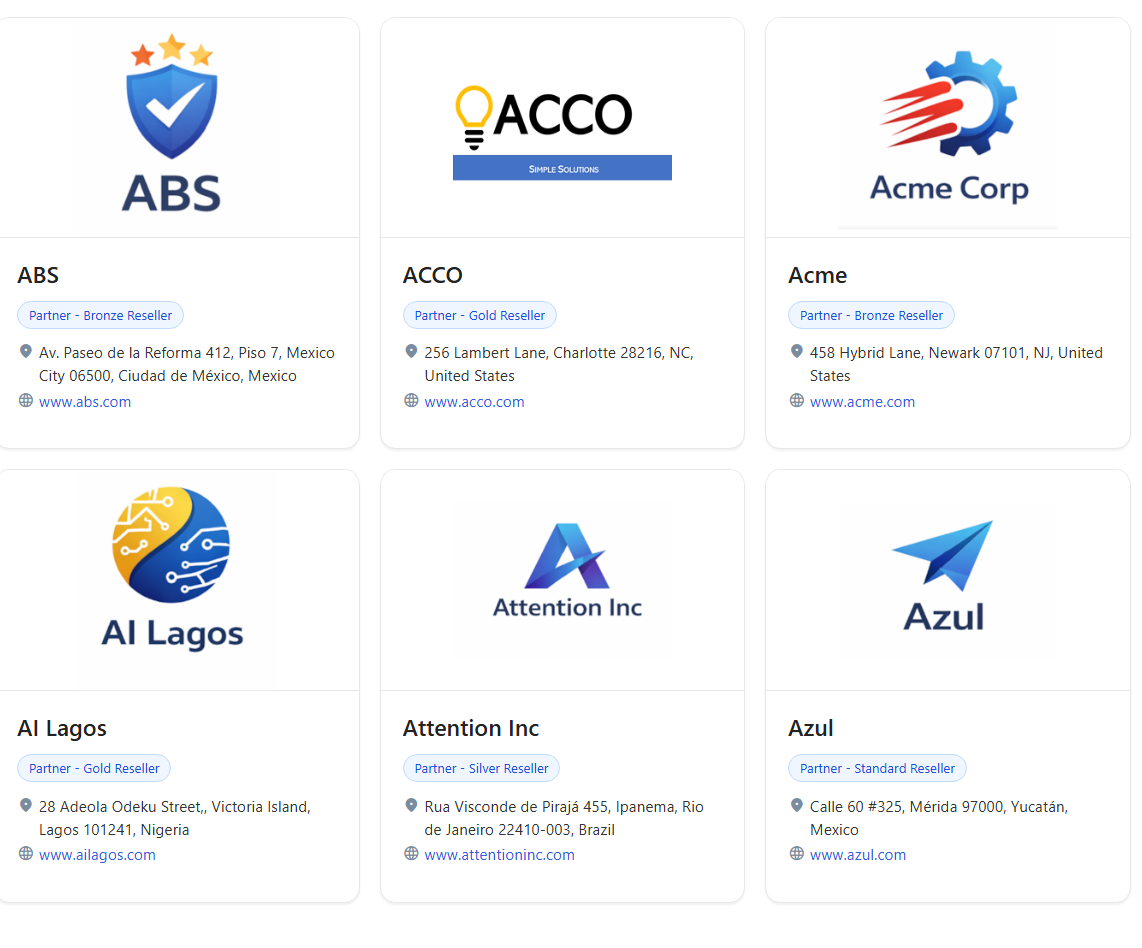
- Grid Card View (Custom)- Shows Organizations in a multi‑column card layout, with each card displaying the logo, contact details, and any additional company information of your choice.
The Full‑Width and Grid Card Views are available upon request and can be configured by the Channeltivity Team based on your needs (see FAQs section at the bottom of the article). Contact us at support@channeltivity.com to learn more.
Map View
- Interactive map showing Partner locations based on country, city, and state
- Helps the public locate Partners in their area, as visitors can click on any marker to view Partners located in a specific city, and get their contact details
- Ideal for global or regional coverage
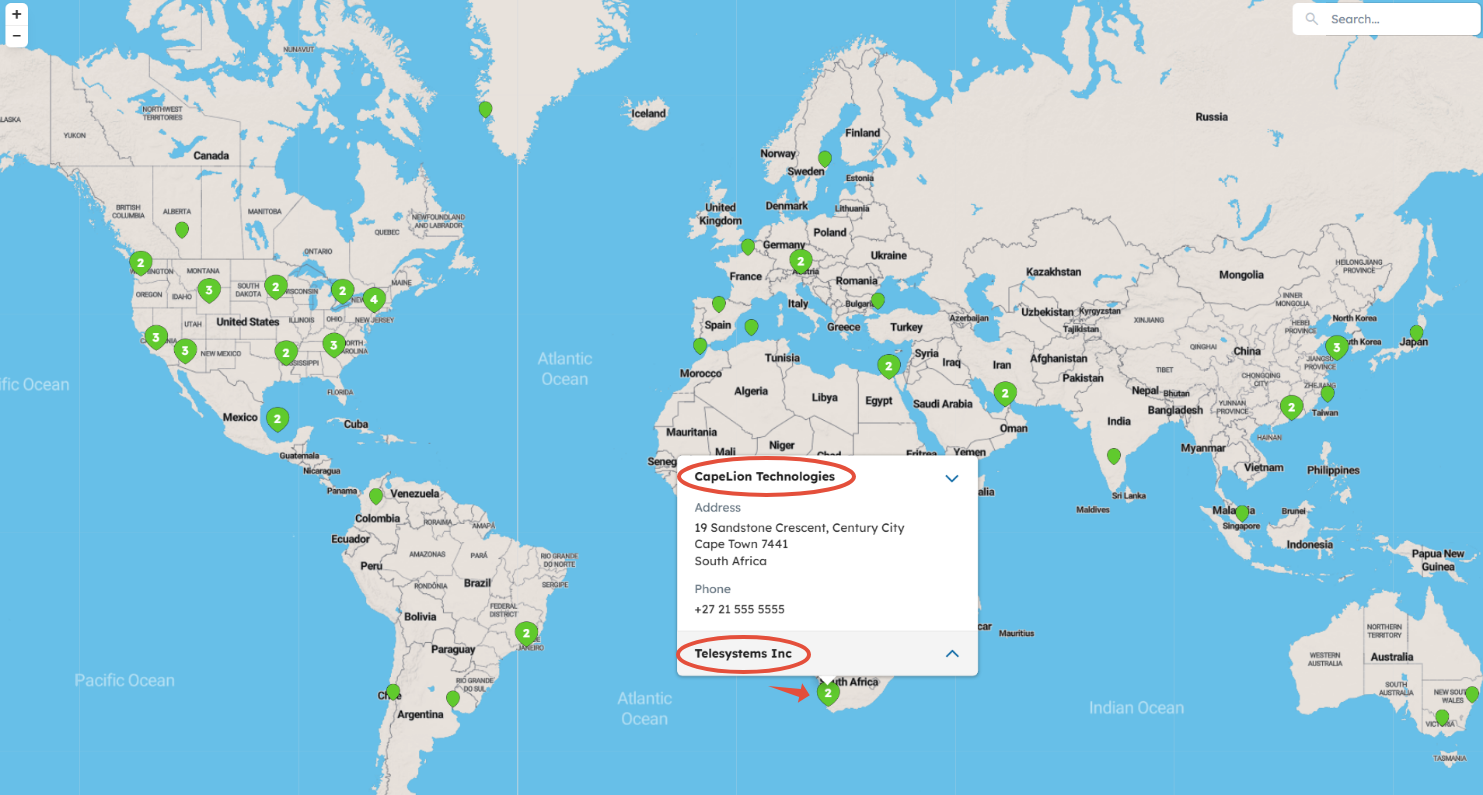
NOTE: The Locator includes Active Partners based on the country, city, and state values listed in the address fields on the records in Channeltivity.
It does not include the following:
- Active Partners with no address data
- Inactive / Prospective Partners
- Distributors
To access your portal's Map layout of the Partner Locator, go to Settings > Portal Customization > Embeddable Partner & Distributor Locator.
From there, you’ll hover over the map and click the “Actions” button that appears to the right to Enable it, Preview it, and Generate the Embed Code to use externally.
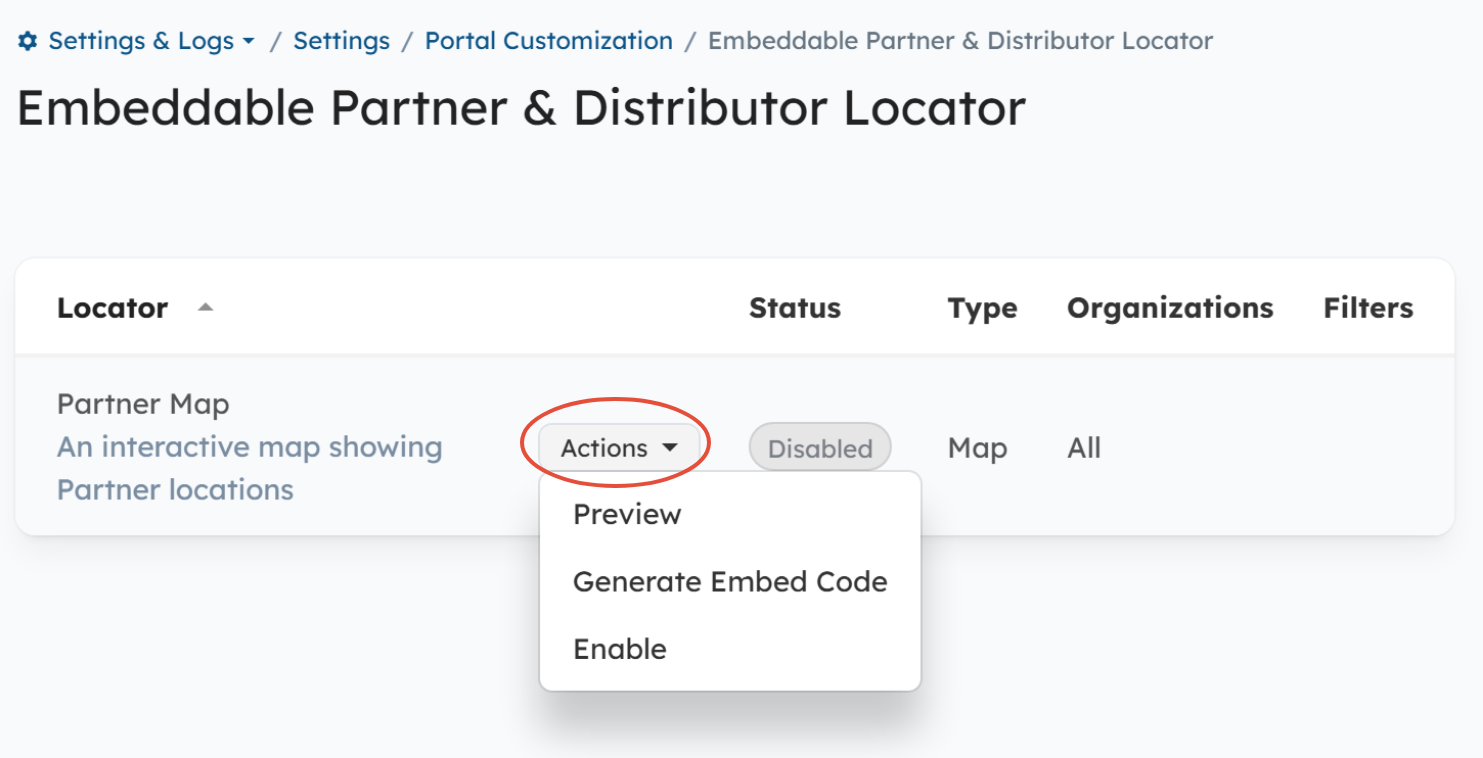
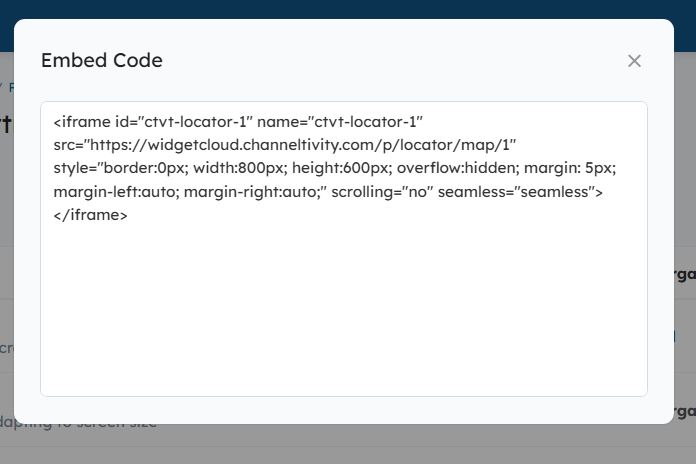
Click the "Actions" button > Generate Embed Code to copy the Map's embed code and paste it into your corporate website's HTML.
Full-Width & Grid Card Views
(These templates are highly customizable and can be configured our team based on your requirements. Contact us at support@channeltivity.com to discuss your needs.)
Displays cards for each Organization that include the following items:
- Organization's Logo - Organizations without logos will display a default card with the company name
- Contact Details - Phone and address
- Additional Details - Partner Type, Tier, Market Segment, etc.
Full-Width View:
Displays one card per row:
Grid Card View:
Displays multiple cards per row:
Need a Locator Built?
We’ll take care of it for you. To get started, please reach out to support@channeltivity.com.
FAQs:
What are the configuration options for the Full-Width and Grid Card layouts?
Our team will build your Locator using the criteria you define, pulled directly from your portal:
- Region or Country
- Partner Type (e.g., Gold, Silver, Distributor)
- Custom fields on the Organization record (e.g., product lines, industries served, services)
We can also:
- Create multiple Locators using different criteria (e.g., by region or Tier)
- Add filters so Users can refine results directly on the page
Does the Locator update in real-time?
Yes, updates made to Organizations are reflected immediately in the Locator as soon as the changes are saved in your Channeltivity portal.
Can I hide Organizations from the Locator?
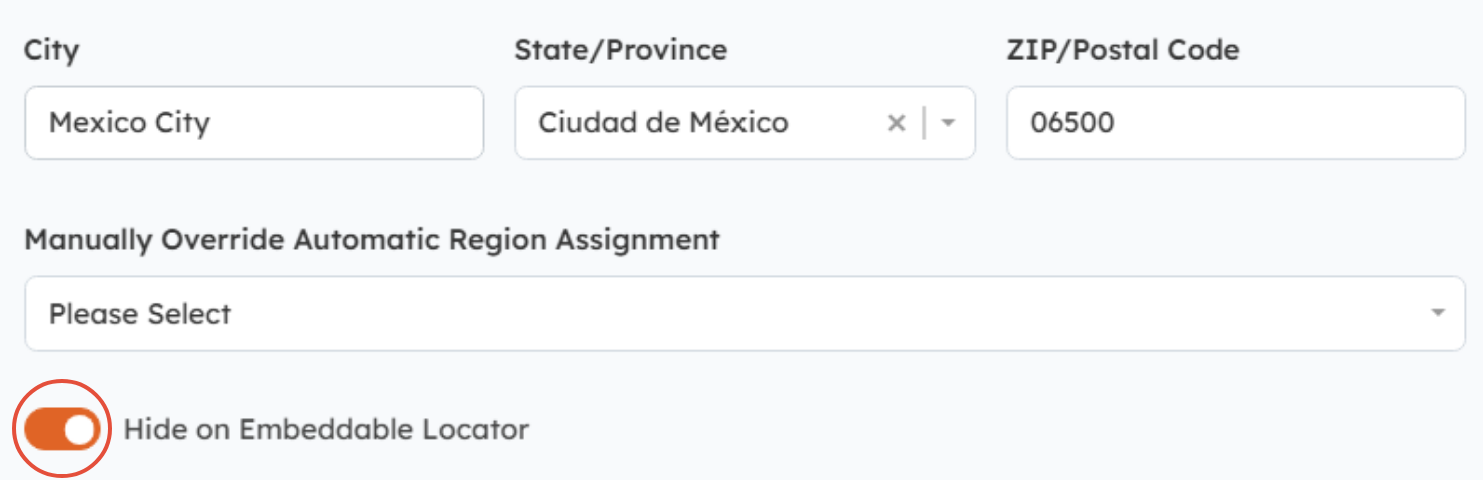
Yes, you can hide Active Partner and Distributor Organizations from the Locator by going to the Organization record and switching the "Hide on Embeddable Locator" toggle to the ON position > Save.
Was this article helpful?
That’s Great!
Thank you for your feedback
Sorry! We couldn't be helpful
Thank you for your feedback
Feedback sent
We appreciate your effort and will try to fix the article