Archiving an Agreement Template allows you to retire an Agreement Template without deleting it. This is useful when a Template is no longer active, has been replaced by a newer version, or should no longer be assigned to Organizations, but still needs to be retained for recordkeeping, reporting, or historical reference.
When an Agreement Template is archived:
It is unassigned from any Organization to which it was previously assigned
It is no longer available for assignment going forward
It remains accessible to Internal Users, such as System Admins (and Internal Users with Partner Admin access), for viewing and reference
How to Archive an Agreement Template
Go to Settings > Agreements > Agreement Templates
Click on the name of the Agreement Template you want to archive
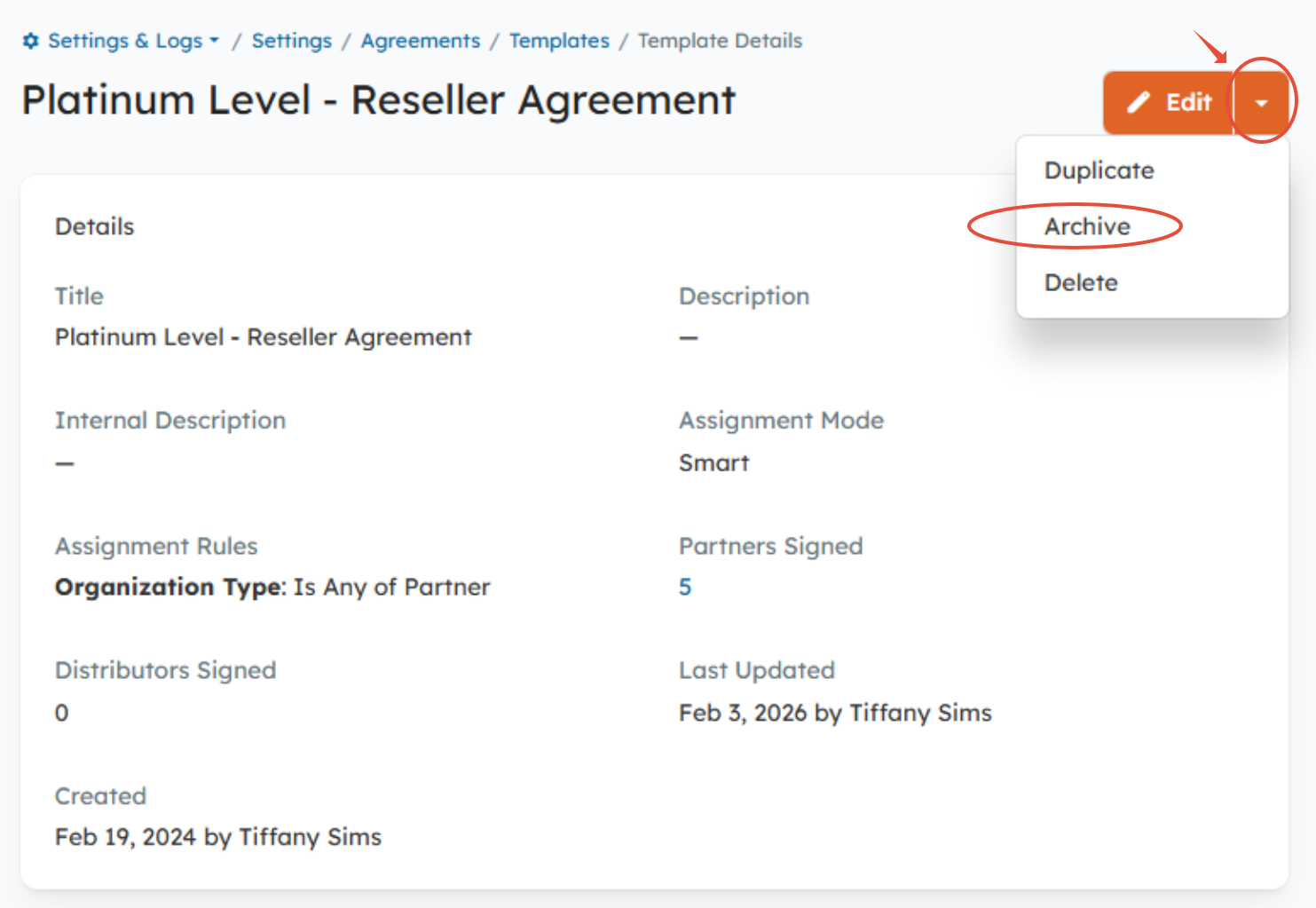
On the Agreement Template details page, click the caret icon (▼) next to the Edit button > Archive
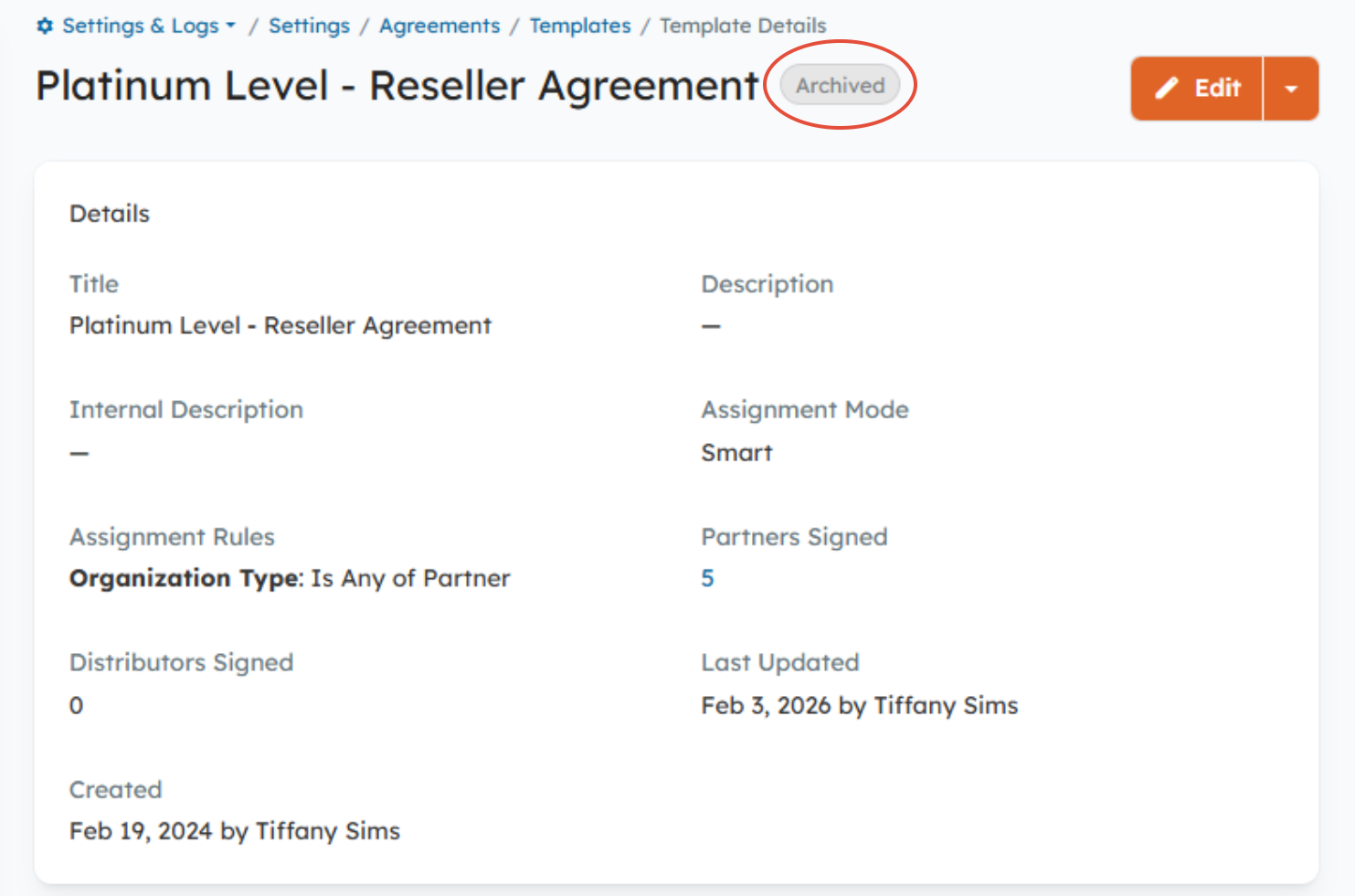
Once archived, the Agreement Template will be unassigned immediately from any Organizations to which it was previously assigned (applies only to Pending/Unsigned Agreements).
Viewing Archived Agreement Templates
You can view archived Templates at any time:
Go to Settings > Agreements > Agreement Templates
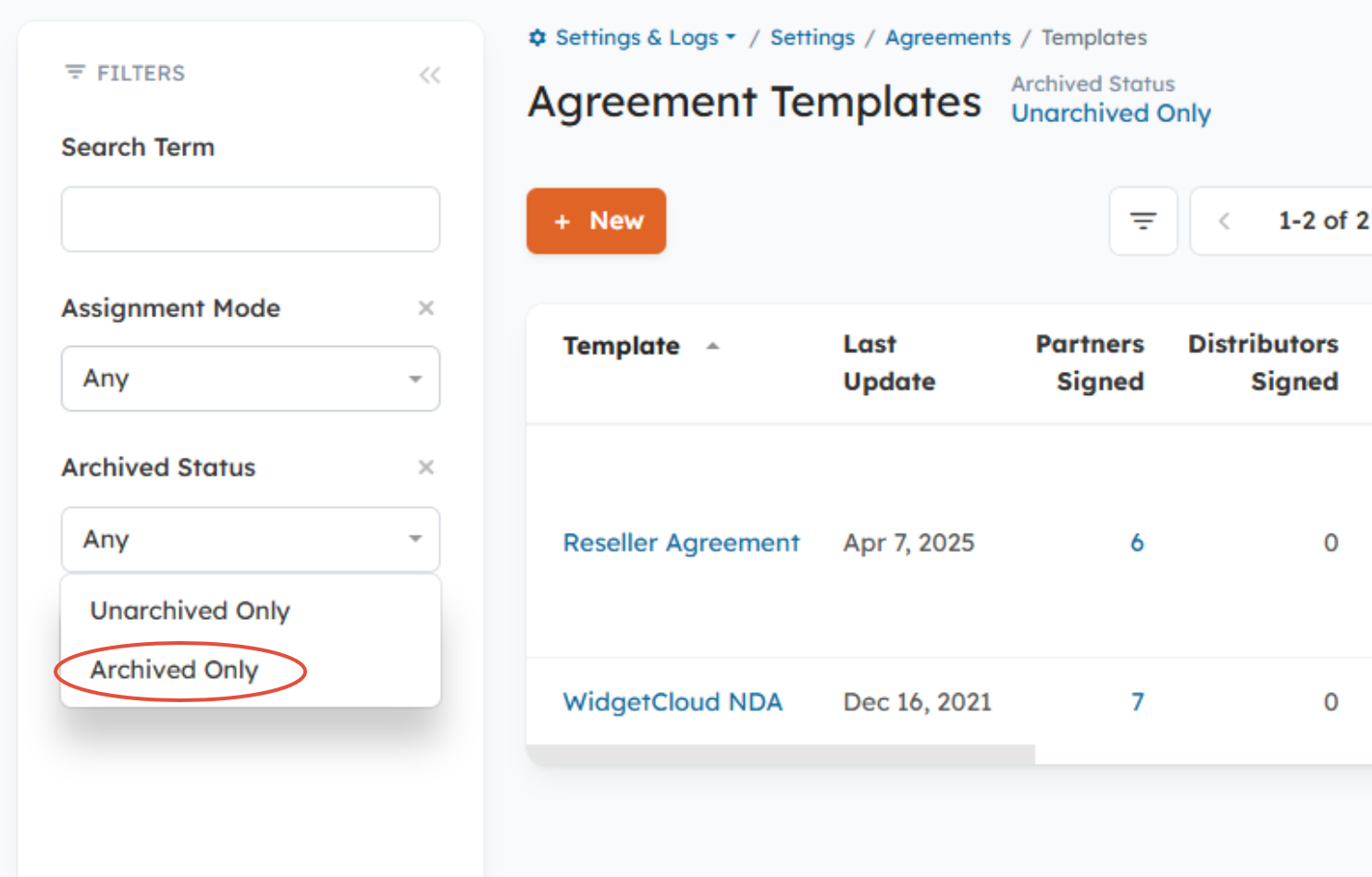
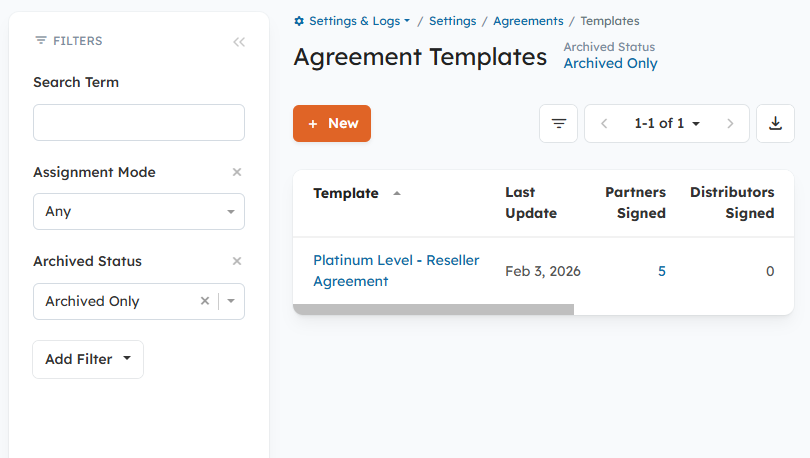
In the left-side filter panel, locate the Archived Status filter
Select one of the following options:
Archived Only to view only archived Templates
Any to view both archived and unarchived Templates
Unarchived Only to view only unarchived Templates
Important Notes
Archived Agreement Templates cannot be assigned to Organizations
Archiving does not delete signed Agreements or remove historical signing data
Related Documentation:
What is the Agreements Functionality and How Do I Use It?
Was this article helpful?
That’s Great!
Thank you for your feedback
Sorry! We couldn't be helpful
Thank you for your feedback
Feedback sent
We appreciate your effort and will try to fix the article